Inbox and notifications | Rodeo Docs
Your inbox collects everything that needs you, from mentions and comment replies to tasks assigned to you, access requests and reminders, so you can catch up in one place and never miss the line that was written for you.
Do it
Check your inbox
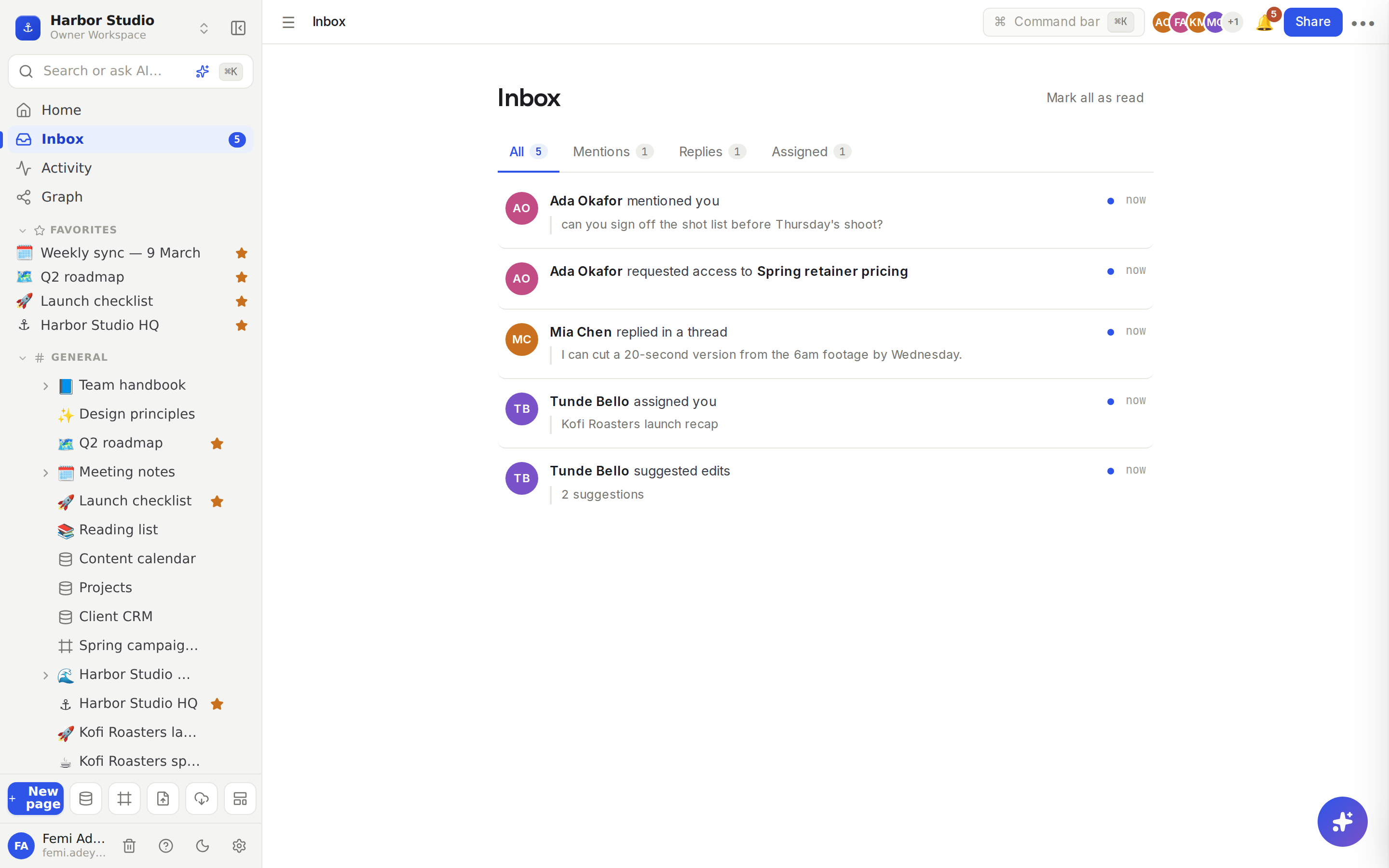
Click Inbox in the sidebar. The number next to it is how many notifications you haven't read.
Use the tabs to filter: All, Mentions, Replies and Assigned.
Click a notification. Rodeo marks it read and takes you to the exact spot: the comment thread, the block you were mentioned in, or the page's Share window for an access request.
Click Mark all as read when you've caught up. With nothing new, the inbox says "You're all caught up."
The bell (🔔) at the top right shows the same notifications in a short dropdown, with Mark all read, so you can check without leaving your page.
What you're notified about
You see | When |
|---|---|
"… mentioned you" | Someone |
"… replied in a thread" | Someone replies in a comment thread you've written in |
"… assigned you" | Someone adds you to a person property on a database row, such as Owner |
"… requested access to …" | A teammate asks to open a page you created or, as an owner or admin, can open |
"… suggested edits" | Someone suggests changes on a page you created or, as an owner or admin, can open |
⏰ Reminder | A reminder you set comes due |
🤖 Automation | A database automation sends you a notification |
"… is due for re-verification" | A wiki page you own needs checking |
Mentioning someone doesn't give them access. People only get notified about pages they can open.
Choose your emails
Click Members & settings at the bottom of the sidebar, then the Notifications tab.
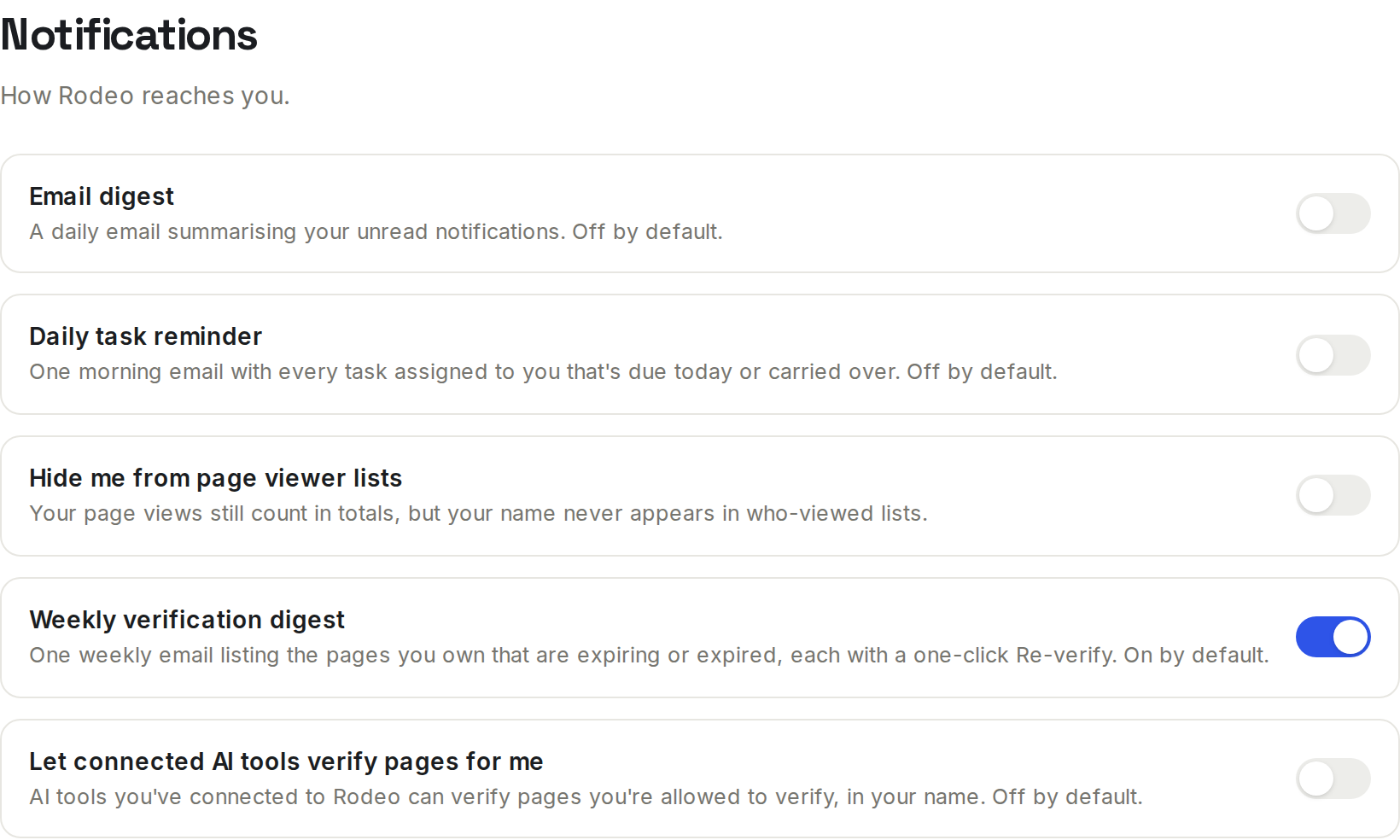
Switch on the emails you want:
Setting | What it does |
|---|---|
Email digest | A daily email summarising your unread notifications. Off by default. |
Daily task reminder | One morning email with every task assigned to you that's due today or carried over. Off by default. |
Weekly verification digest | One weekly email listing the pages you own that are expiring or expired, each with a one-click Re-verify. On by default. |
Tips and limits
Instant emails by default. Mentions, replies and assignments are also emailed to you as they happen. Switch on Email digest to get them in one daily email instead.
Every workspace in one inbox. The inbox shows notifications from all the workspaces you belong to, and each one opens in its own workspace.
Your 50 most recent notifications are listed.
No noise from yourself. You're never notified about your own mentions, replies or assignments, and re-saving a page doesn't notify the same person again within 10 minutes.
On your phone, the Rodeo mobile app can send push notifications. See Mobile app.
Prefer to be invisible? Hide me from page viewer lists keeps your name out of who-viewed lists; your views still count. See Page analytics.
Notifications work on every plan.
Ideas
Hand off with a mention. At the end of the weekly sync, Ada types "@Tunde Bello draft the launch post" in the action items. Tunde gets it in his inbox and by email, and one click takes him to that line.
A task list that comes to you. Add an Owner person property to the content calendar. Whoever is set as Owner gets "assigned you", and Daily task reminder emails them each morning. See Properties.
Inbox zero on Fridays. Femi works through Mentions and Assigned, then clicks Mark all as read before the weekend.
Troubleshooting
I'm getting too many emails. Switch on Email digest: your mention, reply and assignment emails then arrive once a day as a summary instead.
A teammate wasn't notified when I mentioned them. They can't open the page. Share it with them, then mention them again. See Sharing and access requests.
A notification opens the wrong workspace. It opens the workspace it came from. Switch back with the workspace menu at the top of the sidebar.