Draw diagrams from text with Mermaid | Rodeo Docs
Describe a process in a few lines of text and Rodeo draws it as a diagram, so flowcharts, timelines and handoffs stay in the doc they explain and are as easy to change as a sentence.
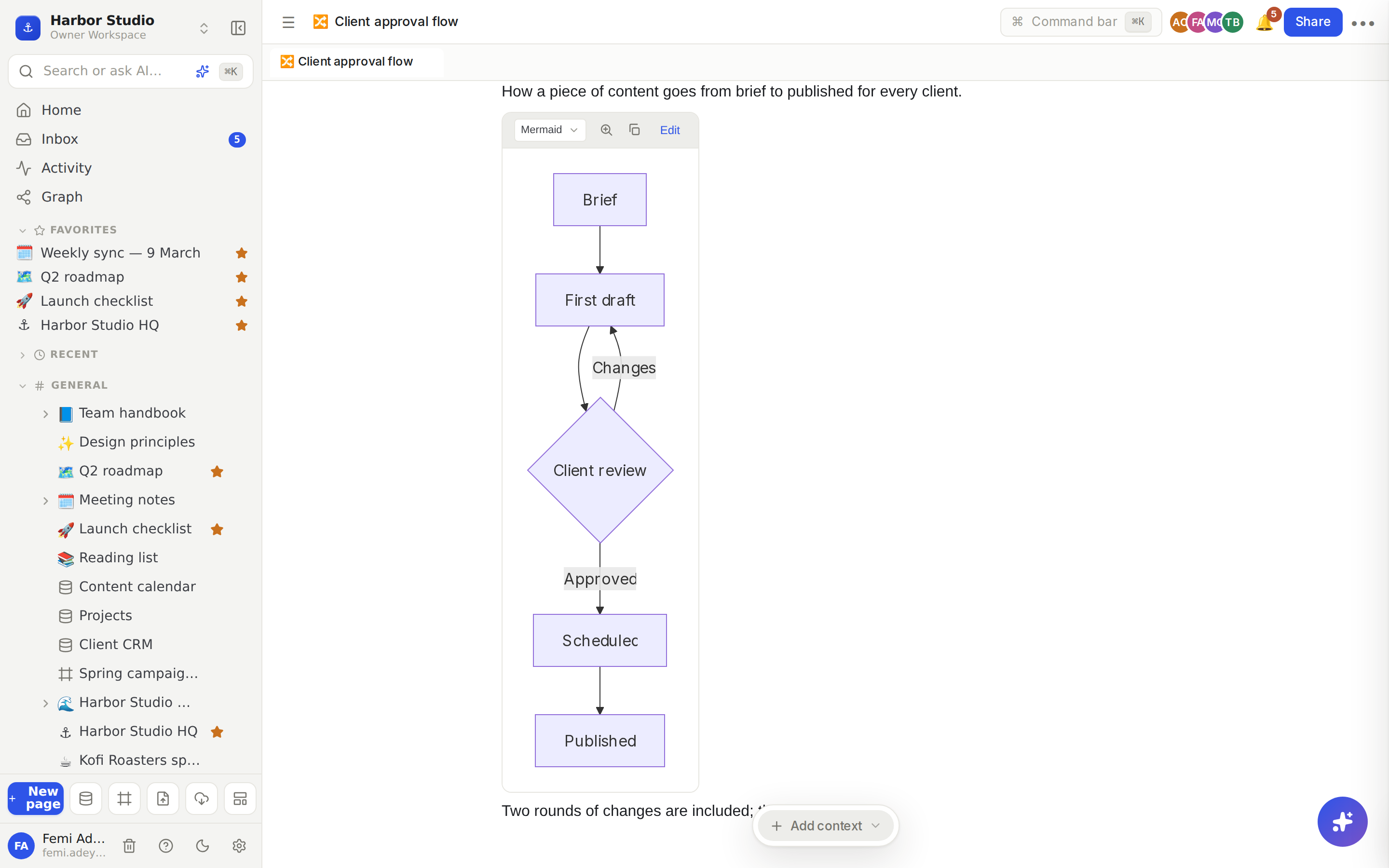
Diagrams are written in Mermaid, a simple text language for drawing. You don't need to learn it all: the starter diagram shows the pattern, and each line is one box or arrow.
Do it
Type /diagram (or /flowchart, /mermaid) and choose Diagram. A starter flowchart appears.
Click Edit at the top of the block. The source opens on the left, with a live preview on the right.
Change the source. The preview redraws as you type.
Click Done to show just the diagram.
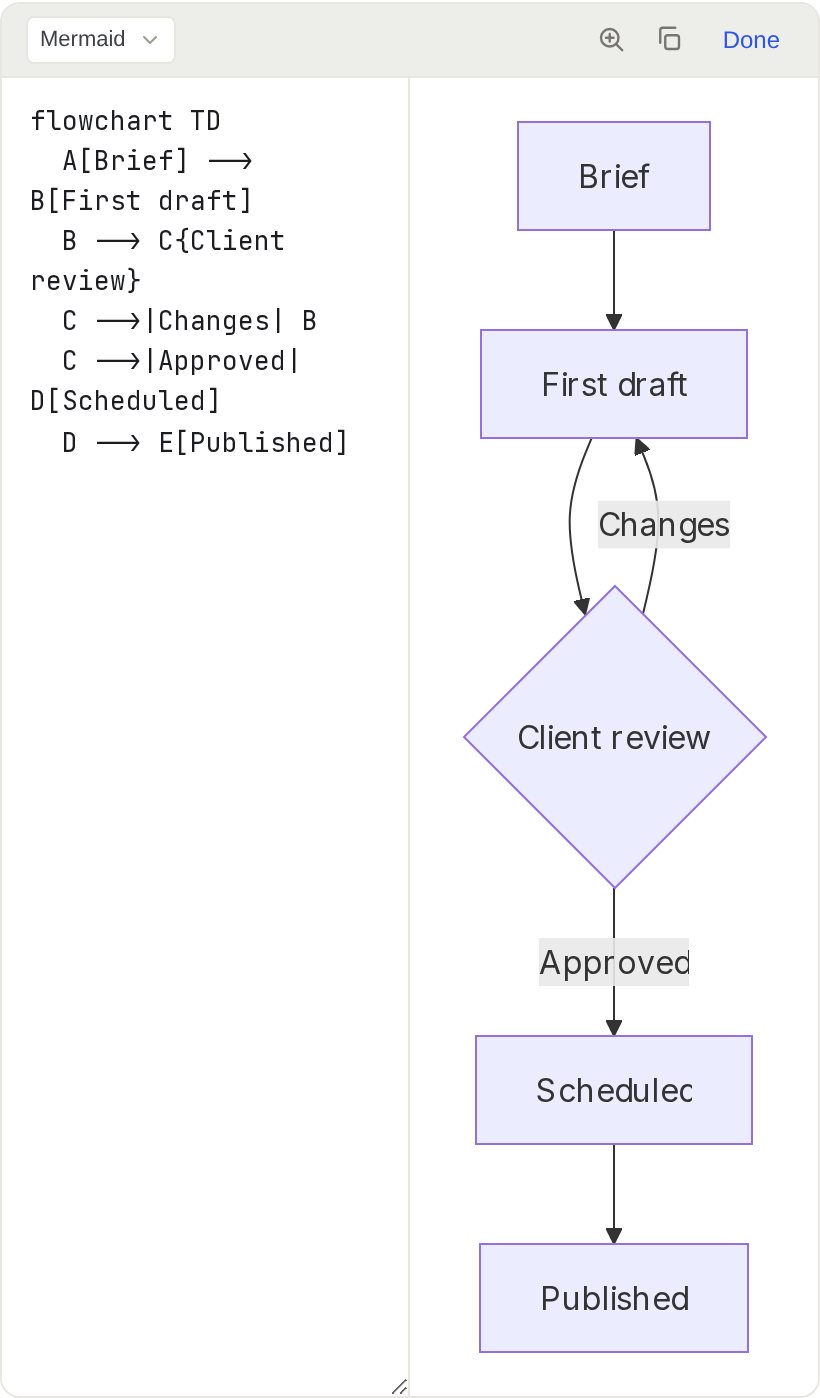
A small flowchart looks like this:
flowchart LR
  A[Brief] --> B[First draft]
  B --> C{Client review}
  C -->|Changes| B
  C -->|Approved| D[Scheduled]
LR draws left to right; use TD for top to bottom. Square brackets make a box, curly brackets make a decision, and -->|label| labels an arrow.
Tips and limits
Zoom in. Click the diagram, or the zoom button at the top of the block, to open it full screen. Scroll to zoom, drag to move around, use +, − and Reset, and press Esc to close.
Copy source copies the diagram's text, ready to paste into another page or another tool.
More than flowcharts. Mermaid also draws sequence diagrams, Gantt charts and more; write the matching Mermaid source.
Errors are shown, not hidden. If a line can't be read, the block shows Mermaid's error message in place of the drawing.
Plain text. Switch the language menu from Mermaid to Plain text to show the source as text instead of drawing it.
Light and dark. Diagrams redraw to match your light or dark theme.
Diagrams work on every plan.
Ideas
An approval flow every client gets. Draw your brief-to-published process once and put it in the client handbook, so "who signs this off?" never needs asking.
A launch timeline. A Mermaid Gantt chart for the Kofi Roasters launch, from shoot to first cut to launch day, sitting right under the plan it belongs to.
Who talks to whom. A sequence diagram of how a support request moves from the client to Ada to the developer and back, on the team handbook's support page.