Turn a board into a page | Rodeo Docs
When the thinking on a board is done, turn it into a page people can read: a tidy outline of a group, a written-up document, a summary of the whole board, or one great chat reply, each saved as a page right under the board.
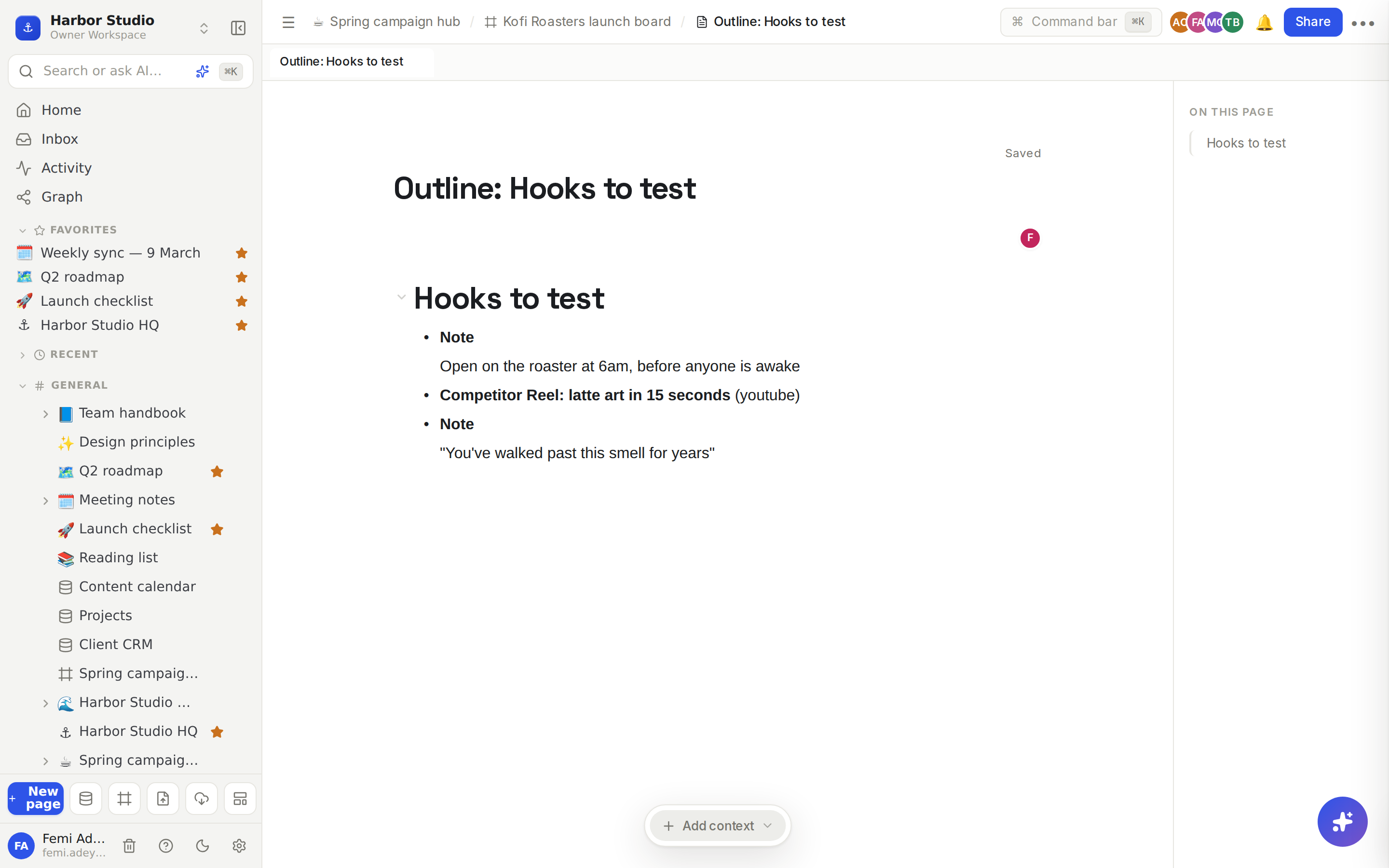
Every page made this way is a normal Rodeo page under the board. It shows up in the sidebar beneath the board, and you can edit, share, move or publish it like any other page.
Do it
Turn a group into a page
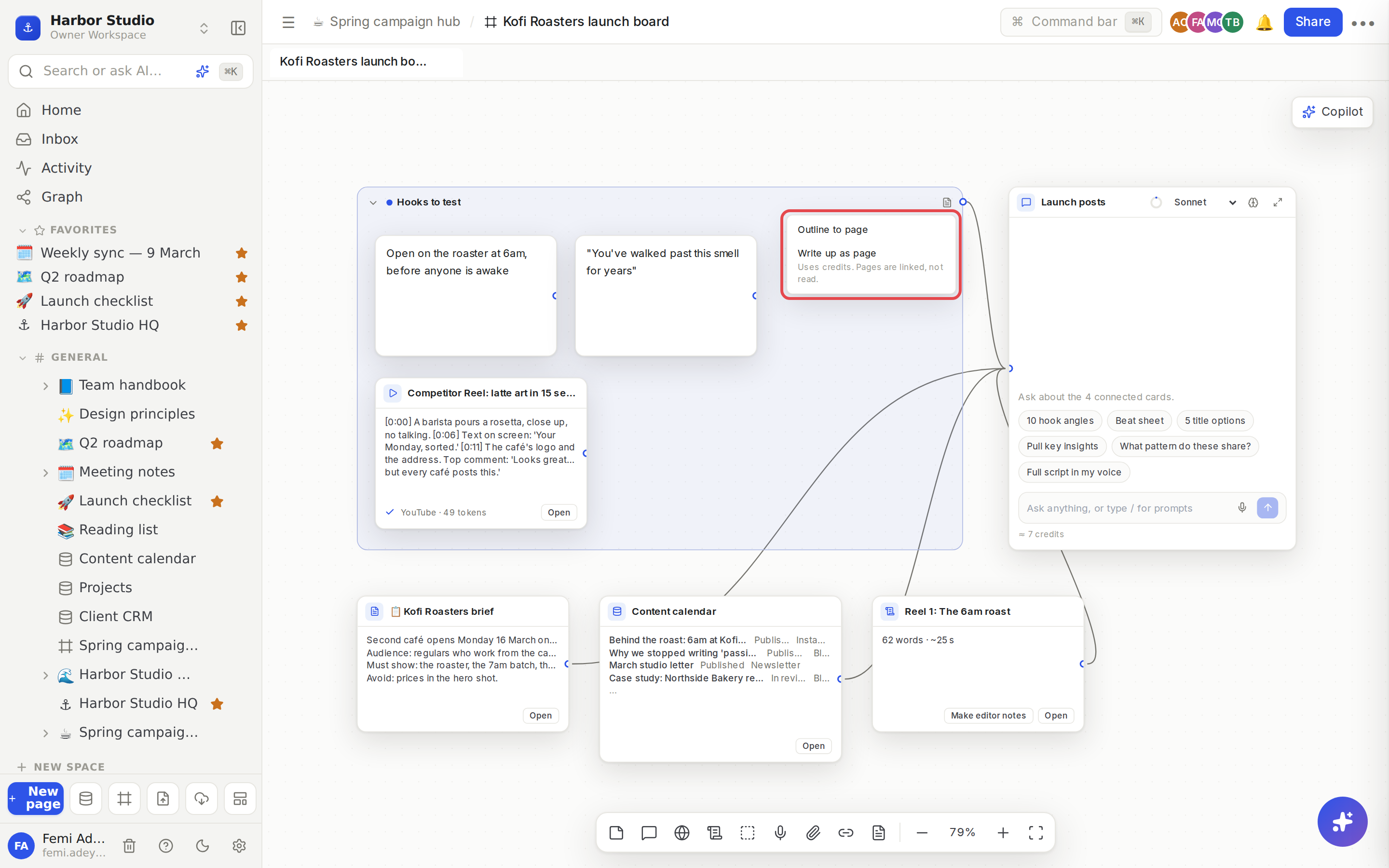
Click Turn group into page (the page icon at the right of the group's title bar).
Choose:
Outline to page for an instant page listing the group's cards: each note's text, each source's title and link with any note you left for the AI, and links to any pages. No AI, no credits. It's called "Outline: " and the group's name.
Write up as page for a document the AI writes from the group's sources and notes. It's called "Write-up: " and the group's name.
For a write-up, the new page opens beside the board saying Writing this page from the group… and fills in by itself. Keep working while it writes.
Summarise the whole board
Click Summary to page in the dock (the page icon after Add link). Rodeo makes a page called "Summary: " and the board's name, with every card on the board as an outline, grouped the way the board is. No AI, no credits.
Save one chat reply
Under any finished reply, click Save as page. The reply becomes a page under the board, titled with its first line. See AI chats and credits.
Tips and limits
Pages are linked, never copied. Page, database and script cards appear as links to the real page. A reader who can't open that page sees it as a private link. A write-up doesn't read them either: it writes only from sources and notes.
Private material stays private. A page under a board can be read by everyone who can read the board, so a chat reply that used pages some of the board's members can't open can't be saved as a page. Rodeo says so: "This reply used pages some board members can't open, so it can't be saved as a page". Copy the parts you need instead.
Credits. Only Write up as page uses AI credits. Outlines, summaries and saved replies are free. See AI chats and credits.
Edit access. You need to be able to edit the board to make pages from it.
Long boards. A very large board's outline lists as many cards as fit and then says how many more there are.
Works on every plan.
Ideas
A client-ready research summary. After a week of collecting, click Summary to page and share the page with Kofi Roasters instead of the board. See Sharing and access requests.
From hooks to a brief. Run Write up as page on the "Hooks to test" group to get a one-page creative brief, then tidy it in the editor.
Keep the gem. When a chat reply nails the strategy, click Save as page and link it from the campaign hub.
Troubleshooting
"This group has nothing the assistant can read". The group has only pages, databases or scripts, which are linked, not read. Add sources or notes, or use Outline to page.
"There is nothing in this group yet". Drag some cards into the group first.
"Group not found. If you just added it, wait a moment and try again". The board hadn't finished saving the new group. Try again after a second.
The write-up failed. The page says why. Run Write up as page on the group again; you can delete the empty page.