Templates for pages, databases and projects | Rodeo Docs
Templates give you a working page, database or whole project tracker in one click, with the columns, views and sample rows already set up, so you spend your time on the work instead of building the tool.
Do it
Start from a built-in template
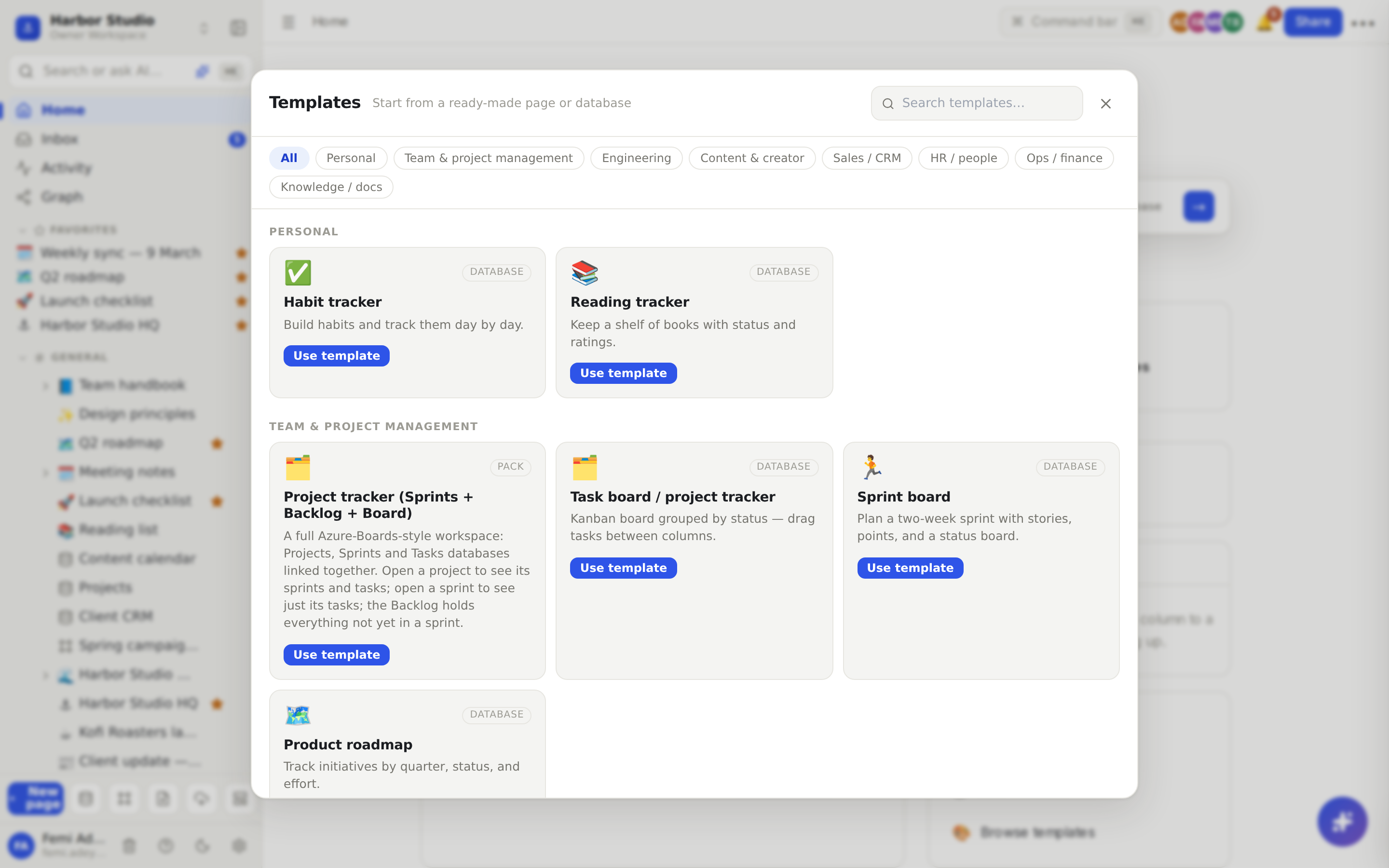
Click the Browse templates button at the bottom of the sidebar (the layout icon in the row beside New page). On Home, Browse templates under Create opens the same gallery.
Pick a category, or type in Search templates….
Each card says what you'll get: Page, Database or Pack.
Click a card (or its Use template button). Rodeo creates it and opens it.
Category | Templates |
|---|---|
Team & project management | Project tracker (Sprints + Backlog + Board), Task board / project tracker, Sprint board, Product roadmap |
Engineering | Bug / issue tracker, Engineering meeting notes |
Content & creator | Content calendar |
Sales / CRM | CRM — contacts & deals, Personal CRM |
HR / people | Applicant tracking |
Personal | Habit tracker, Reading tracker |
Ops / finance | Expense tracker |
Knowledge / docs | Team wiki home |
A Pack is several databases wired together. The Project tracker pack, for example, creates a hub page with Projects, Sprints and Tasks databases linked to each other, so opening a project shows its sprints and tasks.
New templates land at the top level of your workspace. Drag them into a space or under a page afterwards. Then rename, add columns and delete the sample rows: it's yours now.
Get a community template
Other teams publish templates for anyone to use, at rodeo.so/templates/community.
Open a template and click Get template. Sign in if Rodeo asks.
Choose the Workspace, and under Put it under, a page or Top level.
Click Install template.
Publish your own template
Turn any page you've built, with everything under it, into a free template anyone can install.
Open the page, hover over the title and click Publish as template.
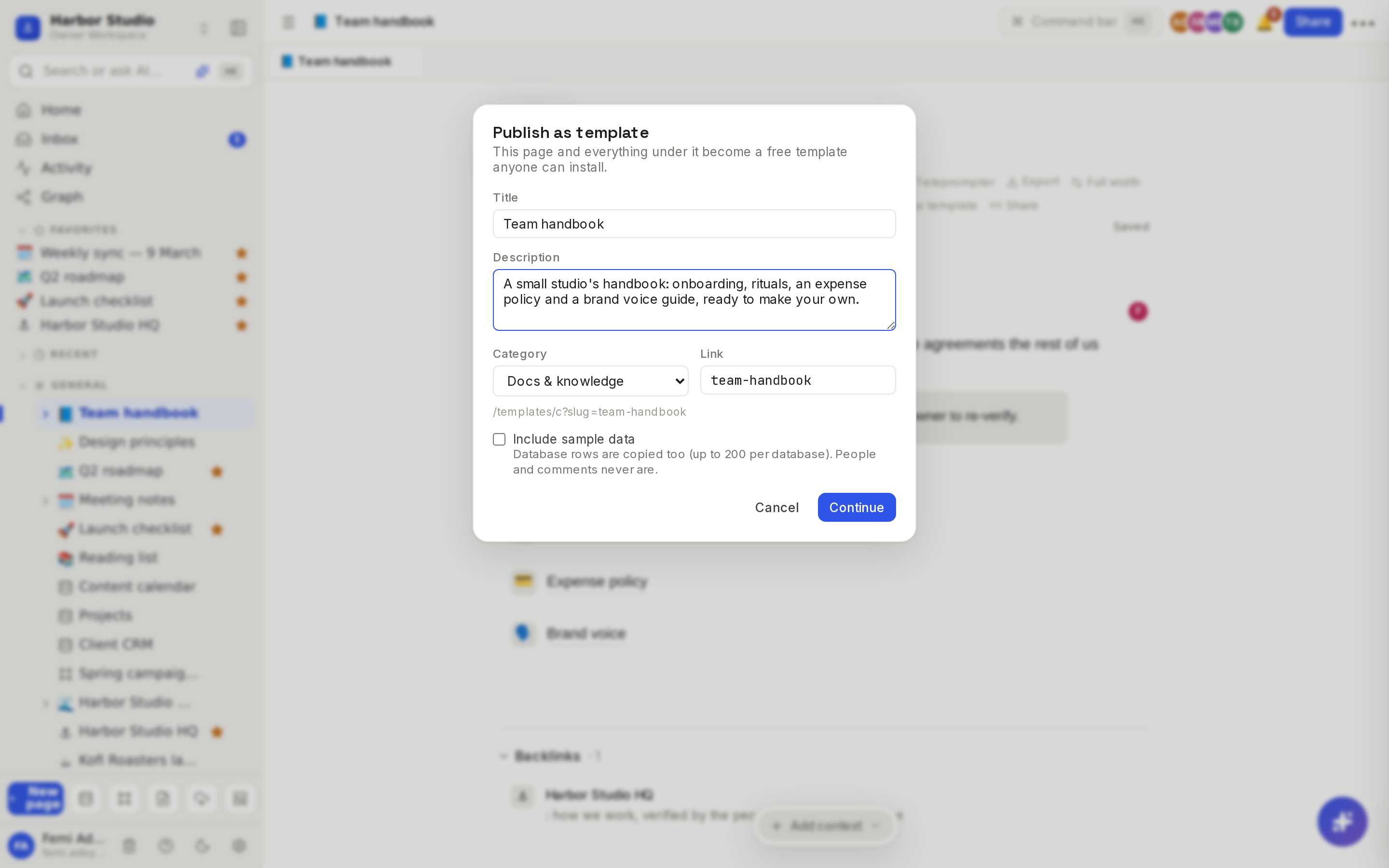
Check the Title, add a Description, pick a Category and adjust the Link.
Tick Include sample data to copy database rows too (up to 200 per database).
Click Continue. Rodeo checks the template for email addresses, phone numbers, private files and pages shared with specific people, and lists anything it finds.
Review the list, then click Publish.
Manage your templates in Members & settings → Templates: publish a new version, or delist one so it can no longer be installed.
Tips and limits
Always left out of a published template: people and @mentions of them, comments, who created or edited what, and links to pages or files outside the template.
Copies are yours. What you create from a template is an ordinary page or database you can change freely. If a community template is delisted, copies people already installed stay theirs.
Templates for database rows are a separate feature: a row template fills in each new row of one database. See Row pages and row templates.
Copy a page from a published site. If a site allows it, you can duplicate its pages into your workspace. See Duplicate a site.
Share content instead of copying it? Use Synced blocks.
Templates work on every plan. Publishing a template needs edit access to the page.
Ideas
A client kit for every new client. Build "Client playbook" once, with a brief, a kickoff checklist and a meeting notes page, and publish it as a template so Femi can install a fresh copy for each new client.
Content calendar in a minute. Start from Content calendar: it comes with Calendar, By status and All views. Swap the Channel options for Instagram and LinkedIn, and Tunde is planning posts before lunch.
Share what works. Publish your studio's proposal tracker to the community with sample data, so other studios can install it.
Troubleshooting
Publish as template isn't on my page. You need edit access, and it isn't offered on database rows.
The template check flagged an email address. Anyone who installs the template gets a copy, so remove the address from the page or the sample rows, then publish again.