Publish a site | Rodeo Docs
Publishing turns a page and everything under it into a public website at its own address, so a client portal, a help center or a public roadmap is one click away, and stays in step with the pages your team edits every day.
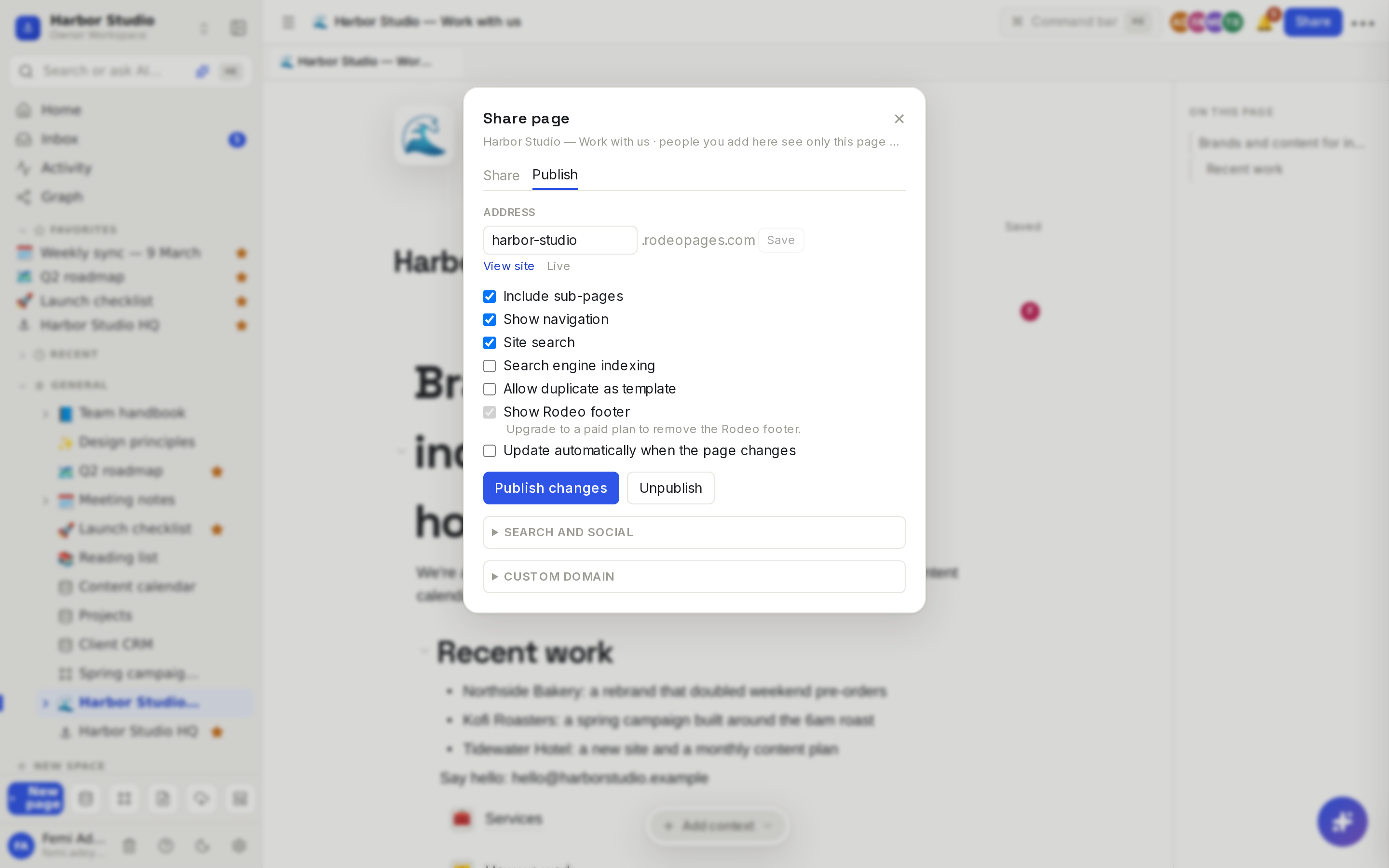
Each site lives at <address>.rodeopages.com. Visitors don't need a Rodeo account. They get a fast, plain website that works on phones and reads well in light or dark mode, with a sidebar of every page, previous and next links at the bottom, and a search box. Rodeo's own documentation at docs.rodeo.so is built exactly this way.
Do it
Publish a page
Open the page that should be the home page of your site. Its sub-pages become the site's other pages.
Hover over the title and click Share, then the Publish tab.
Click Publish.
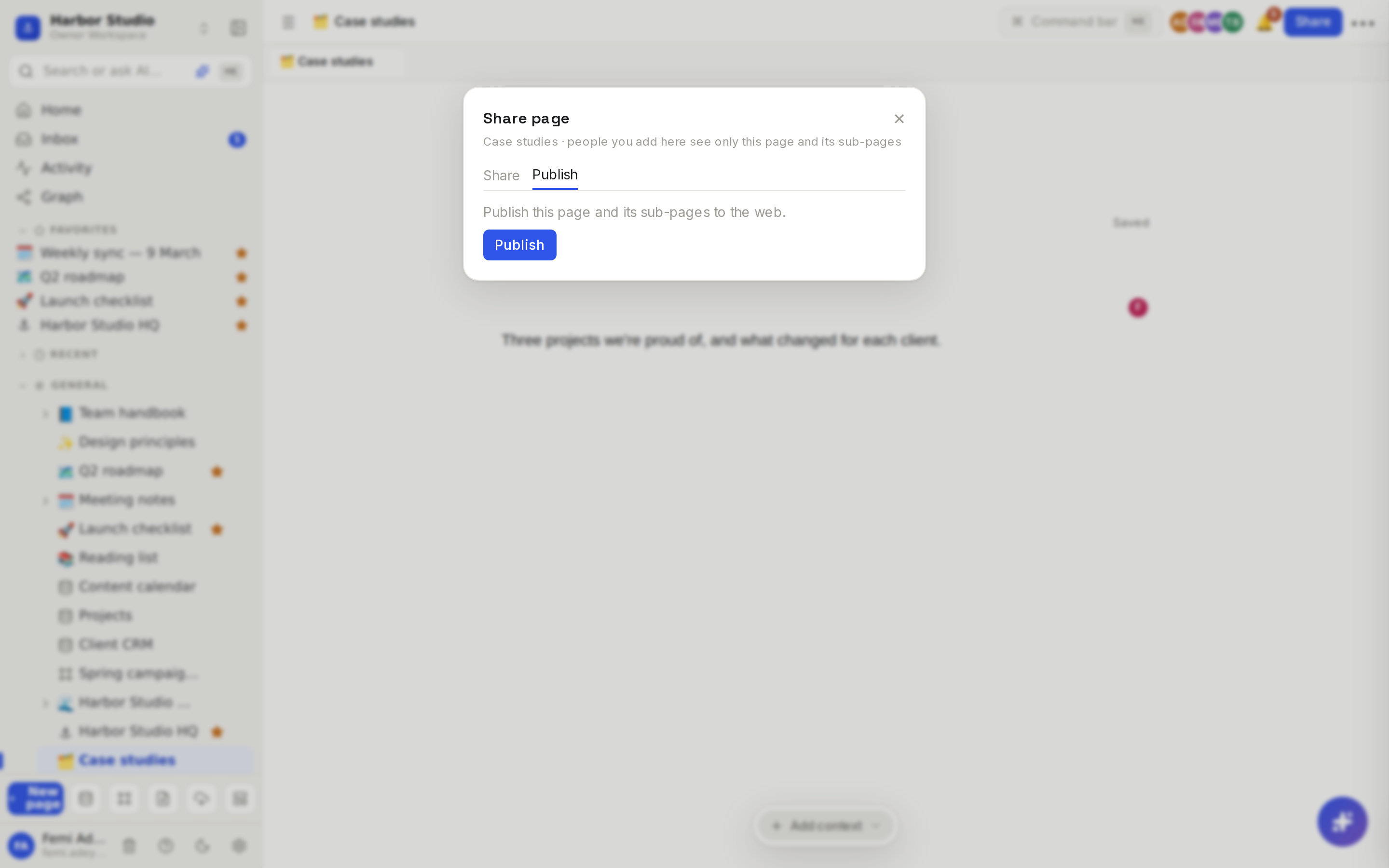
Rodeo picks an address from the page title and starts building the site. The status next to View site says Building…, then Live. Click View site to open it. The page now shows a Published badge above its title, linking to the live site.
Choose the address
Under Address, type a new name and click Save. Use 3 to 40 lowercase letters, numbers and hyphens. The old address stops working straight away, so update any links you've shared.
Pick the options
Option | What it does | Starts |
|---|---|---|
Include sub-pages | Publishes every page under this one, and database rows that have their own content. | On |
Show navigation | A sidebar listing every page (a Menu button on phones), plus previous and next links. | On |
Site search | A search box that finds pages by title, headings and text. | On |
Search engine indexing | Lets Google and others list the site. Off asks them not to. | On |
Allow duplicate as template | Adds a Duplicate link so visitors can copy pages. See Duplicate a site. | Off |
Show Rodeo footer | A small "Made with Rodeo" link at the bottom. | On |
Update automatically when the page changes | Republishes about a minute after people stop editing. | Off |
Publish your changes
Edits don't go live until you publish them, unless automatic updates are on. Open Share → Publish and click Publish changes. Changing an option or the address republishes for you.
Unpublish
Click Unpublish, then confirm. The page and its sub-pages are no longer on the web. Moving the home page to trash also takes the site down; restoring it doesn't put it back until you publish again.
What visitors see
Pages: text, headings, lists, toggles, tables, callouts, columns, code, equations, diagrams, images, video and files.
Databases: the view you placed on the page, with its filters and sorts: tables, lists and galleries as they are, boards as grouped lists, other views as a table. 100 rows per page, with further pages up to 5,000 rows.
Hidden on purpose: people, files and "created by" or "edited by" columns, and any formula or rollup built from them. A relation only shows rows that are also published.
Links: a mention of another published page links to it. A mention of a page that isn't published shows as plain text.
Design: every site uses Rodeo's clean reading style and follows each visitor's light or dark setting, whatever look your workspace uses.
Tips and limits
Check what's underneath. A site includes every sub-page you can open, so move anything private out from under the home page first.
Sub-pages. Opening Publish on a sub-page shows the site it belongs to, "(published as part of a parent page)". You can set that page's SEO and publish changes from there.
Who can publish: workspace members (not guests) who can edit the page.
Limits: up to 1,000 pages per site.
Plans: publishing is available on every plan. Turning off the Rodeo footer is available on Starter, Team, Business and Founders' Deal.
Ideas
Client portal. Publish a "Kofi Roasters — Spring campaign" page with the timeline, the approved assets and a link to book a review, and send the client one address instead of ten attachments.
Studio website. Harbor Studio publishes "Work with us" with sub-pages for Services and How we work, and turns on automatic updates so the case studies are always current.
Public help center. Write your product's how-tos in Rodeo with navigation and search on, just like docs.rodeo.so.
Troubleshooting
"The address is already taken". Another site uses it. Try a variation, such as adding your city or company name.
"… is reserved". A few names, such as www, app, api, admin, mail, docs, status, rodeo and help, can't be used.
My edits aren't on the site. Click Publish changes, or turn on Update automatically when the page changes. Then reload the site after the status says Live.
The status says Failed. The previous version stays live. Click Publish changes to try again.