Database formulas | Rodeo Docs
A formula property works out a value for every row from the row's other properties, so labels, scores and totals keep themselves up to date instead of being typed by hand.
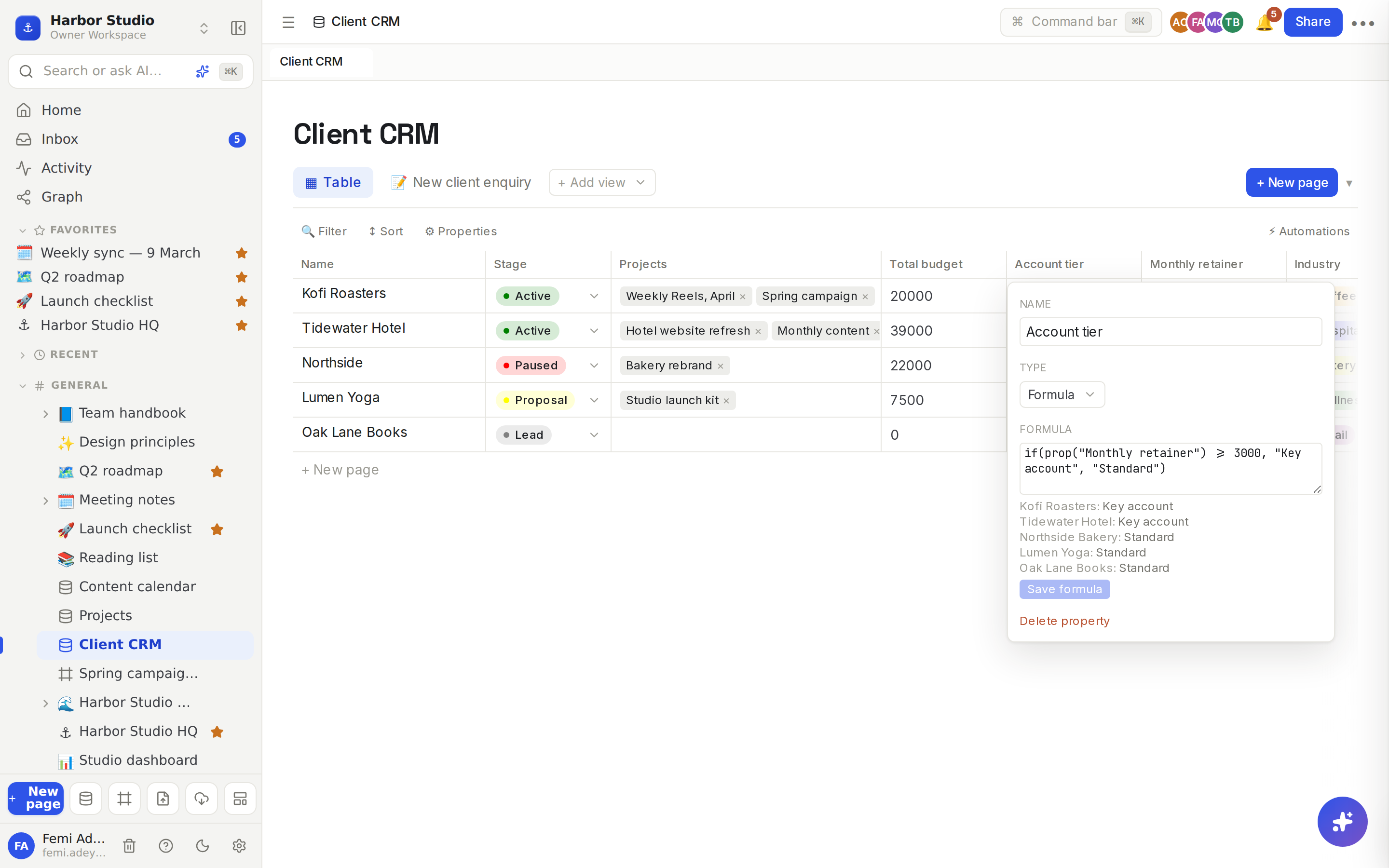
Harbor Studio's CRM has an Account tier formula: any client paying 3,000 or more a month is a "Key account", everyone else is "Standard". When Lumen Yoga's retainer goes up, its tier changes on its own.
Do it
Add a formula
In a table view, click + at the right end of the header row.
Type a Name, for example "Account tier", and choose Formula as the type.
Type the expression in the box that appears, for example if(prop("Monthly retainer") >= 3000, "Key account", "Standard").
Click Add. If the expression has a mistake, Rodeo refuses to save it, so a typo never quietly fills a column with blanks.
Edit a formula
Click the formula column's name to open its property menu.
Change the expression under Formula. A preview underneath shows the result for the first five rows as you type.
When it's right, click Save formula. The button stays off until the formula is valid and different from the saved one.
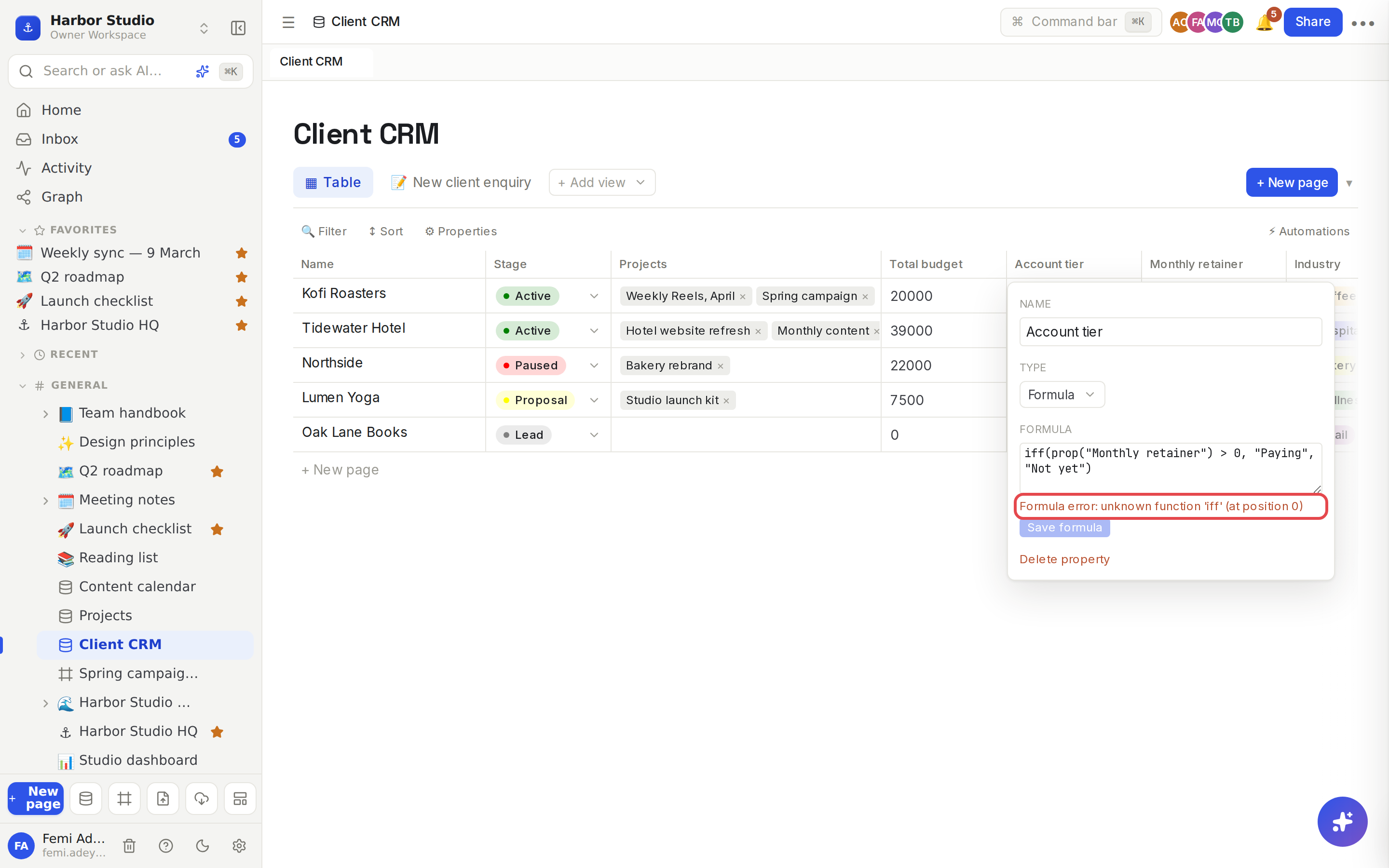
If something's wrong, the preview says what and where, for example "unknown function 'iff' (at position 0)".
The formula language
Values and properties
Write | Means |
|---|---|
| The value of a property, by its name. |
| A one-word property name also works on its own. |
| Numbers. |
| Text. |
| Yes and no. |
| Brackets group parts of a formula. |
Operators
Operator | Does |
|---|---|
| Add, subtract, multiply, divide, remainder. |
| Compare as numbers. |
| Equal, not equal. Compares as text when either side is text. |
| Combine yes/no values. |
Functions
Function | Returns |
|---|---|
|
|
| Yes/no logic over any number of values. |
| True when |
| Joins values into one text. |
| The number of characters. |
| Lowercase or uppercase text. |
| True when |
| The value without its minus sign. |
| Rounds to a whole number, or to that many decimal places. |
| Rounds down or up. |
| The smallest or largest number. |
| Turns text into a number (0 if it isn't one). |
| Turns a value into text. |
Those are all the functions there are. Function names don't care about case.
What a formula sees
Number gives a number, Checkbox gives true or false, and Text, URL, Email and Phone give their text.
Date gives the date as text, like 2026-03-16.
Relation gives the linked rows' titles, separated by commas.
Rollup gives its result, so round(prop("Total budget") / 12) works.
Another formula works if that formula was added before this one.
Tips and limits
Formula columns are read-only. Change the inputs and the result follows.
Rename freely. Renaming a property updates every formula that mentions it.
No crashes. Dividing by zero gives 0, and a property name that doesn't exist gives a blank, so a formula never breaks a view.
Select, Status, Multi-select and Person values aren't readable by name yet: a formula sees an internal id instead of "Active" or "Ada Okafor". To act on those, use Filters, sorts and grouping or Automations.
There are no date functions, so a formula can't count days between dates.
Rollups can't read formulas. A rollup over a formula column in another database sees nothing; roll up the stored numbers instead.
Formulas work on every plan.
Ideas
Account tier. if(prop("Monthly retainer") >= 3000, "Key account", "Standard") sorts the CRM's big clients from the rest at a glance.
Long read or short. On the content calendar, if(Words > 1000, "Long read", "Short post") helps Tunde balance the week.
Missing details. if(empty(prop("Contact")), "Needs an email", "Ready") shows which clients can't get the monthly report yet.