Filters, sorts and grouping | Rodeo Docs
Filters, sorts and grouping decide which rows a view shows and in what order, so one database can give each person, each meeting and each question exactly the slice they need.
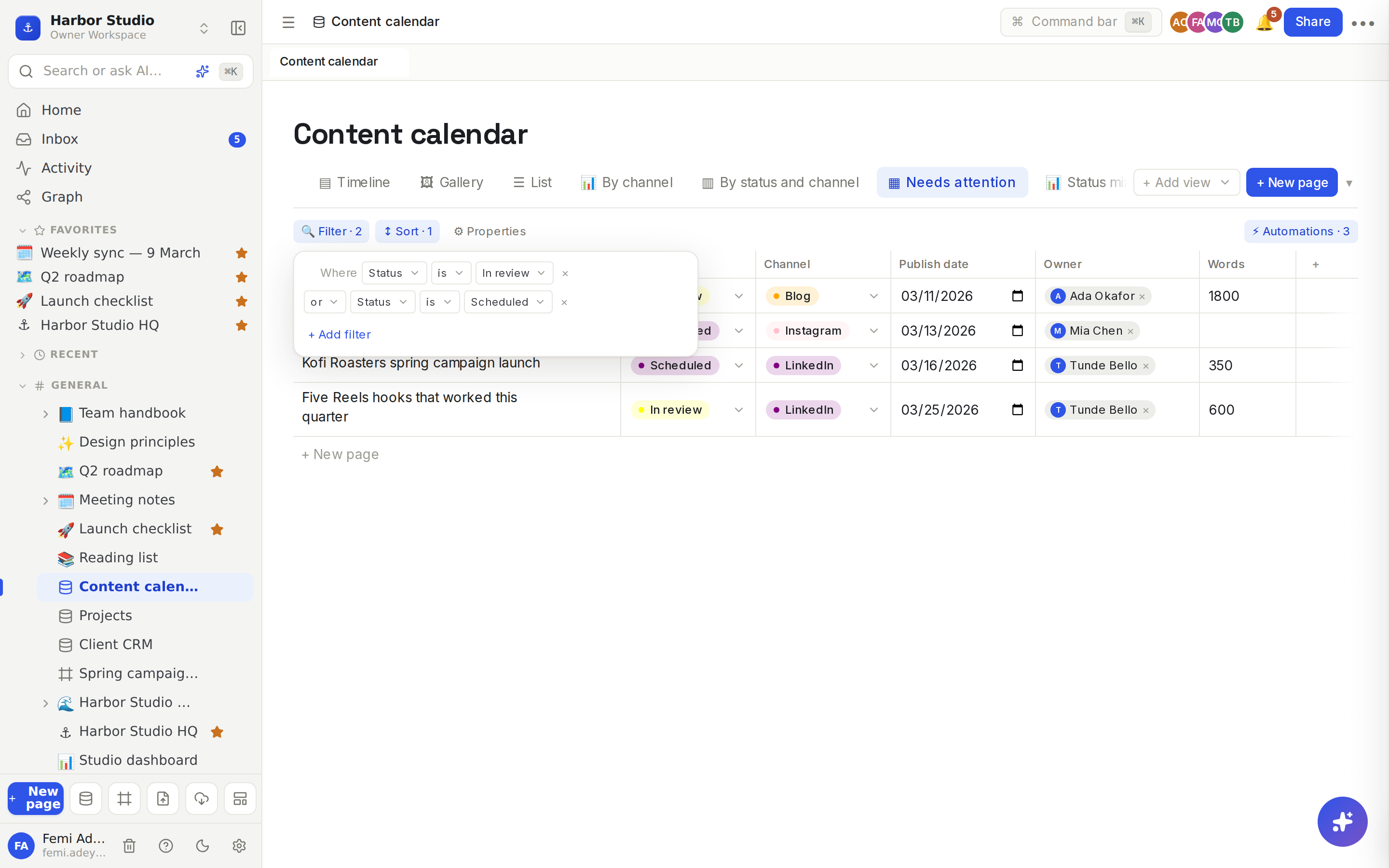
Every view keeps its own filters and sorts. Make a view for each question you ask often, such as "Needs attention" or "This month's posts", and they're one click away for everyone.
Do it
Filter rows
Click 🔍 Filter in the view's toolbar. You can also right-click the view's tab and choose Edit view.
Click + Add filter.
Choose a property, then a condition, then a value. For example: Where Status is In review.
Add more conditions with + Add filter. On the second line, choose and (rows must match every condition) or or (rows can match any). That choice applies to all the conditions in the view.
Click × at the end of a line to remove it. With no filters, the panel says "No filters. All rows shown."
The button shows how many filters are on, for example 🔍 Filter · 2.
Conditions for each type
Property type | Conditions |
|---|---|
Text, URL, Email, Phone, Formula, Rollup | contains, is, is not, is empty, is not empty |
Number | is, is not, >, <, is empty, is not empty |
Select, Status | is, is not, is empty, is not empty (pick the option from a list) |
Multi-select, Relation | contains, is empty, is not empty (pick the option or linked row from a list) |
Date, Created time, Last edited time | is, is before, is after, is on or before, is on or after, is within, is overdue, is empty, is not empty |
Checkbox | is checked, is unchecked |
Person, Files & media | is empty, is not empty |
Text matches ignore upper and lower case.
Filter by date
is takes today, yesterday, tomorrow or an exact date.
is within takes Past week, Past month, Past year, This week, This month, Next week, Next month, Next year, Next 7 days or Next 30 days.
is overdue matches dates before today.
These stay relative: a "Next 7 days" view is still right tomorrow. "Today" is your own today, in your time zone. This week runs Monday to Sunday, and Next 7 days starts tomorrow. Rows with no date never match a date condition.
Sort rows
Click ↕ Sort in the toolbar.
Click + Add sort, choose a property, and pick ↑ Asc or ↓ Desc.
Add more sorts to break ties: rows sort by the first, then the second, and so on.
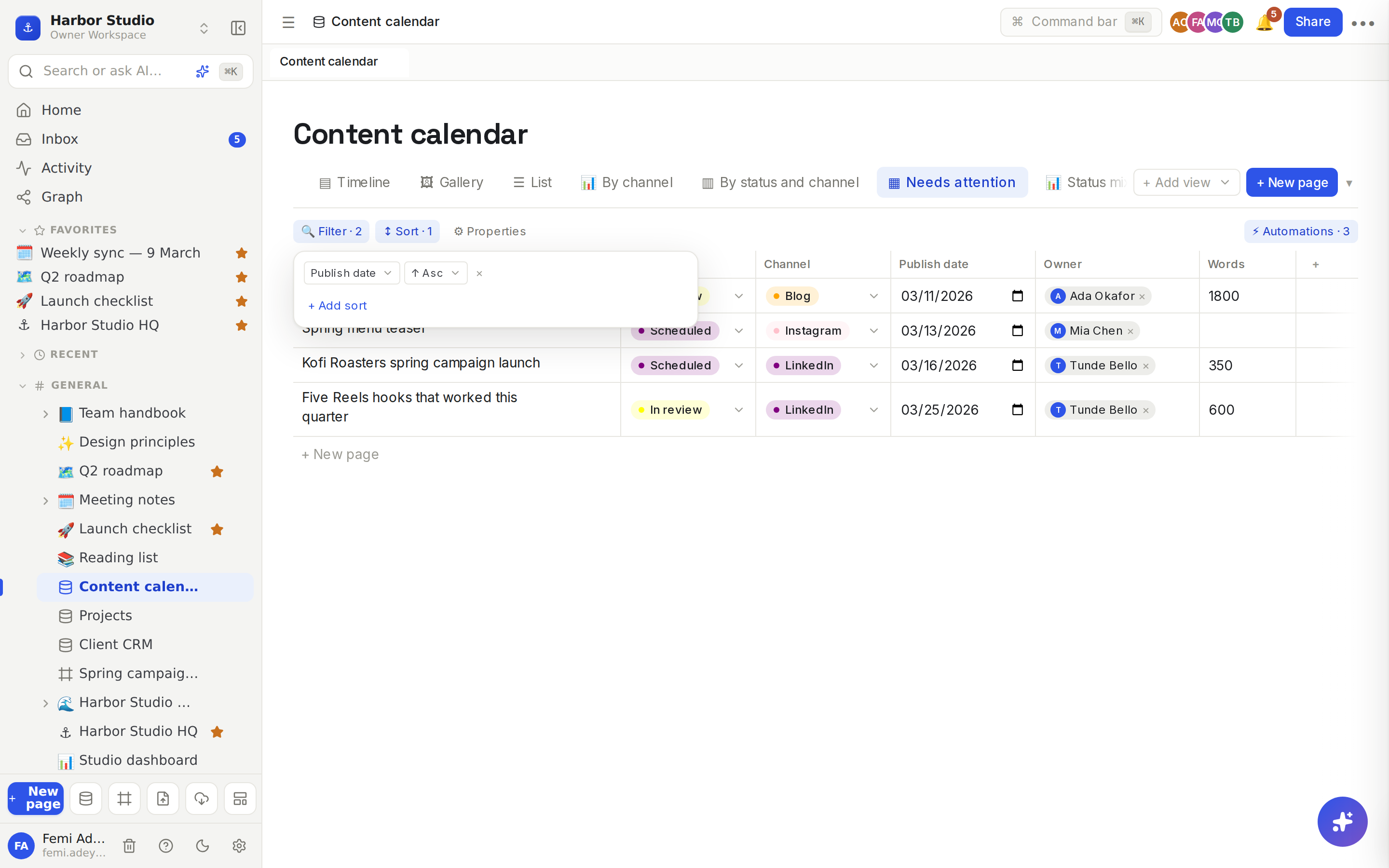
Without a sort, rows keep the order they were added in.
Group rows
Grouping lives where it's most useful:
Board view: choose Group by in the toolbar, and optionally a second property under then for sections inside each column. See Board view.
Chart view: choose Group by at the top of the chart. See Chart view.
Show or hide properties
Click ⚙ Properties and tick the properties to show under Shown properties. This decides the columns of a table and what cards and lines show in a gallery or list.
Tips and limits
Empty values sort last, whether you sort up or down.
Select and status sort by option order, not alphabetically, so Idea → Drafting → Published sorts the way your workflow runs. Reorder the options to change it. See Properties.
Person sorts by name and Relation sorts by the first linked row's title.
Settings are shared. Filters and sorts are saved on the view for everyone who opens it, including in Linked databases. For a personal slice, duplicate the view first.
Charts and board counts respect the view's filters.
Filters, sorts and grouping work on every plan.
Ideas
Needs attention. A view of the content calendar where Status is In review or Scheduled, sorted by Publish date, so Ada starts each day at the top.
My week. Duplicate the board, filter Owner to be not empty and Publish date is within This week, and pin it on the team's home page.
Overdue invoices. In a billing database, filter Due date is overdue and Paid is unchecked, so nothing slips past month end.