The AI block: text that writes itself | Rodeo Docs
The AI block is a part of your page that writes itself: give it a prompt, and Rodeo AI drafts the text in place, ready to regenerate whenever you want a fresh take.
Do it
Type /ai and choose Ask AI ("Generate content from a prompt (regenerates)"). A Rodeo AI box appears.
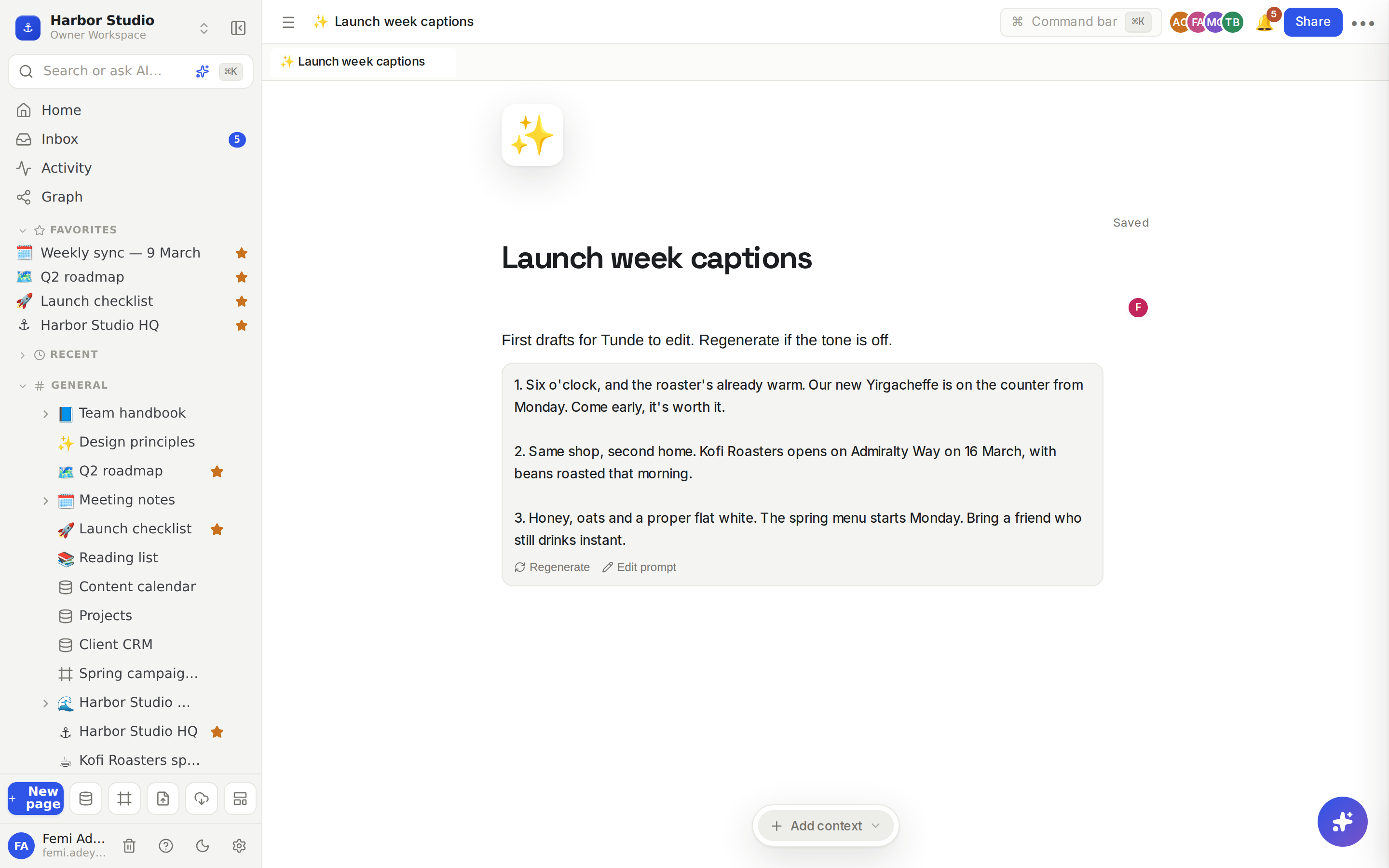
Type what you want, for example "Draft three Instagram captions for Kofi Roasters' spring launch. Warm and specific, under 30 words each."
Click Generate. The draft appears in the block and is saved with the page.
Not quite right? Click Regenerate for a new version from the same prompt, or Edit prompt to change what you asked for and generate again.
Tips and limits
Be specific. Say who it's for, the tone, the length and the format. "Three captions, under 30 words each, no hashtags" beats "write some captions".
The draft is kept until you regenerate. Everyone who opens the page sees the same text. People who can only view the page see the draft but not the buttons.
Text comes back as plain text. To format it, copy what you want into ordinary blocks below and edit it there.
To rewrite text that's already on the page, select it and use the AI button on the formatting toolbar instead. See Editor AI: transform and generate.
To ask questions about your workspace, press ⌘K and choose Ask Rodeo AI a question. See Ask AI.
Plans and usage. The AI block is available on every plan. Each Generate or Regenerate counts as one AI request. The Founders' Deal includes 200 AI requests per workspace each calendar month; other plans aren't capped. See Plans and limits.
If it says "AI isn't available right now.", try again in a moment. On the Founders' Deal it can also mean this month's allowance is used up; it resets on the 1st.
Ideas
Social captions on tap. On the launch page, an AI block that drafts captions for each post. Tunde regenerates until one sounds right, then edits it into the content calendar row.
A living FAQ starter. On a new client page, an AI block asked for "the ten questions a café owner asks before hiring a design studio", as a first draft for Femi to answer.
Meeting prep. At the top of the weekly sync, an AI block asked for an agenda for "a 30-minute content review for three clients". Regenerate it each week and keep what's useful.