AI research on a board | Rodeo Docs
A research chat goes and finds things for you: it searches the web and YouTube, reads pages, watches transcripts, checks your own workspace, and puts the best finds on your board as cards, so an afternoon of tab-hopping becomes one question.
Do it
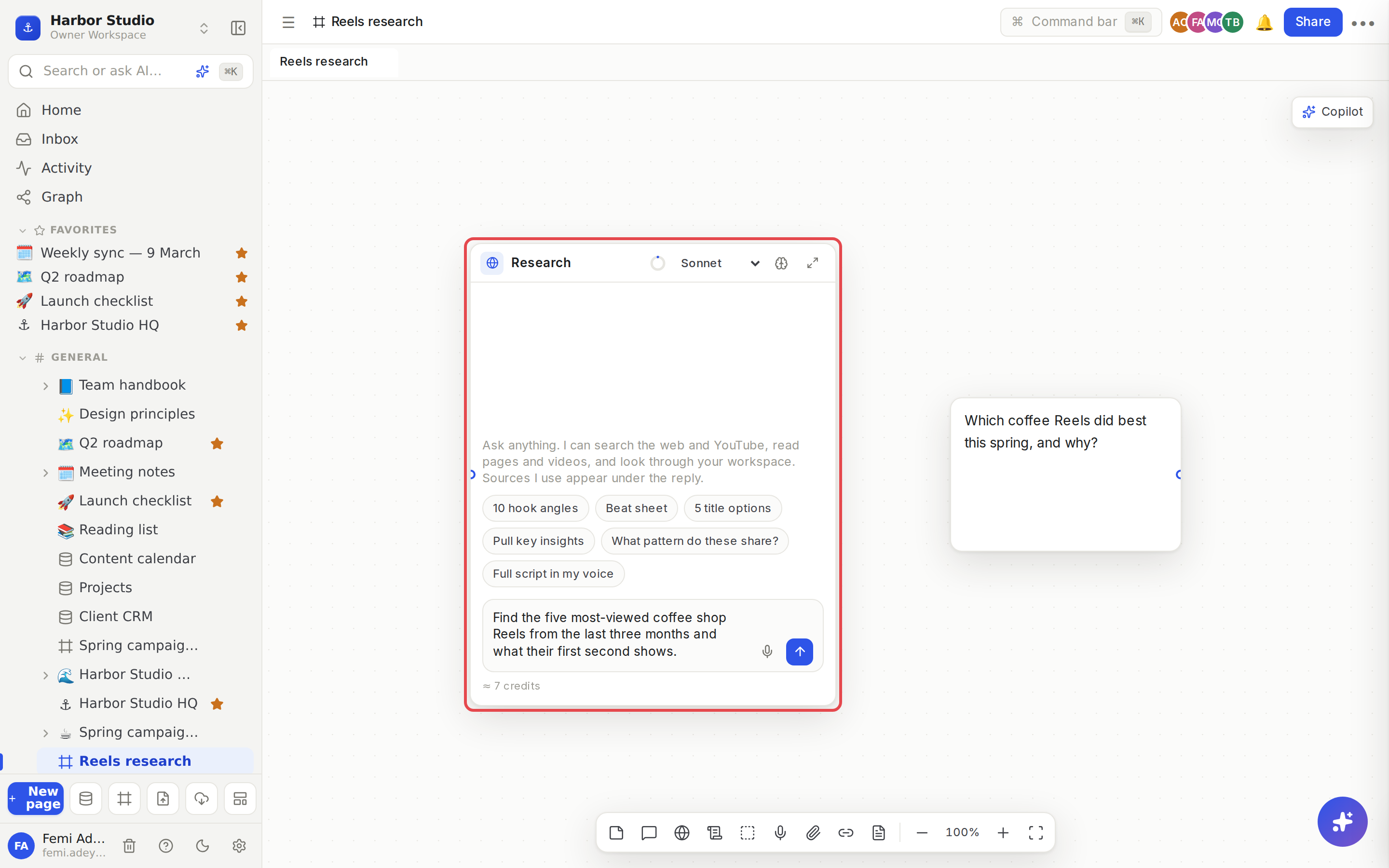
On a board, press R, or click Research chat in the dock. A chat called "Research" appears, with a globe icon.
Ask a question that needs looking things up, for example "What are the five most-viewed coffee shop Reels from the last three months, and what does their first second show?"
Press Enter. While it works, the chat lists each step as it goes: what it Searched, what it Read, and anything it Added to the board. The newest step pulses.
When it's done, the answer appears with a Sources list underneath: the pages and videos it looked at, up to 40, each linked to the original.
Click Add to board beside a source to put it on the board as a source card, wired into this chat. Click Add all to add every one you haven't added yet.
A research chat is a chat like any other, so everything in AI chats and credits applies: wire cards into it and it reads them too, pick a model, send replies to the board, save them as pages or scripts.
What it can do
It can | For example |
|---|---|
Search the web | Facts, news, articles, examples |
Read a web page | The full text of an article it found, or one you name |
Search YouTube | Videos on a topic, with channel, views and date |
Read a YouTube video | Its details and transcript |
Find a channel's outliers | The uploads that most beat that channel's usual views |
Read a video's top comments | What viewers are saying |
Search your workspace | Pages and databases you can open |
Add to the board | A link as a source card, or a short note, beside the chat |
It adds cards to the board only when you ask it to save something, or when a source is clearly central to the answer.
Tips and limits
Name your sources. "Read this article and these two channels" gets faster, cheaper answers than an open question.
Up to 25 lookups per reply. If a question needs more, the answer ends by saying it reached its research limit. Ask a follow-up to carry on.
Credits. Research uses AI credits like any chat, and each web search and YouTube lookup adds a little. If the workspace is nearly out of credits, the chat stops looking and answers with what it has, and says so. See AI chats and credits.
Two at a time. A workspace runs two research or copilot requests at once. Others show Waiting… and start when one finishes.
Your workspace stays yours. It only finds pages you can open yourself.
Research chats are on every plan, within your AI credits.
Ideas
Competitor scan in one question. "Find what three coffee chains in Lagos posted last week and what got the most engagement." Then Add all and group the results.
Find the outliers. "Which videos on @beanthere's channel beat their average the most, and what do their titles have in common?"
Brief-checking. Wire the client brief into a research chat and ask "Find three recent campaigns that did what this brief asks for, and link them."
Troubleshooting
A step says the web search isn't set up. The chat carries on with the other tools.
The answer stopped early. It hit the 25-lookup limit or the workspace ran low on credits; the last line says which. Ask a follow-up.
It's been "Waiting…" for a while. Two other research or copilot requests are running in your workspace. It starts as soon as one finishes.