Board sources: videos, articles, PDFs | Rodeo Docs
Sources turn the things you'd normally keep in twenty browser tabs, such as YouTube videos, TikToks, articles, PDFs, slide decks, photos and voice notes, into cards on your board that the AI can actually read, with the transcript or text one click away.
Do it
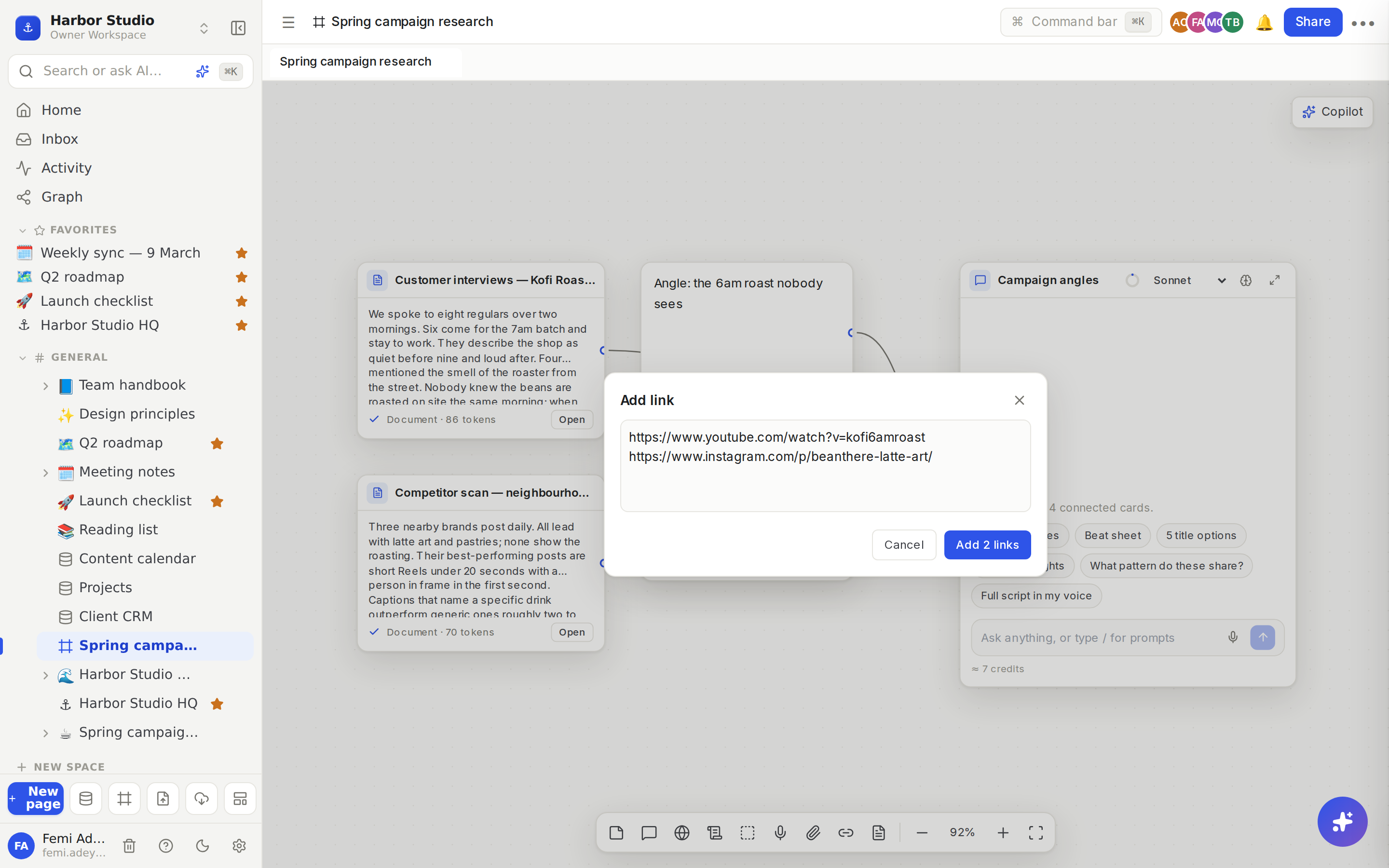
Add a link
Press L, or click Add link in the dock.
Paste a link, or several, one per line.
Click Add (or Add 2 links, and so on). Each link becomes its own card.
You can also just paste a link onto the board with ⌘V. Paste several lines of links and you get one card per link.
Rodeo recognises YouTube videos and channels, TikTok, Instagram, X, Facebook, LinkedIn and Loom links, and reads any other link as a web page. For videos it reads the details and the transcript, with timestamps.
Upload files
Press U, or click Upload, and choose one or more files. Or drag them onto the board.
Each file uploads and becomes a card.
You can upload | |
|---|---|
Documents | PDF, Word (.docx), Excel (.xlsx), PowerPoint (.pptx), EPUB, OpenDocument text (.odt), CSV, Markdown and plain text |
Images | PNG, JPEG, GIF and WebP. Rodeo describes each image and reads any text in it. |
Audio and video | Most audio and video files. Rodeo transcribes the speech. |
Record a voice note
Press V, or click Record voice note. Allow the microphone if your browser asks.
Talk. Click Stop and add when you're done.
The recording becomes a card and is transcribed, so a chat can use your own words and phrasing.
Paste text
Paste plain text onto the board with ⌘V and it becomes a source card, titled with its first line. Handy for notes from a call or a quote from an email.
Watch it get read
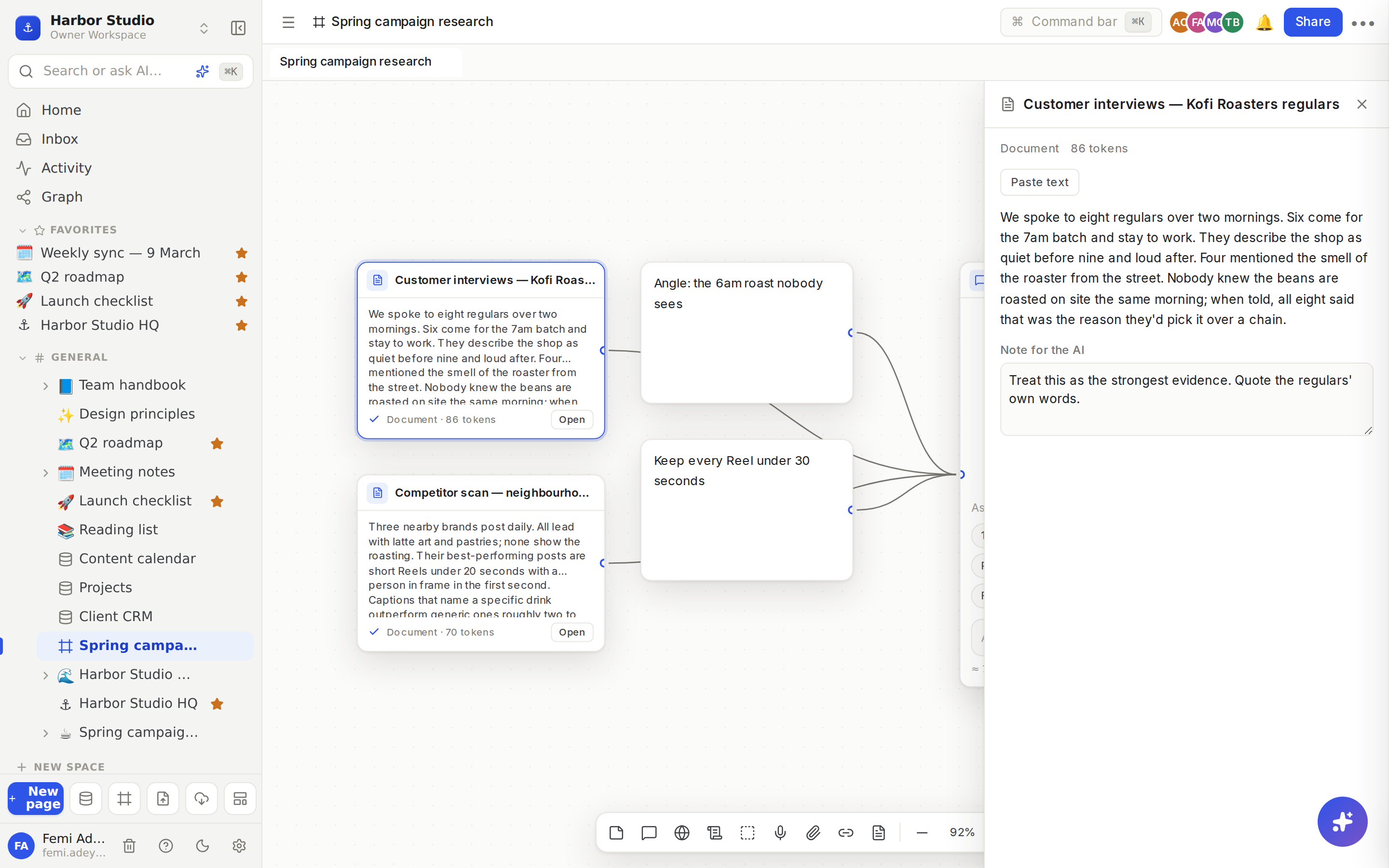
A new card says Queued…, then Reading…. When it's ready you see a ✓, a snippet of the text, its type, its length for audio and video, and its size in tokens. Click Open (or double-click the card) to open the reader:
the full text or transcript;
Open original, for links;
Play, for recordings and uploaded audio or video;
Pull top comments, for a YouTube video: up to 100 of its top comments arrive as a new Comments card beside it;
Note for the AI: tell the chat how to use this source, for example "Treat this as background only" or "Quote these people directly".
Find a channel's outliers
Add a YouTube channel link, then click Find outliers on its card. Rodeo looks at the channel's 50 newest uploads and puts the 6 that most beat the channel's usual views on the board, in a group called "Outliers · " and the channel's name. Each card has a badge such as 4.2×: that video got 4.2 times the channel's median views.
Tips and limits
Files can be up to 2 GB, and a recording up to 4 hours.
Source minutes. Transcribing speech uses your workspace's monthly source minutes: voice notes, uploaded audio and video, dictation in a chat, and social videos that come without a transcript. A video that already has captions doesn't use minutes.
Plan | Source minutes per month |
|---|---|
Free | 60 for the workspace |
Starter | 120 per member |
Team | 240 per member |
Business | 480 per member |
Founders' Deal | 240 per member |
Out of minutes? The card waits with Out of minutes this month. Click Retry once minutes reset, or after an upgrade.
Deleting a source card removes it from the board. ⌘Z brings it back.
A source belongs to its board. Everyone who can open the board can read it.
Ideas
A competitor teardown. Paste ten competitors' Reels on separate lines, group them, wire the group into a chat and ask What pattern do these share?
Voice memos to script. Record three voice notes on the walk to work, wire them into a chat with Full script in my voice, and the draft sounds like you.
What viewers actually say. Add a video, click Pull top comments, and ask a chat for the five questions viewers keep asking.
Troubleshooting
The card failed with an error. Click Retry. If the site blocks readers or the video has no transcript, click Paste text and paste the text yourself, then Save text: the chat reads that instead.
"Image reading isn't set up yet". Rodeo couldn't describe the image. Use Paste text to type what matters in it.
"Files can be up to 2 GB". Trim or compress the file, or split a long recording.
The card says "This source is no longer available." It was removed from the board, perhaps by a teammate. Undo can bring it back for the person who removed it.