Gallery view | Rodeo Docs
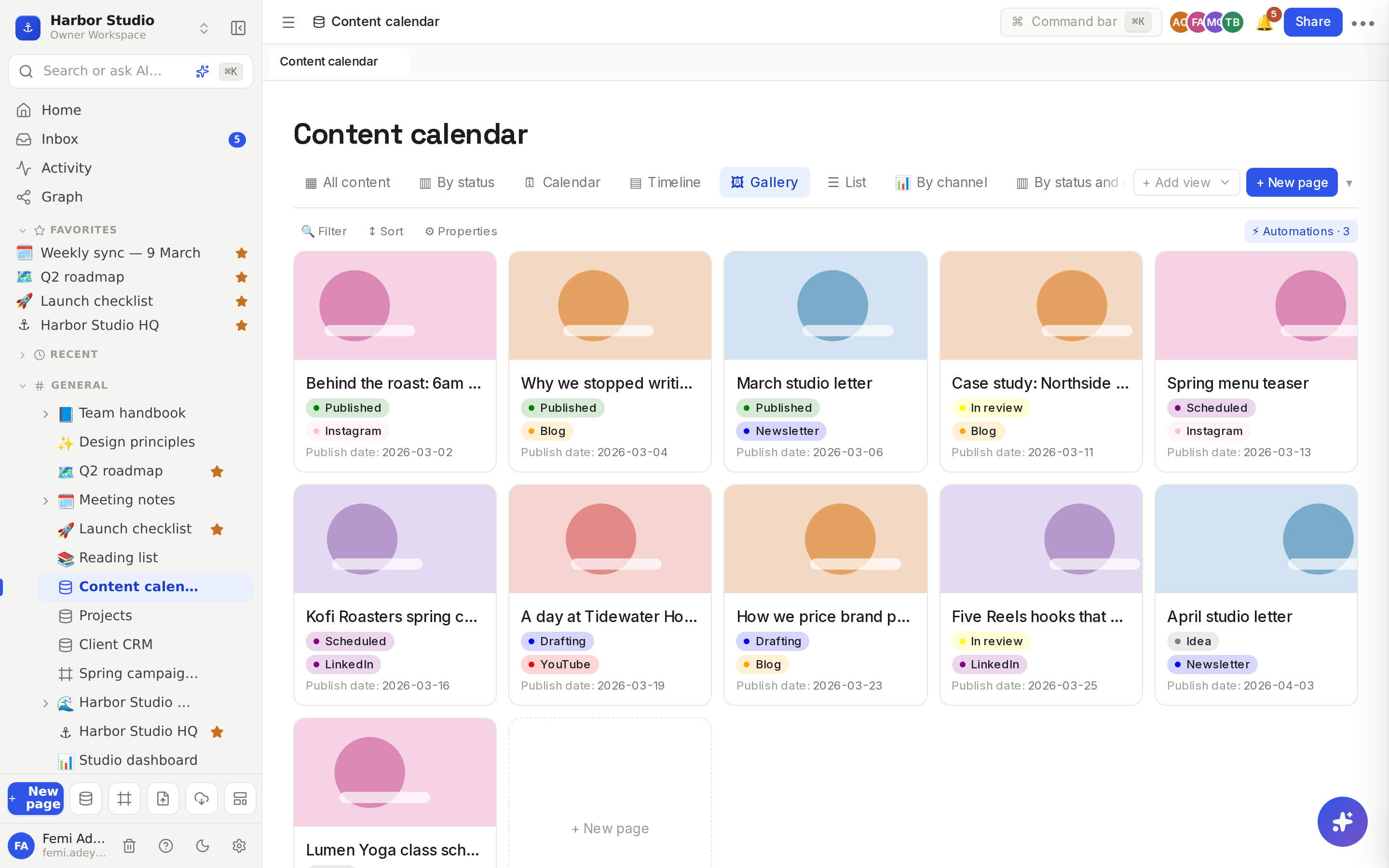
The gallery view shows each row as a card with a cover image, so mood boards, portfolios, product lists and anything visual look the way they should.
Do it
Make a gallery
Click + Add view and choose 🖼 Gallery.
To give the cards covers, add a Files & media property, for example "Cover", if the database doesn't have one. See Properties.
Upload an image to each row's Cover: open the row and click + file next to Cover, or use a table view.
Each card shows the first image in the first Files & media property. Cards without one show a plain page icon instead.
Choose what the cards show
Click ⚙ Properties in the view's toolbar.
Tick the properties you want on the cards and untick the rest.
Cards show the title and up to four of the ticked properties that have a value. Select, status and multi-select values show as coloured tags; the rest show as "Name: value".
Use the cards
Click a card to open the row's page in a side panel. See Row pages and row templates.
Hover a card with a cover and click the download button at its top right to save the image.
Click the + New page tile at the end of the grid to add a row.
Tips and limits
The grid fits the window. Cards are at least 200 pixels wide, and as many fit across as the screen allows.
Covers are images only: PNG, JPEG, GIF or WebP, up to 10 MB each.
Untick Person, Files & media and Relation properties in ⚙ Properties for the cleanest cards: the gallery shows them as plain text rather than as names and chips.
Big galleries load 100 rows at a time; click Load more rows under the grid for the rest.
Filters and sorts apply, so one database can have a gallery of finished work and another of drafts. See Filters, sorts and grouping.
The gallery view works on every plan.
Ideas
A portfolio wall. One row per finished project with a hero image, the client and the year. Ada shares it with prospects as a Linked databases block on a pitch page.
Post previews. Give each content calendar post its artwork as a cover, so the team checks how the grid will look before anything goes live on Instagram.
A mood board. One row per reference image with tags for colour and texture. Filter by tag when you start a new brand.