Import a CSV into a database | Rodeo Docs
Import from CSV turns a spreadsheet into a Rodeo database in one click, so the client list in Excel or the stockists sheet in Google Sheets becomes rows you can link, filter, chart and automate.
Do it
Import a file
Save your spreadsheet as CSV. In Excel, Numbers or Google Sheets, that's File → Download or Export, as comma-separated values (.csv).
At the bottom of the sidebar, click Import CSV (the file icon in the row of buttons next to New page).
Pick your .csv file.
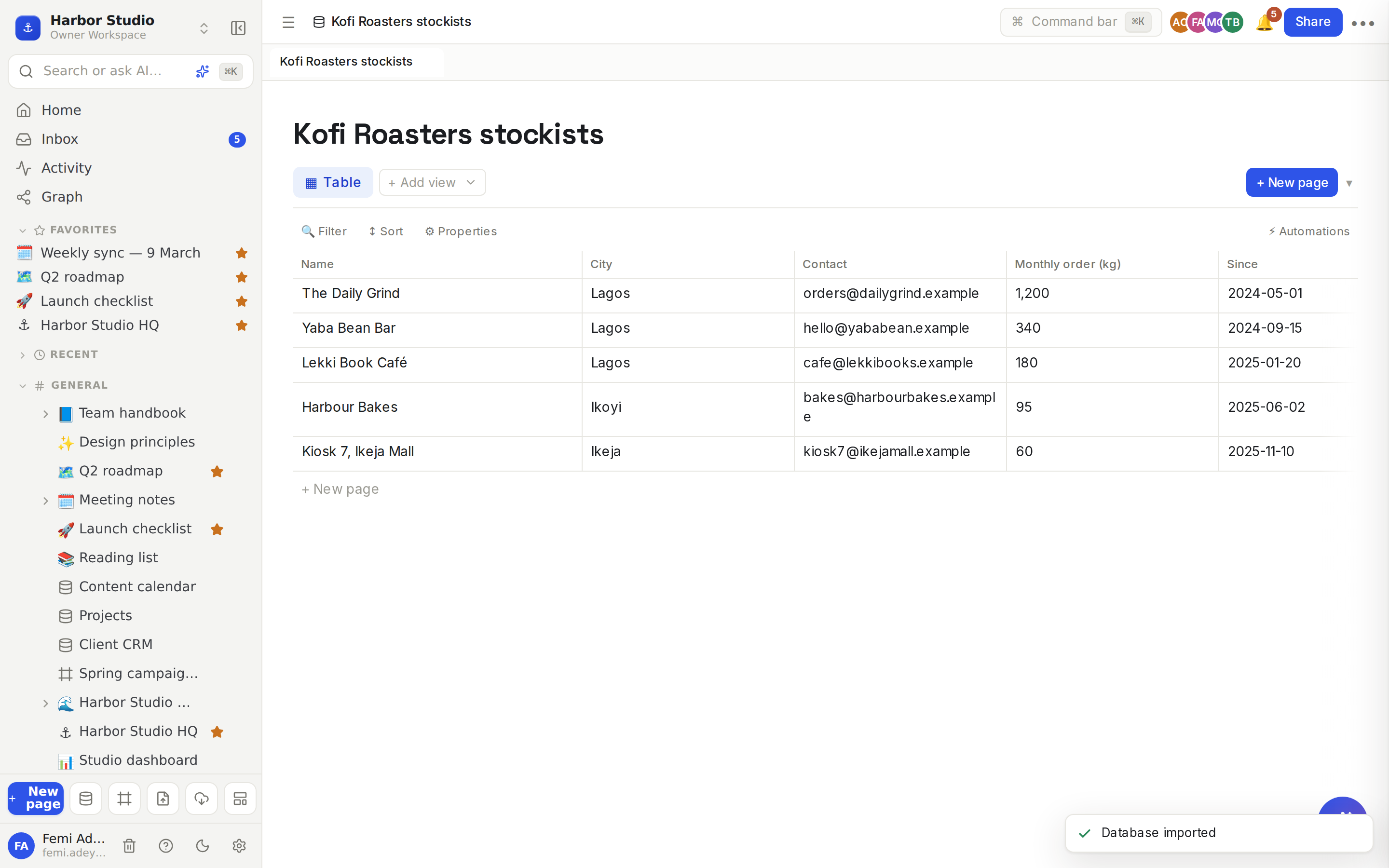
Rodeo creates a database named after the file, for example Kofi Roasters stockists.csv becomes "Kofi Roasters stockists", and opens it.
What you get:
The first row is the header. Each header becomes a property, in the same order. A blank header becomes "Column 1", "Column 2" and so on.
The first column is the title. Its values become each row's name, and each row is a page you can open and write in.
Every other row becomes a row, in the same order as the file.
One table view, called Table.
Give the columns their real types
Every column arrives as Text. Change them to what they really are:
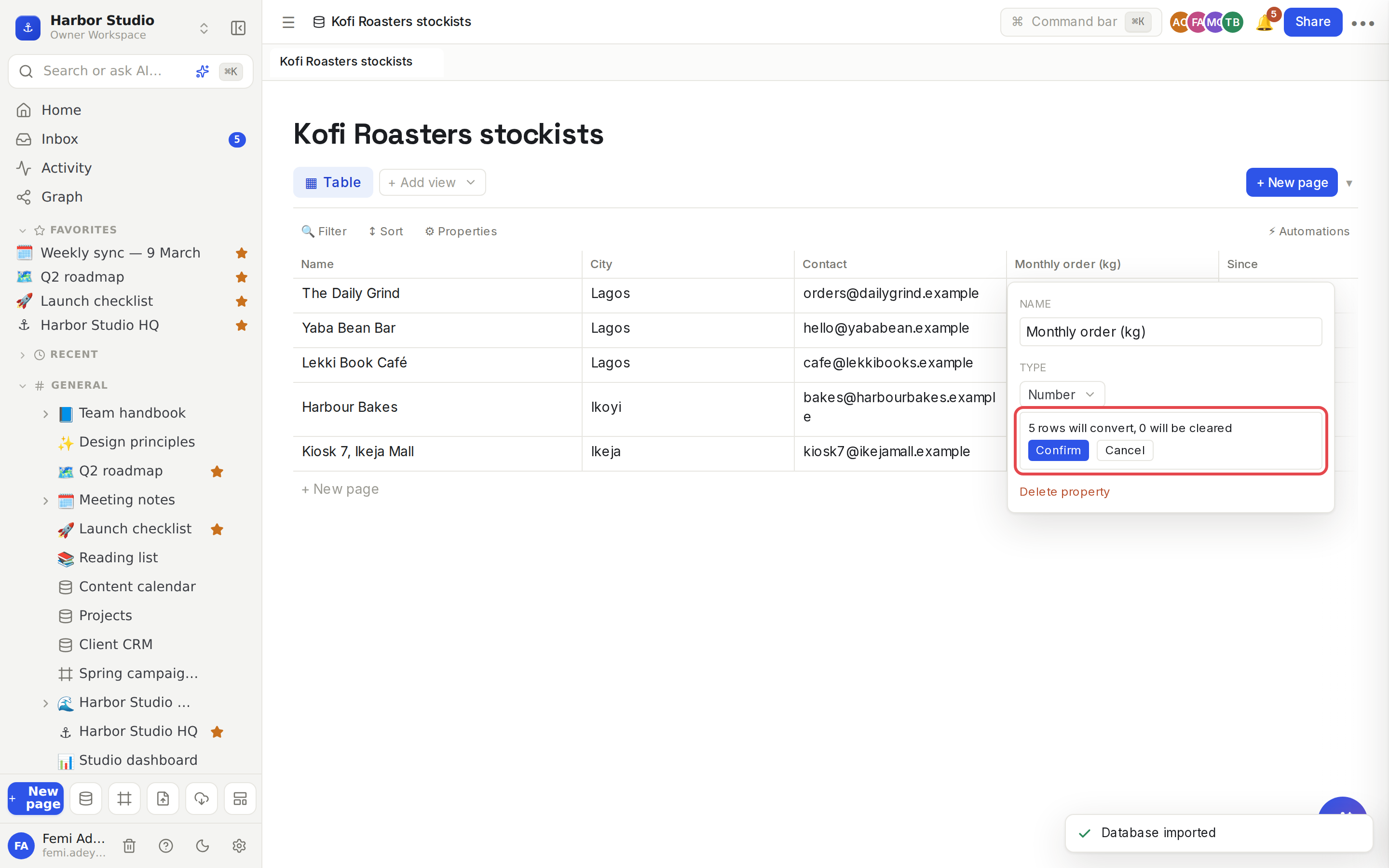
Click a column's name, for example "Monthly order (kg)".
Under Type, pick Number.
Read the summary, for example "5 rows will convert, 0 will be cleared", and click Confirm.
Good conversions to know:
Number reads 1200 and 1,200 alike.
Date reads dates written year-month-day, like 2026-03-16. Format date columns that way in your spreadsheet before you export.
Select or Status makes one option per distinct value; Multi-select splits values at commas.
Checkbox reads yes, true, 1, x and ✓ as checked.
More in Properties.
Tips and limits
Quotes, commas and line breaks are fine. Values in double quotes can hold commas and new lines, and files from Excel with a byte-order mark import cleanly.
Blank lines are skipped, and a row with fewer cells than the header leaves the rest empty.
One file, one database. Each import makes a new database at the top of your workspace. Drag it into a space or under a page afterwards. See Pages and nesting.
To add rows to an existing database, import into a new one and copy across, or use the API. See The REST API.
Coming from Notion? A Notion export brings pages and databases across together, and guesses column types for you. See Import from Notion and other tools.
You need edit access to the workspace to import.
Importing works on every plan.
Troubleshooting
Nothing happened when I picked the file. The file has no header row, or it's empty. Open it in a spreadsheet and check the first line holds column names.
My dates were cleared when I changed the type. They weren't written year-month-day. Cancel, then fix the dates in the spreadsheet and import again, or keep the column as text.
Accents look wrong. Save the file as CSV UTF-8 and import it again.
Ideas
Bring the client list over. Import last year's client spreadsheet, convert Stage to Status and Retainer to Number, then link it to Projects. See Relations and rollups.
Stockists for a client. Import Kofi Roasters' stockists sheet, add a calendar view by "Next delivery", and share it with their team.
A one-off survey. Export responses from a survey tool and import them to filter, chart and comment on the answers together. See Chart view.