Trash: restore deleted pages | Rodeo Docs
Deleting a page in Rodeo moves it to the trash first, so a page removed by mistake, sub-pages and all, can be put back exactly where it was.
Do it
Move a page to the trash
In the sidebar, hover the page, click More actions (⋯) and choose Move to trash.
Or, with the page open, press ⌘K (Ctrl+K on Windows) and choose Move page to trash.
The page disappears from the sidebar and from search. Its sub-pages go with it.
Restore a page
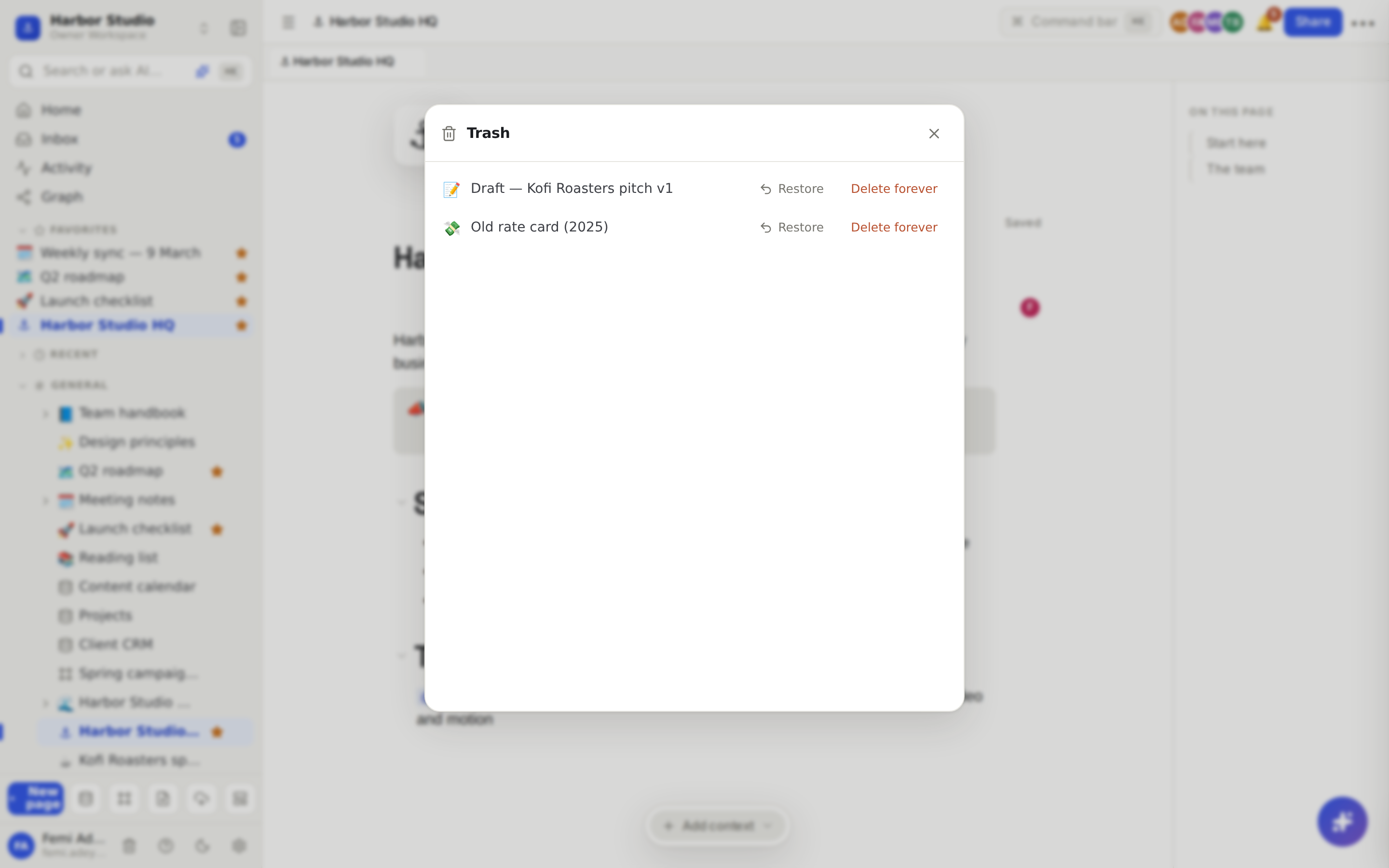
Click the trash icon at the bottom of the sidebar, beside your name. Or press ⌘K and choose Open trash.
Find the page and click Restore.
The page comes back where it was, with all of its sub-pages, and shows up in search again.
Delete a page for good
In the trash, click Delete forever beside the page.
Confirm with Delete forever.
This permanently deletes the page, every page nested under it, and the images uploaded to them. It can't be undone.
Tips and limits
Pages stay in the trash until someone deletes them forever. They aren't removed automatically.
Databases and boards go to the trash the same way as pages, and restore the same way.
Restoring a board counts towards your plan's board limit. On the Free plan, which allows 3 boards, a board can't be restored if you already have 3. See Plans and limits.
Who can see the trash: workspace members who can edit. Guests see an empty trash, so they never see the titles of pages that weren't shared with them.
Who can restore or delete: anyone who can edit the page.
Links to a trashed page show as deleted until it's restored, then work again.
Changed a page rather than deleted it? Get an earlier version back with Version history.
Deleting a whole workspace works differently. See Archive, transfer or leave a workspace.
Ideas
Spring-clean without fear. Once a quarter, trash the drafts and one-off pages you no longer need. If someone shouts "where's the old rate card?", it's one Restore away.
Retire a client cleanly. Trash the client's top page and everything under it goes too; restore it in one click if they come back next year.
Empty it on purpose. Before sharing the workspace with a new contractor, review the trash and Delete forever anything sensitive.
Troubleshooting
I can't find a page I deleted. Open the trash from the bottom of the sidebar or with ⌘K → Open trash. If it isn't there, someone chose Delete forever, and it can't be recovered.
My trash is empty, but I know pages were deleted. You may be a guest in this workspace. Ask a member to restore the page for you.