Reminders and date mentions | Rodeo Docs
Drop a date into any sentence with @, and turn it into a reminder that lands in your inbox and email when it's due, so a deadline written in a meeting note actually comes back to you.
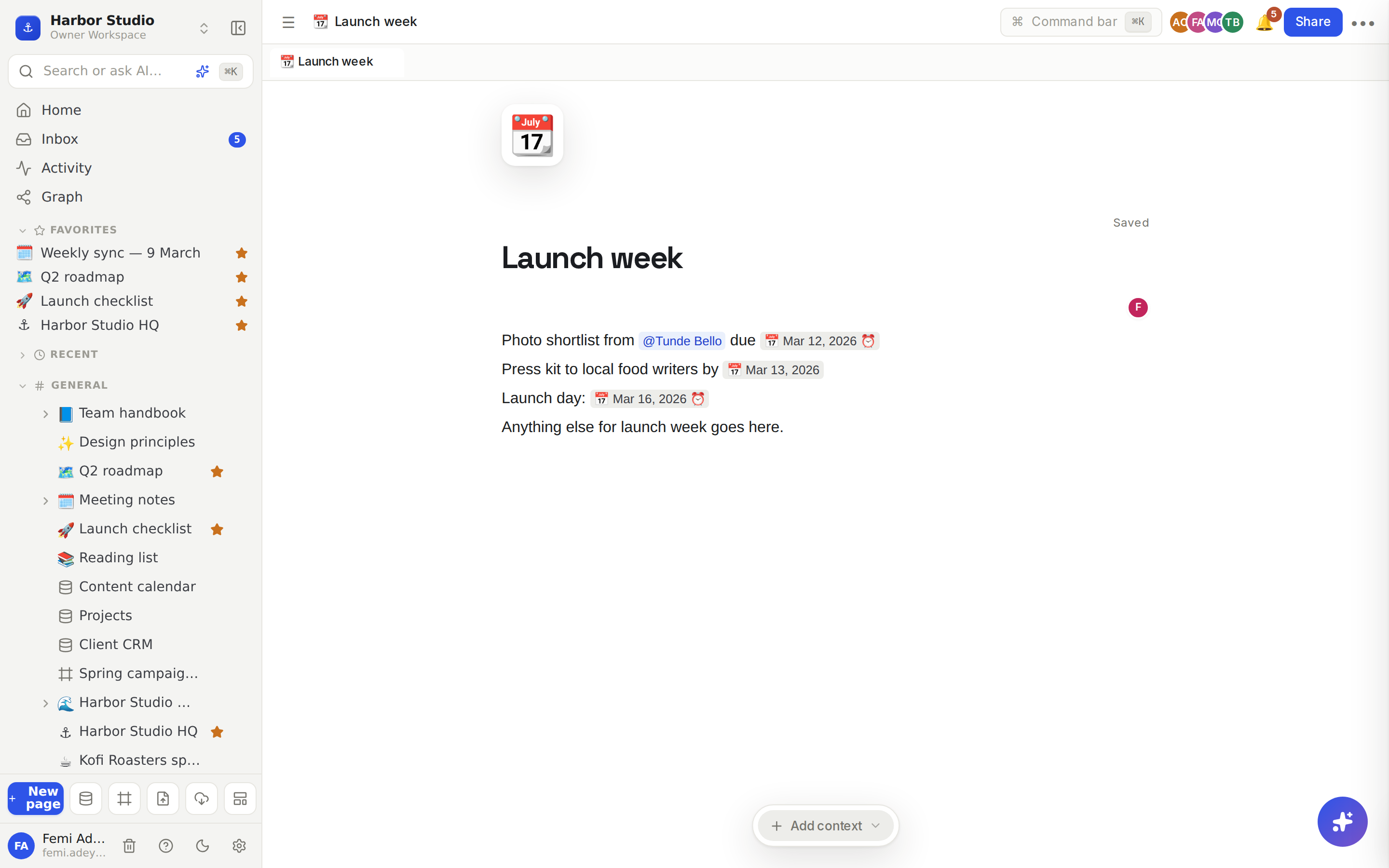
A date mention is a small date pill in your text, such as 📅 Mar 12, 2026. A reminder is a date mention with an alarm clock ⏰: when its time comes, Rodeo reminds you about the page.
Do it
Add a date
Type @ where you want the date. (Two opening square brackets open the same menu.)
Under Date, choose Today or Tomorrow.
The date appears as a pill, written out in full so nobody wonders whether "Friday" means this week or next.
Set a reminder
Type @remind, or @ and scroll to Date.
Choose Remind me tomorrow 9am.
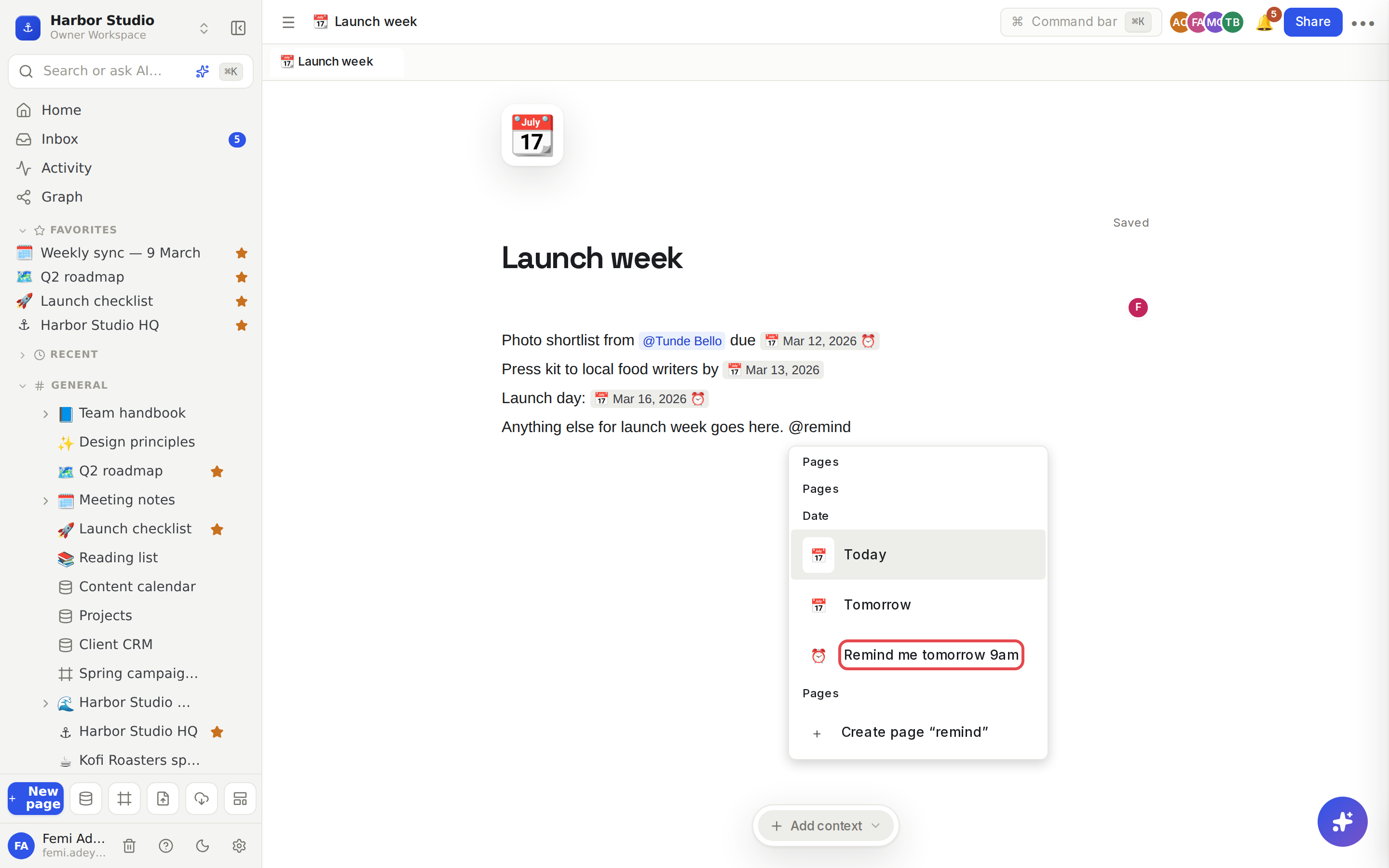
Rodeo adds a ⏰ date pill and sets a reminder for 9:00 tomorrow, in your own time zone. When it's due:
a reminder appears in your Inbox, linking back to the page; and
Rodeo emails it to you, unless you get the email digest, which includes it instead.
See Inbox and notifications and Email preferences.
Tips and limits
Reminders are for you. A reminder set with @ goes to the person who set it, not to anyone mentioned nearby. To nudge a teammate, mention them with @ instead; they get a notification straight away. See Page mentions and links.
The menu offers today and tomorrow. For any other date, such as a deadline next month, use a date property in a database, where you can pick any day and see it on a calendar. See Calendar view.
Deleting the pill doesn't cancel the reminder. Once set, a reminder still arrives even if you remove the ⏰ date from the page.
Reminders arrive within about a minute of the time they're set for.
Dates on Home. The Upcoming list on Home shows dates from databases, not date mentions in page text.
Dates and reminders work on every plan.
Ideas
Follow up after the call. At the end of a client review, type "Chase Kemi for the April Reel schedule" and Remind me tomorrow 9am. Tomorrow morning it's in your inbox, with a link back to the notes.
Date-stamp decisions. In the weekly sync, add Today after each decision, so anyone reading months later knows exactly when it was made.
Tomorrow's first job. Before you log off, write tomorrow's top task on your HQ page with a reminder, so it's the first thing you see.