Comments | Rodeo Docs
Comments let you talk about a page right next to the words you mean, so feedback on a campaign brief stays attached to the sentence it's about instead of getting lost in a chat thread.
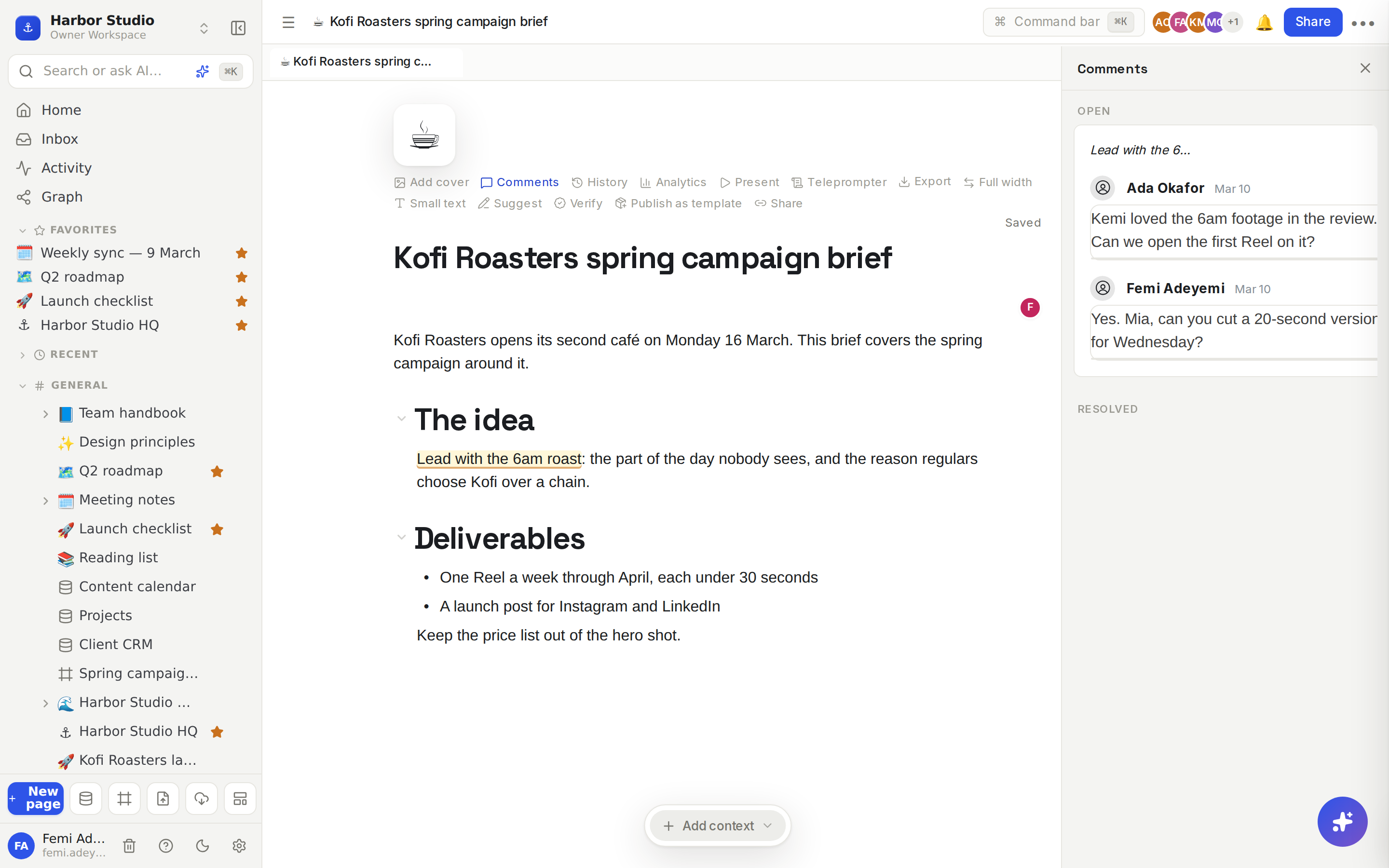
A comment is anchored to the text you selected. The text stays highlighted while the conversation is open, and everyone on the page sees new comments and replies appear live.
Do it
Start a comment
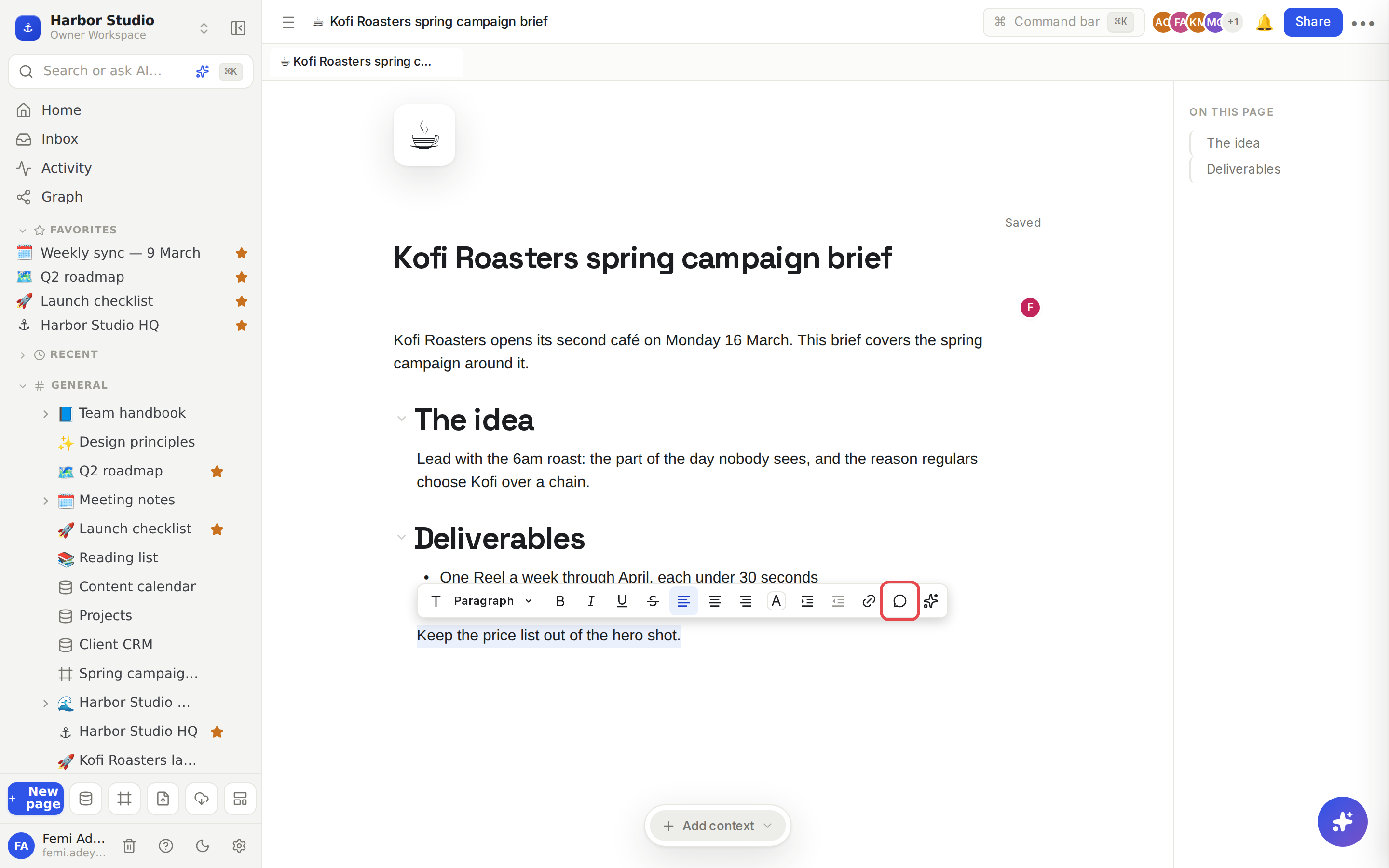
Select the words you want to talk about. The formatting toolbar appears above them.
Click Add comment (the speech-bubble button).
Type your comment where it says "Write a comment...".
Click Save.
You can also right-click a block and choose Comment to comment on the whole block.
Reply
Click the highlighted text, or open the Comments panel and click the thread.
Type in the reply box, "Add comment...", and click Save.
Everyone who has commented in the thread gets a notification when someone replies. See Inbox and notifications.
See every comment on a page
Hover the page title and click Comments in the row above it. The Comments panel opens on the right with two lists:
Open: active threads, in the order they appear on the page.
Resolved: settled threads, most recent first.
Click a thread to select it and reply. Click the ✕ to close the panel.
Resolve, react, edit or delete
Hover a comment to see its actions:
Resolve closes the thread and moves it to Resolved. Re-open brings it back.
Add reaction adds an emoji, like a quick 👍 instead of a reply.
Under More actions, choose Edit comment or Delete comment on your own comments.
Tips and limits
Who can comment: anyone with edit or comment access to the page, including guests you've shared it with as Can comment. People with Can view see the page without comments. See Sharing and access requests.
Comments travel with the text. Move or edit the paragraph and its comment stays attached. If the commented text is deleted, the thread is marked "Original content deleted".
Comments are kept with the page and sync live. Close the tab and come back: open threads are still highlighted, for everyone who can comment.
Want to change the words, not discuss them? Propose the change itself with Suggested edits.
Comments work on every plan.
Ideas
A client review without the email chain. Share the brief with Kemi from Kofi Roasters as Can comment. She comments on the lines she wants changed, Ada replies in the thread, and each one is resolved as it's fixed.
Copy sign-off. Tunde drafts the launch post, then asks Ada to leave a comment on anything off-brand. When every thread is under Resolved, the post is ready to schedule.
A design crit on a page. Mia drops the storyboard frames into a page and the team comments on each image, so the next cut addresses every note.
Troubleshooting
There's no Add comment button. You have view-only access to this page. Ask someone who can edit it to share it with you as Can comment or Can edit.
My teammate wasn't notified about my comment. A brand-new comment notifies people who are already in that thread. To bring someone in, mention them on the page with @, or assign them a task. See Page mentions and links.
A comment disappeared. Check Resolved in the Comments panel: resolved threads move there.