Saved prompts for board chats | Rodeo Docs
Saved prompts are well-written questions you can drop into any board chat with one tap or a /, so you get a strong hook list, beat sheet or script without writing the instructions from scratch every time.
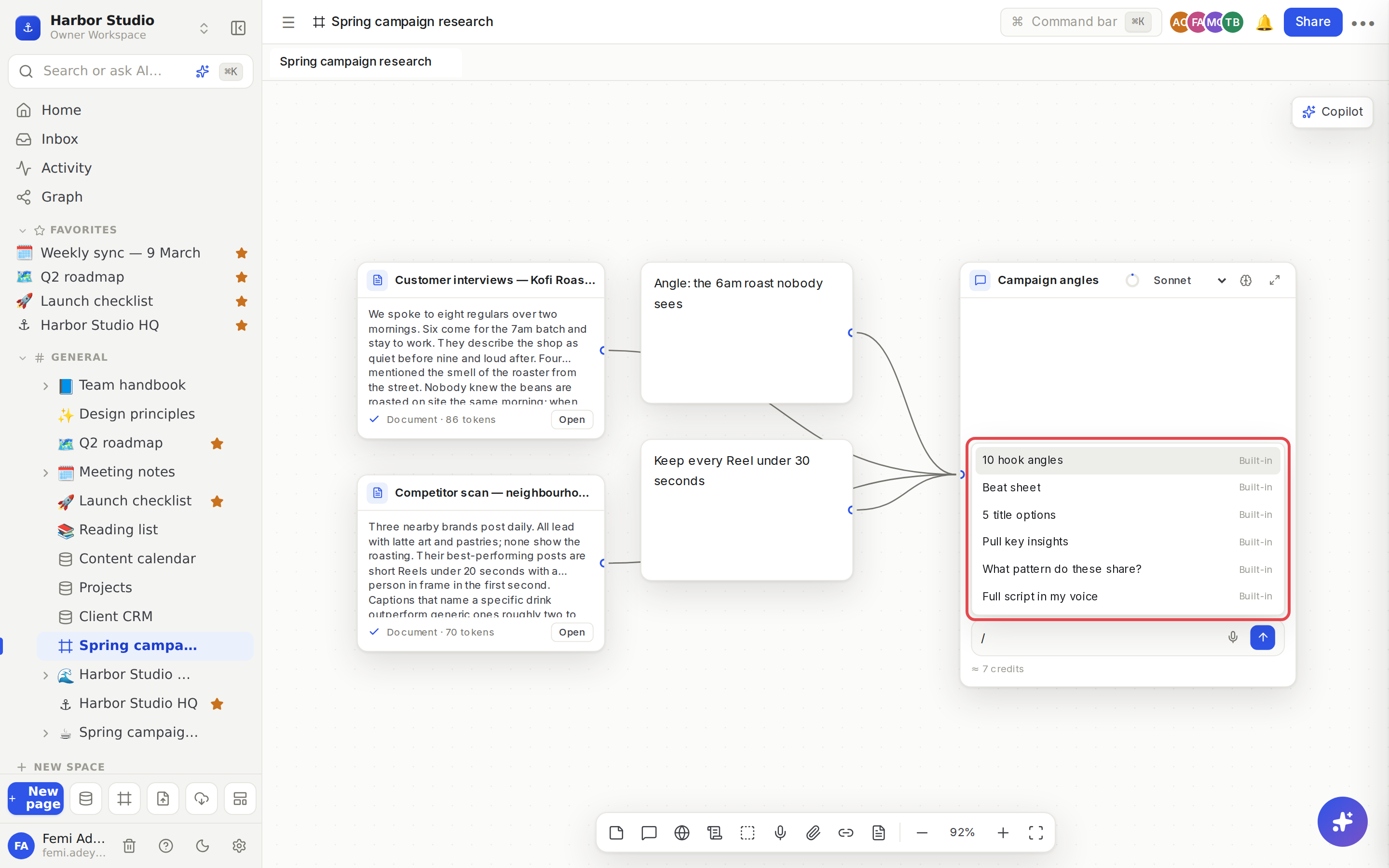
Do it
Pick a prompt from the menu
Click into a chat's message box and type /. The saved prompts open above the box.
Keep typing to filter by name, for example /hook or /script.
Use ↑ and ↓ to move, and Enter or Tab to pick. Or click one. Esc closes the menu.
The prompt's full text fills the message box. Change anything you like, then press Enter to send.
Or tap a chip
An empty chat shows your first six saved prompts as chips under its welcome line. Tap one to fill the message box with it. Nothing is sent until you press Enter, so you can always edit first.
The built-in prompts
Every workspace comes with six, written for turning research into video:
Prompt | What you get |
|---|---|
10 hook angles | Ten opening lines for the first 5 seconds of a video, each a different approach, with the source each draws on. |
Beat sheet | A hook, setup, 4 to 6 beats, payoff and call to action, with talking points and proof from your sources, as bullets to glance at while recording. |
5 title options | Five YouTube titles under 60 characters in different styles, with why a viewer would click each. |
Pull key insights | 7 to 10 specific, non-obvious ideas from your sources, each with where it came from, and the one that would make the strongest video. |
What pattern do these share? | What your sources agree and disagree on, what each one notices that the others miss, and three angles that open up. |
Full script in my voice | A conversational, first-person script of roughly 8 to 10 minutes, matching the tone of any notes or voice memos you wired in. |
Every prompt works only from the cards wired into the chat, so wire in your material first. See Nodes and wires.
Tips and limits
Built-in. The menu marks each of the six prompts above as Built-in, and they are the same in every workspace.
Prompts fill, they don't send. Picking one never spends credits by itself. The cost shows under the box as usual. See AI chats and credits.
They work in research chats too. A research chat can look things up to answer them. See Research.
Saved prompts are on every plan.
Ideas
A Monday hook session. Wire last week's best-performing posts into a chat, type /hook, and send. Send the three you like to the board as notes for the team to vote on.
From pile to outline. Group everything you've collected about Tidewater Hotel, wire the group in, and run What pattern do these share? before you write a word.
Script, then structure. Run Beat sheet first, edit the beats, then ask for Full script in my voice in the same chat so it follows your structure.