Text, headings and formatting | Rodeo Docs
Headings give a page its shape, and quick formatting makes the important part impossible to miss, so a style guide, a brief or a policy reads well the first time.
Do it
Add a heading
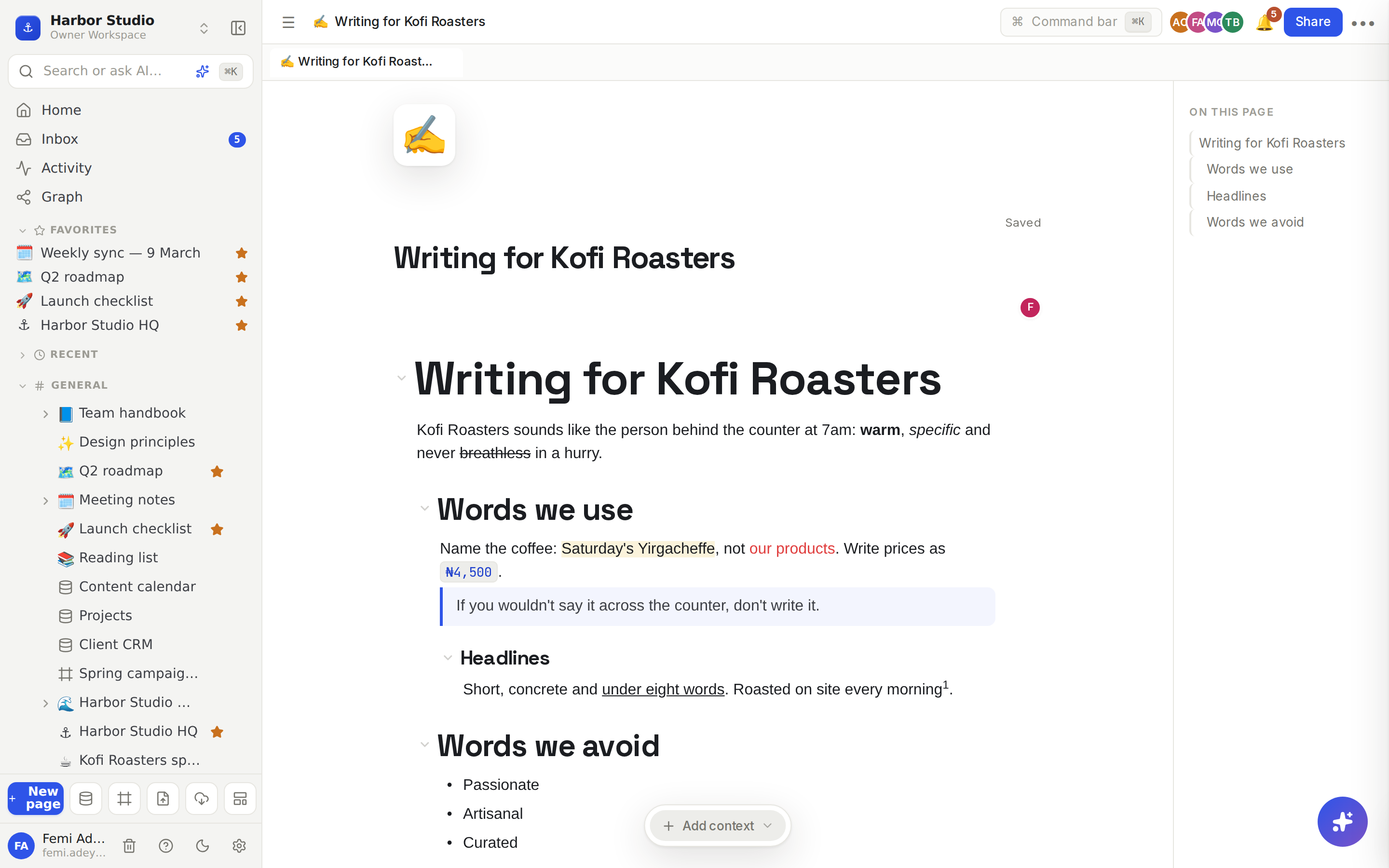
At the start of an empty line, type # and a space for Heading 1, ## for Heading 2, and so on up to ###### for Heading 6. You can also type /heading and pick one from the menu, or press ⌘⌥1 to ⌘⌥6 (Ctrl+Alt+1 to 6 on Windows) on any line.
Every heading also appears in the page's outline and splits the page into slides when you present it. See Page layout: icon, cover, width and outline and Present and teleprompter.
Fold a section away
Type /toggle heading and choose Toggle Heading 1, 2 or 3. Click the arrow beside it to show or hide everything nested underneath. Press Tab on the lines below it to tuck them inside. More on folding in Lists and toggles.
Add a quote
Type > and a space at the start of a line, or choose Quote from the / menu.
Format text
Select some text. A toolbar appears above it.
Use the first menu to turn the whole block into another type, such as Heading 2 or Quote.
Click Bold, Italic, Underline or Strike, choose an alignment, or open Colors to set the text or background colour (Gray, Brown, Red, Orange, Yellow, Green, Blue, Purple or Pink).
Click Create link to turn the selection into a link.
You can also wrap a word in backticks, like this, to format it as inline code.
Change a whole block
Right-click any block to open its menu. Type in Search actions… to find an action fast.
Turn into: Text, Heading 1 to 3, To-do list, Bulleted list, Numbered list, Quote or Code.
Color: the text or background colour of the whole block.
Duplicate, Copy link to block, Move up, Move down and Delete.
Comment starts a comment thread on the block. See Comments.
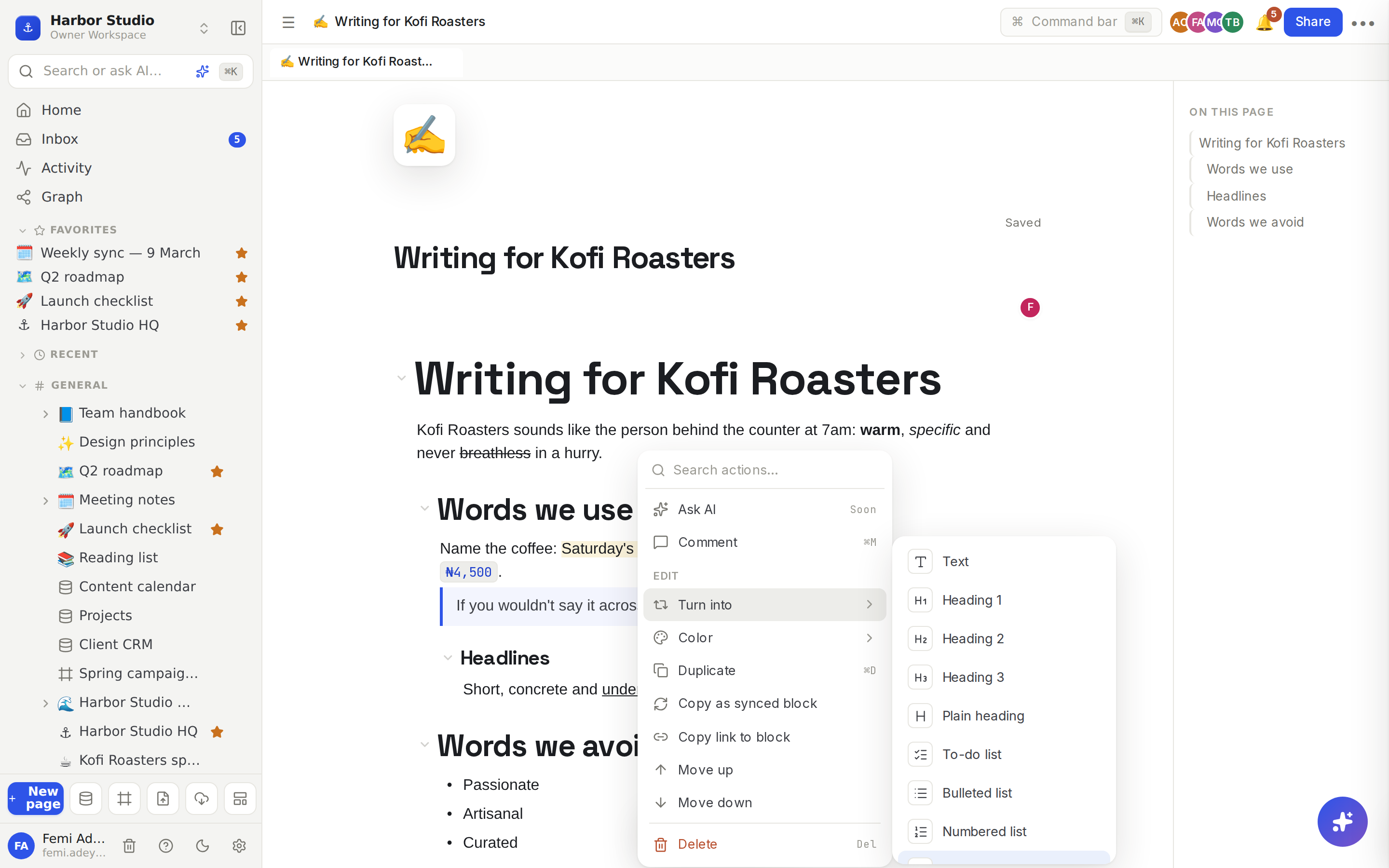
Copy link to block gives you a link that opens the page and scrolls straight to that block, highlighted for a moment.
Tips and limits
Shortcut | What it does |
|---|---|
⌘B, ⌘I, ⌘U | Bold, italic, underline |
⌘⇧S | Strikethrough |
⌘E | Inline code |
⌘. / ⌘⇧, | Superscript / subscript |
⌘⌥1 to ⌘⌥6 | Heading 1 to 6 |
⌘⌥0 | Back to a plain paragraph |
⌘⌥Q | Quote |
⌘Z / ⌘⇧Z | Undo / redo |
On Windows, use Ctrl for ⌘ and Alt for ⌥.
Heading 4 to 6 sit further down the / menu, under the toggle headings. Type /h4 to jump to them.
Superscript and subscript have no toolbar button; use the shortcuts.
Pasting from another app keeps headings, lists, bold and links where it can.
Text formatting works the same on every plan.
Ideas
A house style guide. One page per client with "Words we use" and "Words we avoid" headings, the banned words folded into a toggle heading so the page stays short.
A policy people can skim. Use Heading 2 for each rule, put the one-line version in bold and the detail underneath, so Ada can answer an expense question in seconds.
Link straight to the answer. In a busy handbook page, right-click the paragraph about holidays, choose Copy link to block and paste it into a chat. Your teammate lands right on it.