Code blocks with syntax highlighting | Rodeo Docs
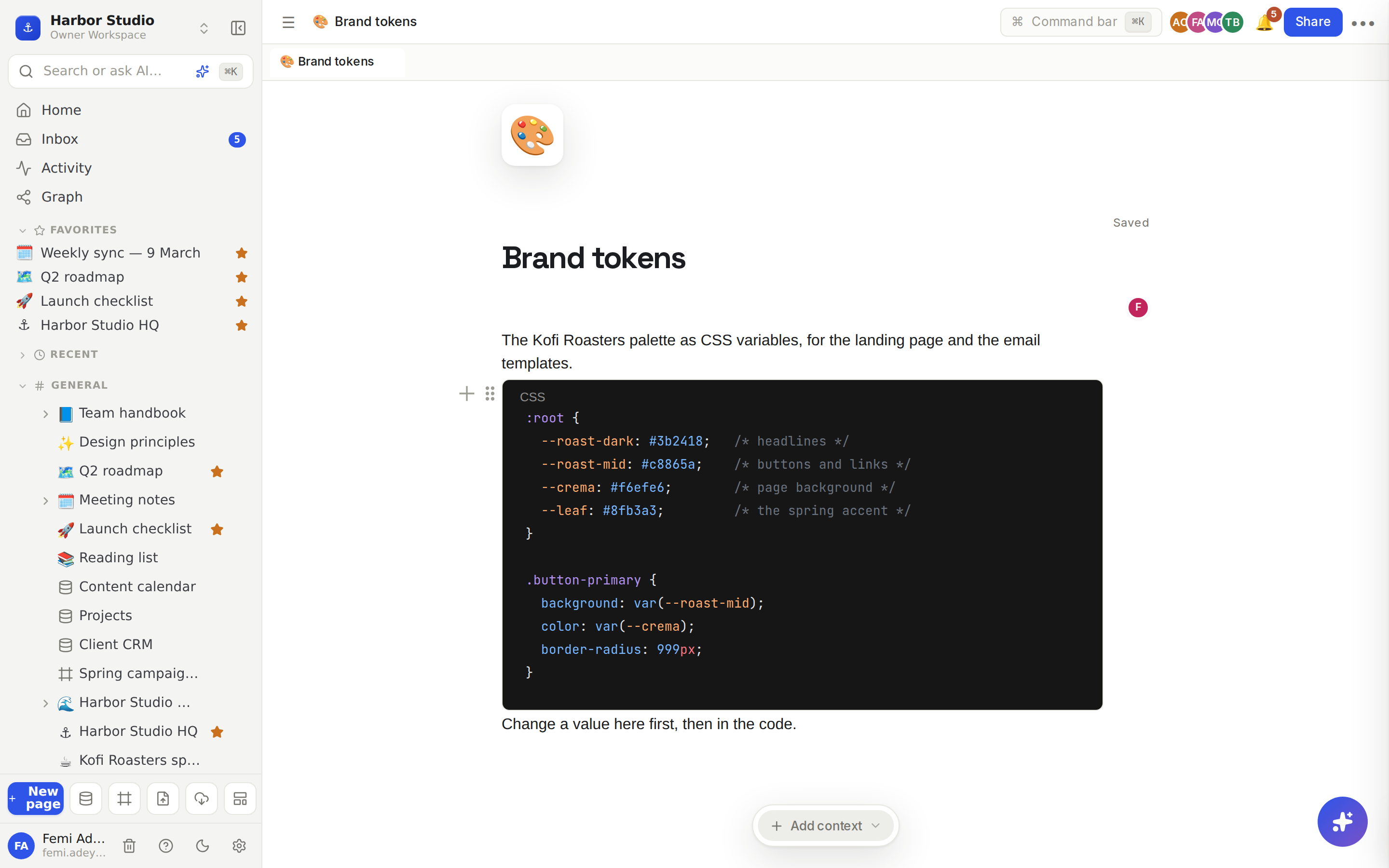
A code block keeps snippets exactly as written, in a monospaced box with syntax highlighting, so developers, designers and AI tools all copy the same thing.
Do it
Start a code block in any of these ways:
Type ``` and a space at the start of a line.
Type ```css (or another language name) and a space, to start with that language already chosen.
Type /code and choose Code Block.
Press ⌘⌥C (Ctrl+Alt+C on Windows).
Type or paste your code. Enter adds a new line inside the block, and Tab indents by two spaces.
Pick the language from the menu at the top of the block. The highlighting updates straight away.
To leave the block, press Shift+Enter, which starts a new paragraph below. Pressing Enter three times at the end of the block also gets you out.
Tips and limits
Languages. Plain Text (the default), C, C++, C#, CSS, GLSL, GraphQL, Haskell, HTML, Java, JavaScript, JSON, JSON with Comments, JSON Lines, JSX, Julia, Kotlin, LaTeX, Less, Lua, Markdown, MDX, Mermaid, Objective C, PHP, PostCSS, Pug, Python, R, RegExp, Ruby, Ruby Haml, Rust, Sass, Scala, SCSS, Shell, SQL, Svelte, Swift, TSX, TypeScript, Vue, Vue HTML, WebAssembly, WGSL, XML and YAML.
Short names work after the backticks: ```ts gives TypeScript and ```bash gives Shell.
Inline code for a word or two inside a sentence: wrap it in backticks or press ⌘E. See Text and headings.
Delete an empty code block by pressing Delete inside it.
Turn existing text into code: right-click the block and choose Turn into → Code.
Want a diagram, not code? A Mermaid code block only shows the source. Use a diagram block to draw it. See Diagrams.
Code blocks work the same on every plan, and come through as fenced code when you export a page to Markdown.
Ideas
Brand tokens in one place. Keep a client's colours as CSS variables on their brand page, so the person building the landing page and the person designing the email copy the same values.
A runbook that works. Put each step's command in a Shell code block under a numbered list, so whoever is on call can copy and paste without typos.
Prompt library. Store your best AI prompts in Plain Text code blocks so their exact wording and line breaks survive copy and paste.