Board view (kanban) | Rodeo Docs
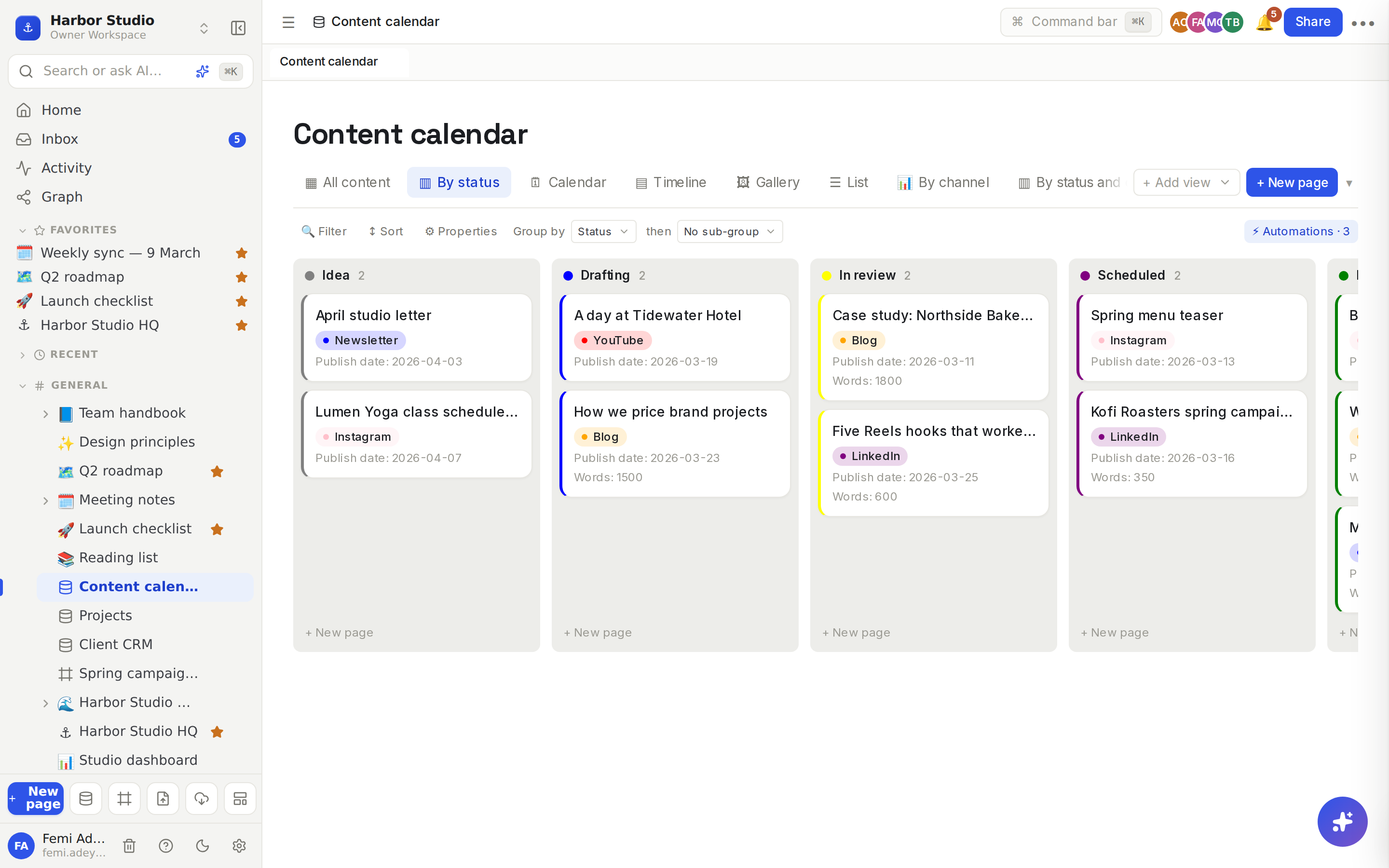
The board view lays rows out as cards in columns, one column per status or option, so you can see where all the work stands and move a card along by dragging it.
Do it
Make a board
Click + Add view and choose ▥ Board.
The board groups by the first Select or Status property. To change it, pick another under Group by in the toolbar.
Double-click the tab to rename it, for example "By status".
You can group by a Select, a Status or a Relation property. With no such property yet, the board says "Add a Select, Status, or Relation column, then group by it."
Work with cards
Move a card: drag it to another column. Rodeo sets the property to that column's value.
Add a card: click + New page at the bottom of a column. The new row already has that column's value.
Open a card: click it. The row's page opens in a side panel. See Row pages and row templates.
Empty values collect in a column called No plus the property's name, for example No Status. Drag a card there to clear its value.
Each column header shows how many rows it holds, counted across every row that matches the view, not only the cards loaded so far.
Sub-group into sections
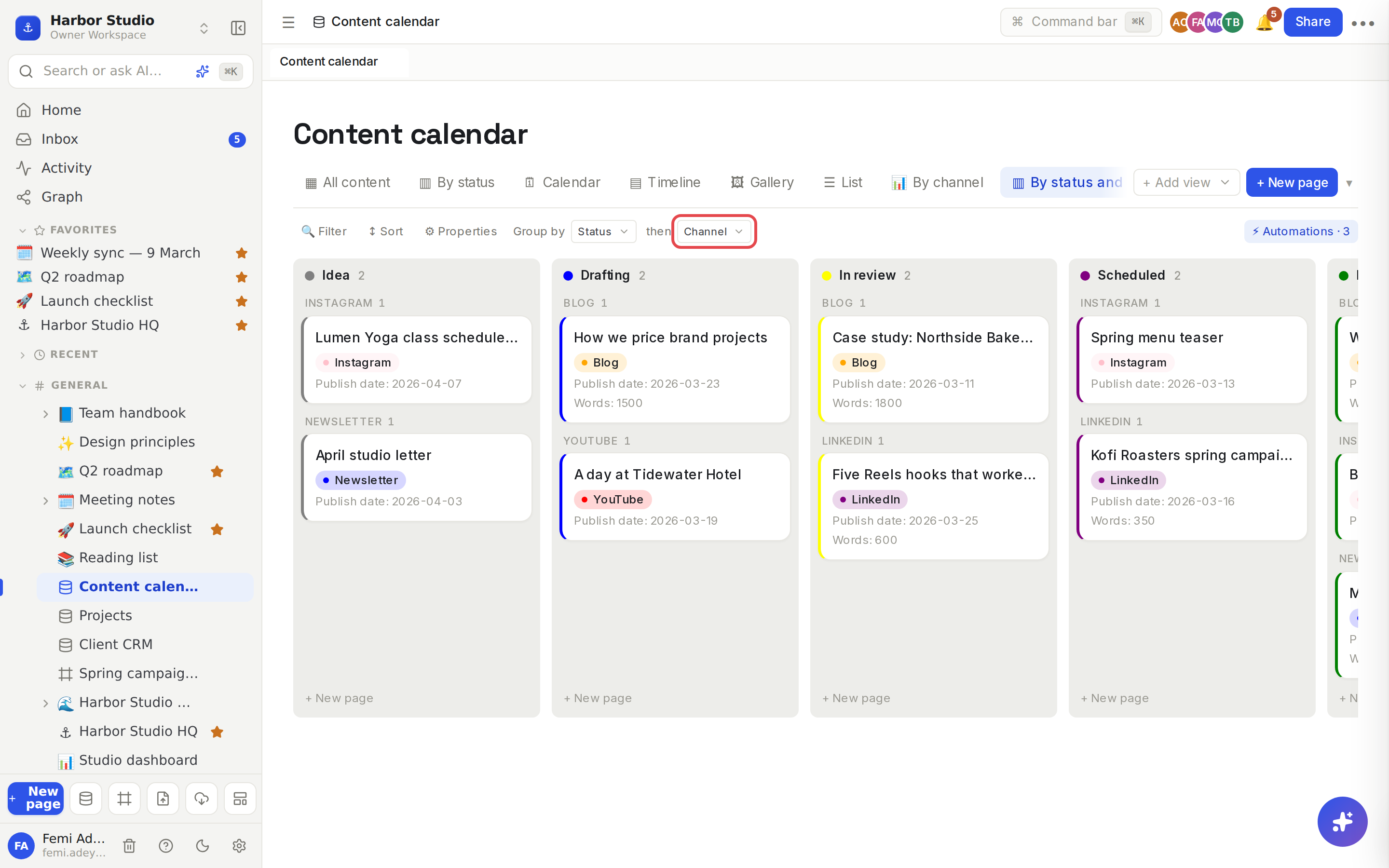
With Group by set, choose a second property under then, for example Channel.
Each column splits into labelled sections, one per option, with a count beside each. Sections with no cards are hidden, and cards with no value gather under No plus the property's name.
Choose No sub-group to go back.
Colour a column
Hover a column's header and click the colour dot at its right.
Pick one of nine colours, or Clear color.
The column's cards get a tinted background and a coloured stripe.
The colour belongs to the option itself, so the same colour shows on that option everywhere in the database.
Tips and limits
What a card shows: the row's title and up to three other properties that have a value. Select, status and multi-select values show as coloured tags.
Grouping by a relation gives one column per row of the linked database. A card linked to two rows shows in both columns, and dragging it to a column links it to that row only. Relation columns can't be coloured.
Sub-groups use a Select or Status property other than the one you group by.
Column order follows the order of the property's options. Reorder the options to reorder the columns. See Properties.
Big boards: cards load 100 at a time; click Load more rows under the board for the rest.
Filters and sorts apply to the board too, so you can show only one person's cards. See Filters, sorts and grouping.
The board view works on every plan.
Ideas
A content pipeline. Group the content calendar by Status and sub-group by Channel. Tunde drags a post from Drafting to In review and Ada knows it's her turn.
A sales pipeline. Group the Client CRM by Stage: Lead, Proposal, Active, Paused. Femi reviews it every Monday and drags clients along as deals move.
Work by client. Give a tasks database a relation to the Client CRM and group the board by it, so each client gets a column of their own.