Linked databases | Rodeo Docs
A linked database puts a live, working view of an existing database inside any page, so you can build dashboards, project hubs and team homes from data that lives in one place.
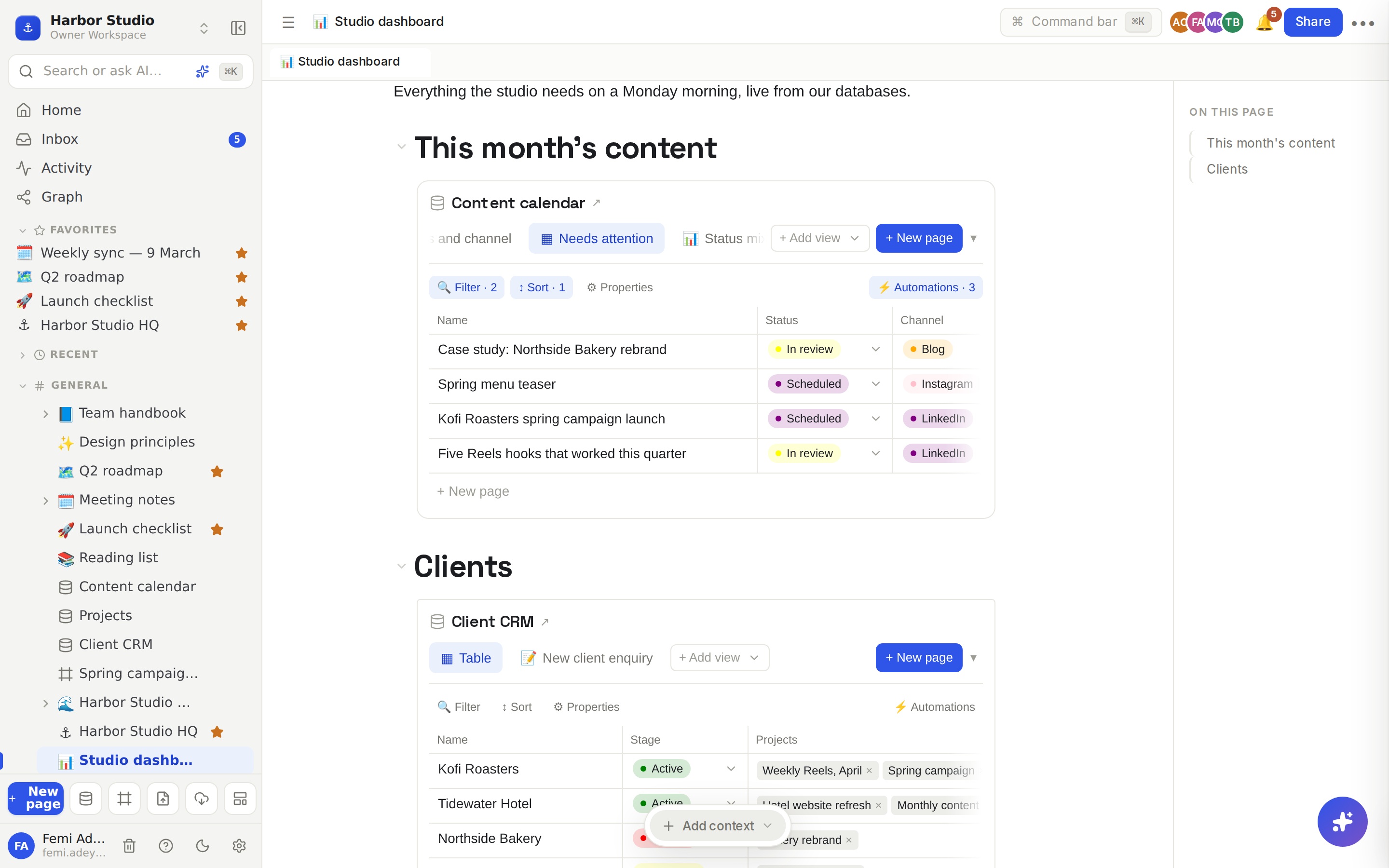
The data isn't copied. Edit a row in the embed and it changes in the database; add a row to the database and it shows in the embed.
Do it
Embed a database
On any page, type /database and choose Database view. It's in the Advanced group of the / menu.
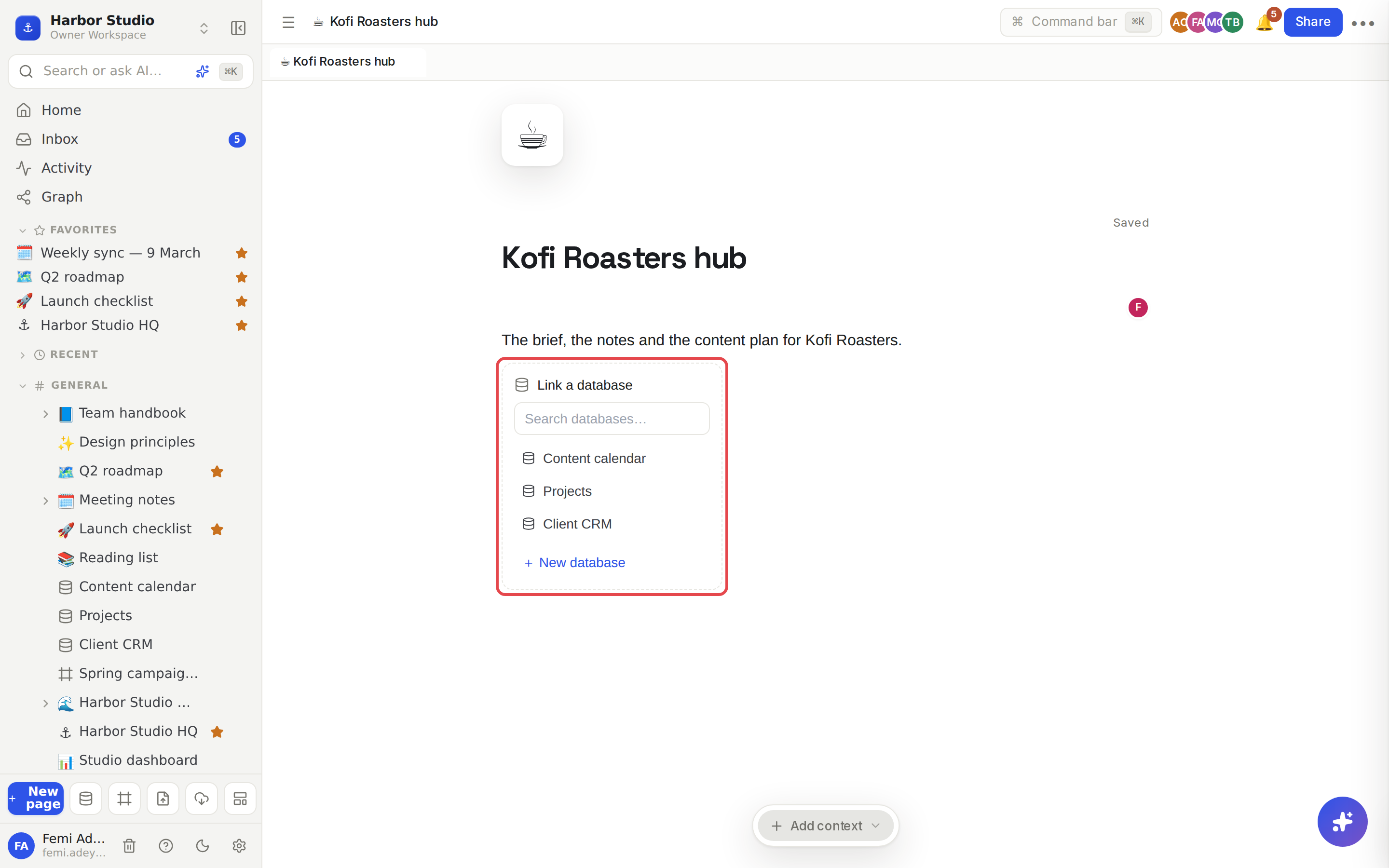
A Link a database box appears. Type in Search databases… to find one, then click it.
The database appears in the page with its view tabs, toolbar and rows.
Need a new one? Click + New database in the same box. Rodeo creates an empty database and links it on the spot; fill it in right there.
Tidy the embed
Hover the embed to see two switches at its top right:
Title shows or hides the database's name. When shown, the name has a ↗ and clicking it opens the database itself.
Toolbar shows or hides the view tabs, + Add view, + New page, filters, sorts and automations, for a cleaner dashboard.
Work inside it
Everything works as it does on the database's own page: switch views, edit cells, drag cards on a board, open rows in the side panel, add rows. See Database basics.
Tips and limits
Views are shared with the database. An embed shows the database's own views, and a filter or sort you change in an embed changes that view everywhere. For a dashboard, add a dedicated view, for example "Kofi Roasters only", and keep it for the dashboard. See Filters, sorts and grouping.
An embed opens on the database's first view. Click another tab to switch.
Several embeds, one page. Put as many as you like on a page, from the same database or different ones.
Access is respected. People see an embed only if they can see the database.
Embeds sit in the page, so you can put them in columns, under headings, or next to a callout. See Callouts and columns.
Remove an embed like any block. The database itself isn't touched.
Linked databases work on every plan.
Ideas
A Monday dashboard. A "Studio dashboard" page with the content calendar's board, the CRM, and a chart of posts by channel. Everyone opens the same link on Monday morning.
A client hub. A "Kofi Roasters" page with the brief, the latest meeting notes and the content calendar showing a "Kofi Roasters only" view, so the client's whole world is on one page.
A team home. Put the team's open tasks and this week's posts on the team's home page, with Toolbar switched off so it reads like a page, not a tool.