Embed a board in a page | Rodeo Docs
Show a board inside any page as a card with its preview, name and size, so the research sits right next to the plan it feeds and anyone reading the page is one click from the canvas.
Do it
Create a new board inside a page
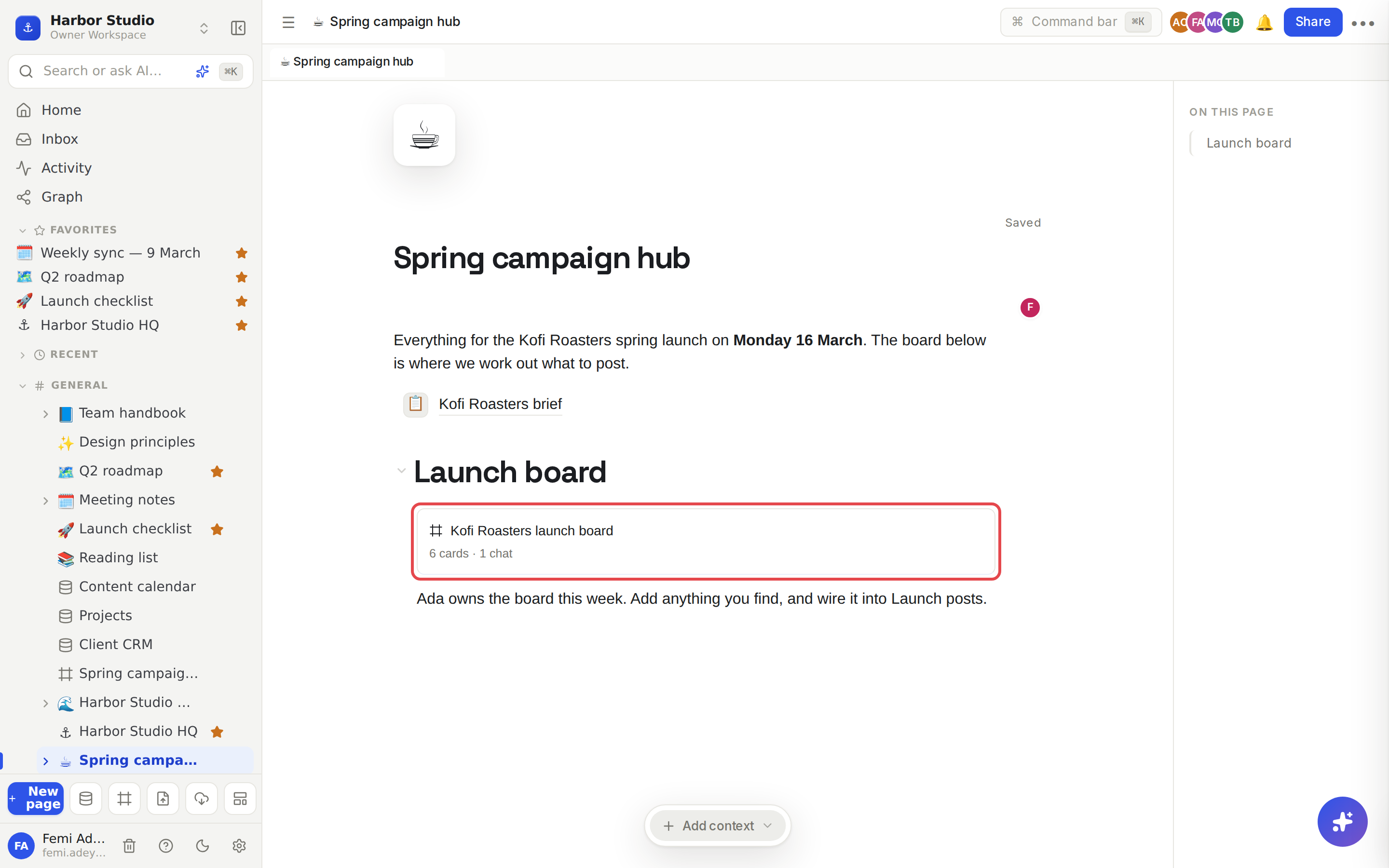
On the page, click an empty line and type /board.
Choose Board, "A new infinite canvas inside this page".
Rodeo creates a board inside the page and shows it there as a card. You stay on the page.
Click the card to open the board.
Show a board you already have
Type /board on the page.
Choose Link board: followed by the board's name. Keep typing its name to find it quickly.
The card appears. The board stays where it was in the sidebar.
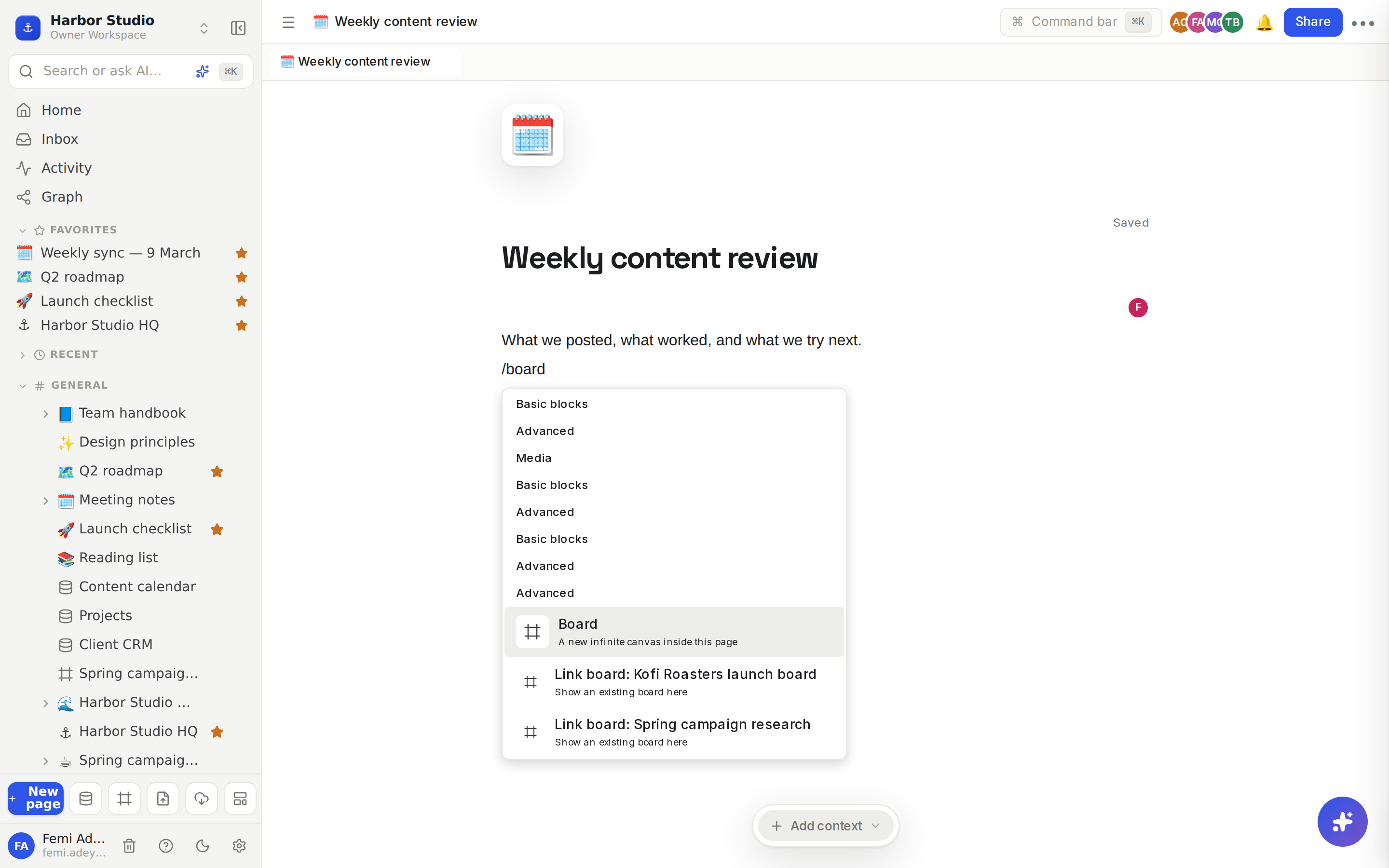
What the card shows
a preview image of the board, once someone has edited it;
the board's icon and name;
how many cards and chats it holds.
Click the card to open the board. ⌘-click (or Ctrl-click on Windows) opens it in a new tab.
Tips and limits
The card is always live. Rename the board or add cards and the card follows. The preview image refreshes while people edit the board, at most once every 5 minutes.
Readers see what they're allowed to see. Someone who can't open the board sees a card that says "Private board", with no name. See Share a board.
Embedding doesn't change access. Linking a board on a page doesn't share it with the page's readers. A board created with Board inside a page does follow that page's sharing, because it lives inside it.
Exports. When you export or copy a page, an embedded board becomes the word "Board".
The menu lists up to 8 boards to link. Type more of a name to find any other.
Plans. Creating a board counts toward your plan's boards: the Free plan includes 3. Linking an existing board doesn't. See Plans and limits.
Ideas
A campaign hub. One page per campaign with the brief at the top, the launch board embedded under it and the content calendar below, so the whole plan reads top to bottom.
Meeting notes with the evidence. Embed the research board in the weekly sync notes, so when someone asks "where did that idea come from?" the answer is one click away. See Meeting notes.
A wiki that shows its working. Embed the board you used to write a handbook page at the end of that page, so new teammates can see how the decision was made.
Troubleshooting
The card says "Private board". You can't open that board, or it was moved to the trash. Ask its owner for access.
There's no preview image. The board hasn't been edited since it was created, or nobody has had it open long enough. The picture appears once someone edits the board.
"This plan includes 3 boards. Upgrade to add more." You're on the Free plan with 3 boards. Link an existing board instead, or upgrade.