Workspace activity log | Rodeo Docs
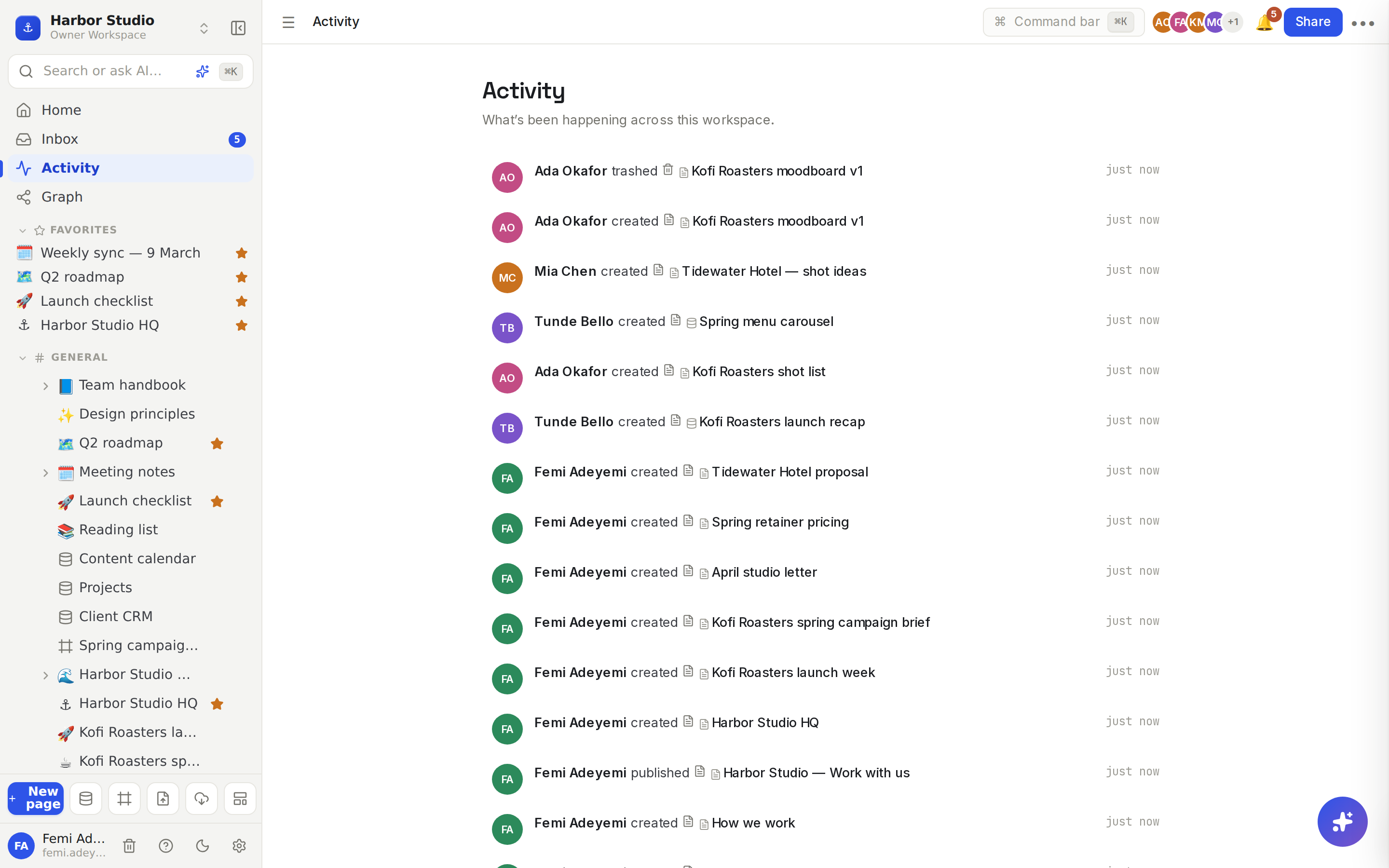
Activity is a running log of what's been happening across your workspace, so after a day of client calls you can see in seconds who started which page, what was published and what went to the trash.
Do it
Click Activity in the sidebar, just below Inbox.
Read down the list, newest first. Each line says who did what to which page, database, row or board.
Click a line to open what it's about.
What's in the log
You see | When |
|---|---|
created | Someone creates a page, database, database row or board |
trashed | Someone moves something to the trash |
restored | Someone brings something back from the trash |
published / unpublished | Someone publishes a page as a site, or takes it down |
verified / unverified | A wiki page's owner verifies it, or the verification is removed |
Tips and limits
You only see what you can open. Activity on pages in a private space you're not in, or on pages that were never shared with you, stays out of your feed. Guests only see activity on the pages shared with them. See Spaces.
The latest 50 events are shown.
Activity is for the whole workspace; the inbox is for you. If something needs your attention, it goes to your Inbox and notifications.
Looking for what changed inside one page? Open its history instead. See Version history.
Deleted something by mistake? A "trashed" line tells you who moved it. Restore it from the trash. See Trash.
Activity works on every plan.
Ideas
A Monday catch-up. Femi opens Activity first thing to see which pages the team started last week and which client sites went live.
Find the missing page. A page Mia needs has vanished from the sidebar. Activity shows Tunde trashed it on Friday, so she restores it in two clicks.
Keep an eye on the wiki. "verified" lines show which handbook pages their owners have checked recently. See Wiki and page verification.