Scripts and editor notes | Rodeo Docs
Scripts let you write a video, podcast or Reel right beside the research it comes from, with its spoken length counted as you go, and editor notes turn a finished script into a hand-off your editor can work from: which clip to insert, from which source, at which timestamp.
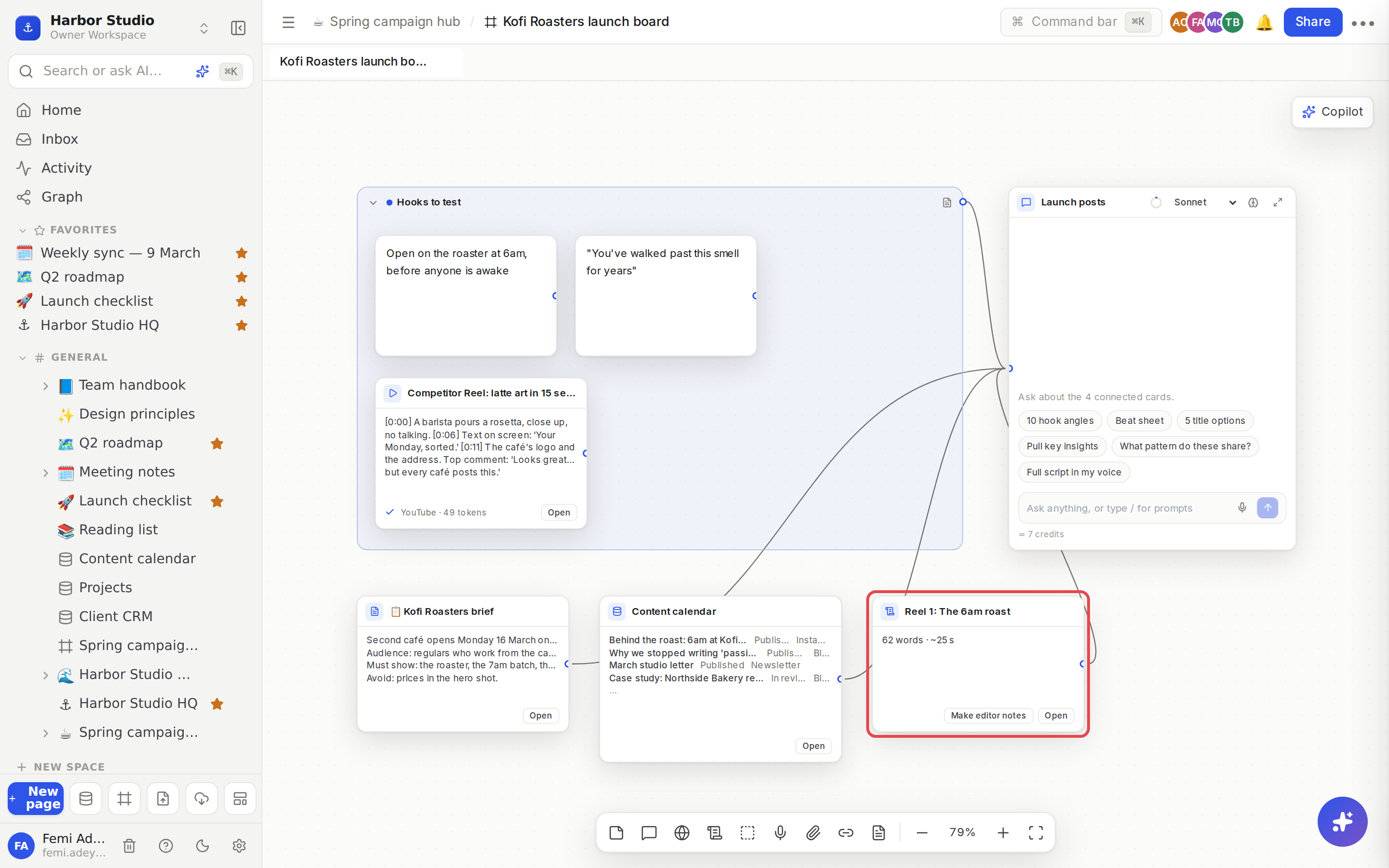
A script is a Rodeo page that lives under the board. You write it in the normal editor, with live co-editing, comments and Version history, and its card on the board shows the word count and how long it takes to say out loud.
Do it
Start a script
Press S, or click New script in the dock. A blank "Untitled script" page is created under the board, with a card for it on the canvas.
Or, under any chat reply, click Save as script. The reply becomes a new script page, titled from its first heading or line, and its card lands beside the chat.
Click Open on the card (or double-click it) to write in the side peek. The script also appears in the sidebar under the board.
Write it with a chat
Wire the script into a chat, the same way you wire any card. Then, under a reply:
Add selection to script: select part of the reply, then click to add it to the end of the script.
Save as new version: replace the script with the whole reply. The text it had before is kept in the script's page history, so you can always go back.
Both work on the script wired into that chat. Without one, the buttons say "Wire a script to this chat first".
Because the script is wired in, the chat reads it too. Ask "tighten the hook" or "cut this to 45 seconds" and it works on your current draft.
Make editor notes
Put the material on the board: the videos and recordings you'll cut from, and any pages or notes about them.
On the script's card, click Make editor notes.
A new page called "Editor notes: " and the script's title opens beside the board, saying Writing editor notes…. It fills in by itself; you can keep working.
The notes follow the script section by section. For each one they say where it starts in your own recording, which clip to Insert from which source with a link that opens at the right moment and the time range to use, what goes On screen, and any Notes on cuts or b-roll. A TO CHECK list at the end names anything the notes couldn't pin to a source and a time. They're written as plain text, so they paste cleanly into WhatsApp or an email.
Tips and limits
Spoken length is worked out at 150 words a minute.
Editor notes read the board: sources the script names come first, then your own recordings, then everything else on the board. Give your recordings clear titles so the notes can point to them.
Never invented. Editor notes only use timestamps and links that are in your sources. Anything else goes under TO CHECK.
One run per script at a time. A second click while notes are being written says "Editor notes for this script are already being written".
A script can't be empty. Make editor notes appears once the script has words in it.
Credits. Editor notes use AI credits, like a chat reply. See AI chats and credits.
A script is a page, so you can share it, comment on it, mention it and find it in search like any other page. See Pages and nesting.
Ideas
Research to recording in one sitting. Ask a chat with Full script in my voice, click Save as script, edit it in the side peek until the spoken length says about a minute, then record.
Two versions, one script. Ask the chat for a punchier version and click Save as new version. If the old one was better, restore it from the page history.
A clean hand-off for Mia. Drop the raw shoot and the competitor clips on the board, click Make editor notes on the script, and send Mia the page instead of a voice note.
Troubleshooting
The editor notes failed. The page says why. Click Try again. If the notes were already written and only saving them failed, they're saved without running (or charging) again.
"Wire a script to this chat first". Drag from the script card's handle into the chat, then try again.
The notes have lots under TO CHECK. The clips the script mentions aren't on the board, or have no transcript yet. Add them as Sources, wait for the ✓, and make the notes again.