Timeline view (Gantt) | Rodeo Docs
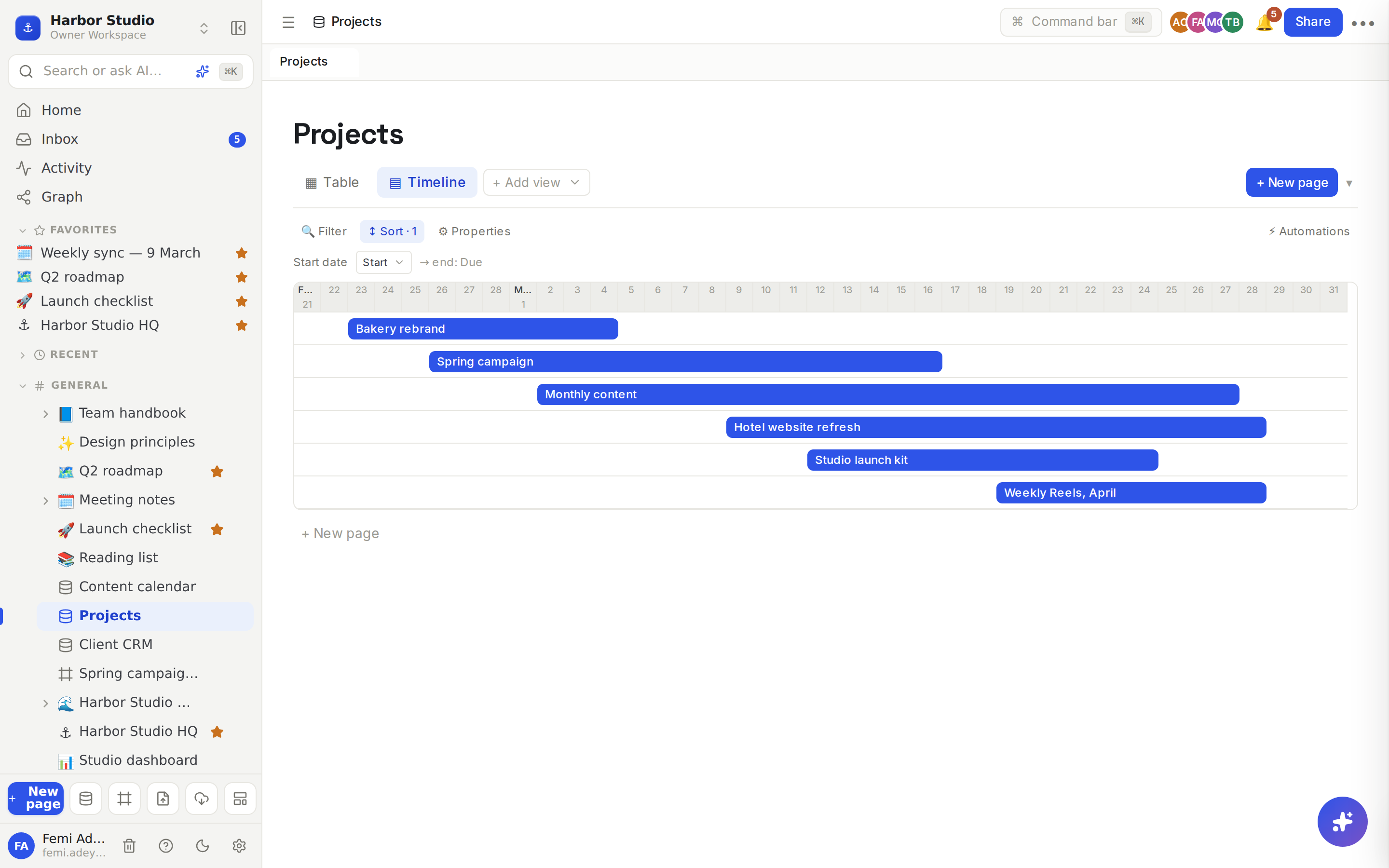
The timeline view draws each row as a bar across the days, from its start date to its end date, so you can see which projects overlap, what's running now and what's coming next.
Do it
Make a timeline
Your database needs at least one Date property, and ideally two: one for the start and one for the end. See Properties.
Click + Add view and choose ▤ Timeline.
Pick the start date next to Start date at the top. The other date property becomes the end, shown as → end: and its name.
With two date properties, each bar runs from a row's start to its end. With only one, or when a row has no end date, the row shows as a one-day mark on its start date.
Read and use it
The header shows the month, then each day's number.
The timeline starts a couple of days before the earliest row and ends a few days after the latest. Scroll sideways to move through time.
Each row gets its own lane, with its title on the bar. Hover a bar to read a title that's cut short.
Click a bar to open the row's page in a side panel. Change its dates there to move or stretch the bar. See Row pages and row templates.
Click + New page under the timeline to add a row.
Tips and limits
Which date is the end? When a database has more than two date properties, the end is the first date property that isn't the start. Keep the end date right after the start date in the property list, or keep just two dates.
End before start? A row whose end date is earlier than its start shows as a one-day mark.
Rows without a start date don't appear. If none do, the timeline says "No rows with a" and the property's name, "date yet."
No date property at all? The view says "Add a date property to use the timeline view."
Each day is the same width, so a long project makes a long timeline; scroll sideways.
Filters and sorts apply: sort by the start date to get a tidy staircase. See Filters, sorts and grouping.
Large databases load 100 rows at a time and fetch more as you scroll down.
The timeline view works on every plan.
Ideas
Studio workload. Give Projects a Start and a Due date and a timeline view. Femi sees that the Hotel website refresh overlaps the spring campaign and books freelance help early.
Campaign phases. One row per phase (research, shoot, edit, launch) with start and end dates, so Kofi Roasters can see the whole campaign on one screen.
Leave and travel. One row per trip with a Person and two dates, so everyone knows who's away when.