Share a board | Rodeo Docs
A board follows the same access rules as a page, so you share it the way you already share your work: put it where the right people can see it, or inside a page you share, and everyone works on the same live canvas.
Do it
Share with your team
Workspace members can already open a board in any space they can see. To work on it together, just send the link: copy it from the address bar, or hover the board in the sidebar, click More actions (⋯) and choose Copy link.
To keep a board to a smaller group, move it into a private space: More actions → Move to space. Only that space's members can open it. See Spaces.
Share with someone outside the workspace
Boards don't have a share window of their own. Instead, a board inside a page is shared with that page:
Put the board inside a page: create it there by typing /board on the page, or drag the board onto the page in the sidebar.
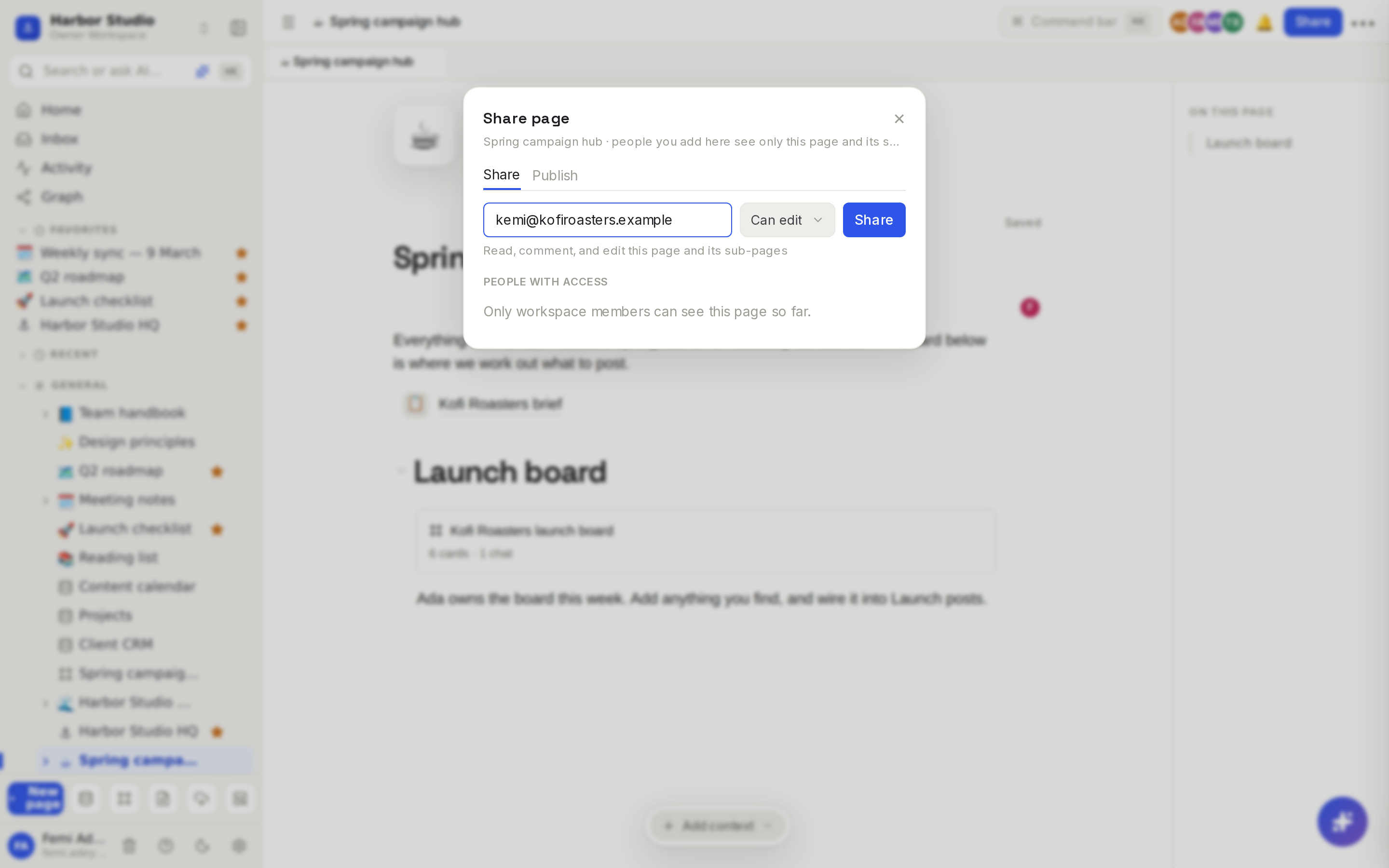
Open the page and click Share at the top.
Type the person's email, choose their access, and send. They get access to the page and everything inside it, including the board.
The access you give on the page decides what they can do on the board:
Access on the page | On the board they can |
|---|---|
Edit | Add, move, wire and delete cards, chat, and make pages from the board. |
Comment or View | Look around, open cards and read every chat. The dock shows only the zoom controls, and chat boxes say "View only". |
Comments aren't available on board cards, so comment access works like view access on a board.
Bring people into the workspace
To give someone everything, invite them to the workspace with Share in the top bar, or from Members & settings. See Members, roles and invites.
Tips and limits
Everyone sees the same board, live: cards, wires, cursors and chat replies as they stream in.
People only see pages they can open. A page card on a shared board shows "Private page" to someone without access to that page, and a chat reply built from it shows "This reply used pages you can't open".
Sources and chats belong to the board. Anyone who can open the board can read its sources and chats.
AI costs land on the board's workspace. When a guest with edit access sends a chat message, it uses the workspace's AI credits. See AI chats and credits.
Not on published sites. A board stays private. If a page you publish as a site embeds a board, visitors see a plain Board label in its place, not the board itself. See Sites.
Sharing works on every plan; guest limits depend on your plan. See Plans and limits.
Ideas
A client research room. Make a "Kofi Roasters — research" page, put the board inside, and share the page with Kemi at View, so she can watch the board grow without moving anything.
A freelancer on one project. Share the campaign hub page with your freelance editor at Edit: they can add clips to the board and make editor notes, and see nothing else in the workspace.
A private strategy board. Keep the pricing board in a private "Leadership" space so only Femi and Ada can open it.
Troubleshooting
A teammate gets "This board doesn't exist or you can't open it". The board is in a private space they're not in, or inside a page they can't open. Add them to the space or share the page.
Someone can see the board but can't add anything. They have view or comment access. Give them Edit on the page that holds the board.