Backlinks | Rodeo Docs
Backlinks show you every page that mentions the one you're reading, so a page about a client, a project or a principle quietly collects every place it was discussed, without anyone filing anything.
Do it
Mention a page somewhere else, by typing @ and its title. See Page mentions and links.
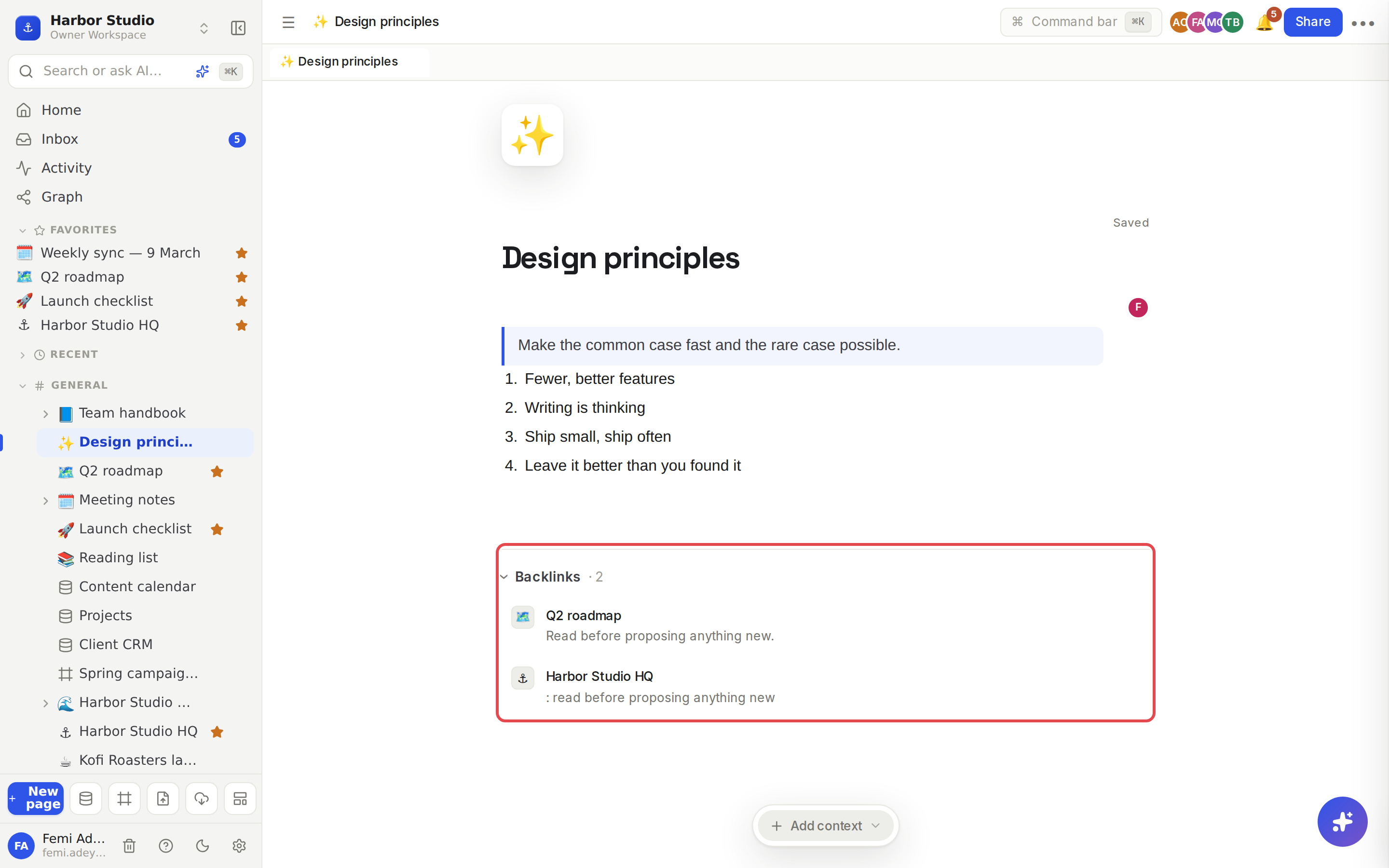
Open the page you mentioned and scroll to the bottom. A Backlinks section lists each page that mentions it, with a count, for example Backlinks · 2.
Each entry shows the other page's icon and title, and the line where the mention sits, so you can see the context without opening it.
Click an entry to go to that page.
Click Backlinks to fold the list away, and again to open it.
There's nothing to switch on. Backlinks appear as soon as a page has at least one, and the section stays hidden on pages that have none.
Tips and limits
What counts: a page mention anywhere in another page's text, including inside a synced block (it counts for the page that holds the original), and a board that has the page on it as a card. See Synced blocks and What a board is.
What doesn't: a page mentioning itself, and plain web links.
Only what you can see. Backlinks list only pages you have access to. If a private page mentions this one, it stays hidden from people who can't open it.
Always current. Remove the mention, or move the page to trash, and its backlink goes away.
Sub-pages aren't backlinks. A page nested under another isn't listed unless it also mentions it. See Pages and nesting.
Backlinks work on every plan.
Ideas
A client page that fills itself in. Mention "Kofi Roasters" in every meeting note and brief. The client's page then lists every conversation about them, newest work included, with no manual index.
Find who relies on a policy. Before changing the "Expense policy", check its backlinks to see which pages point people at it, and update them too.
Decision trail. Give each big decision its own page and mention it from the meeting where it was made. Its backlinks show where it came from and every place it's been applied since.
Troubleshooting
I mentioned a page but the backlink isn't there. Check that you used a mention (a pill with the page's icon), not a typed title or a web link. Backlinks also skip pages you can't open.
The backlink shows a different line from the one I expected. When a page mentions this one more than once, the entry shows the first mention's line.