Personal access tokens | Rodeo Docs
A personal access token is a password for your scripts: it lets a program use The REST API as you, in one workspace, with only the permissions you tick, and you can revoke it the moment you no longer need it.
Do it
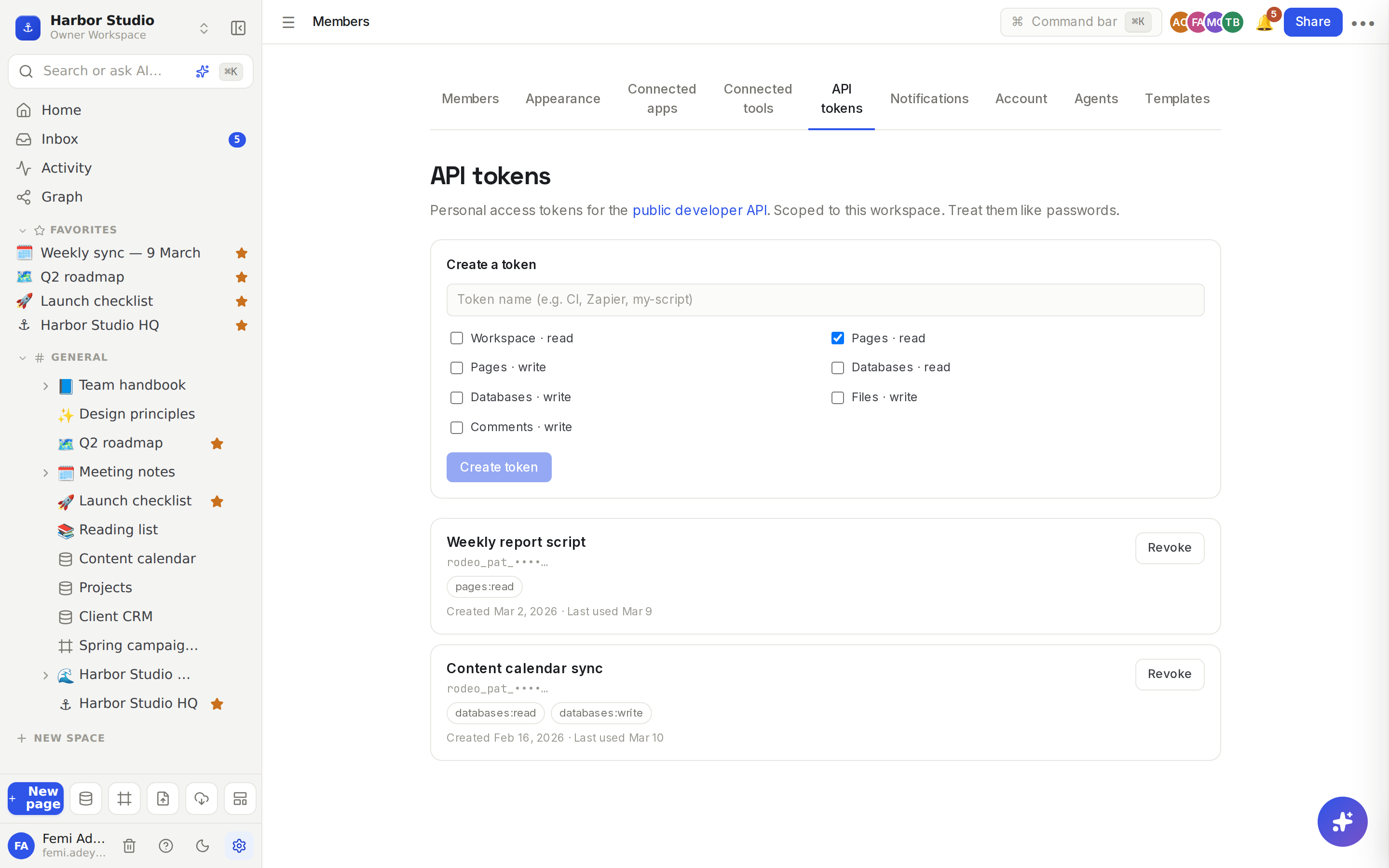
Create a token
Click Members & settings at the bottom of the sidebar, then open the API tokens tab.
Under Create a token, give it a name that says where it's used, for example "Zapier" or "Content calendar sync".
Tick the scopes it needs, and nothing more. Pages · read is ticked to start with.
Click Create token.
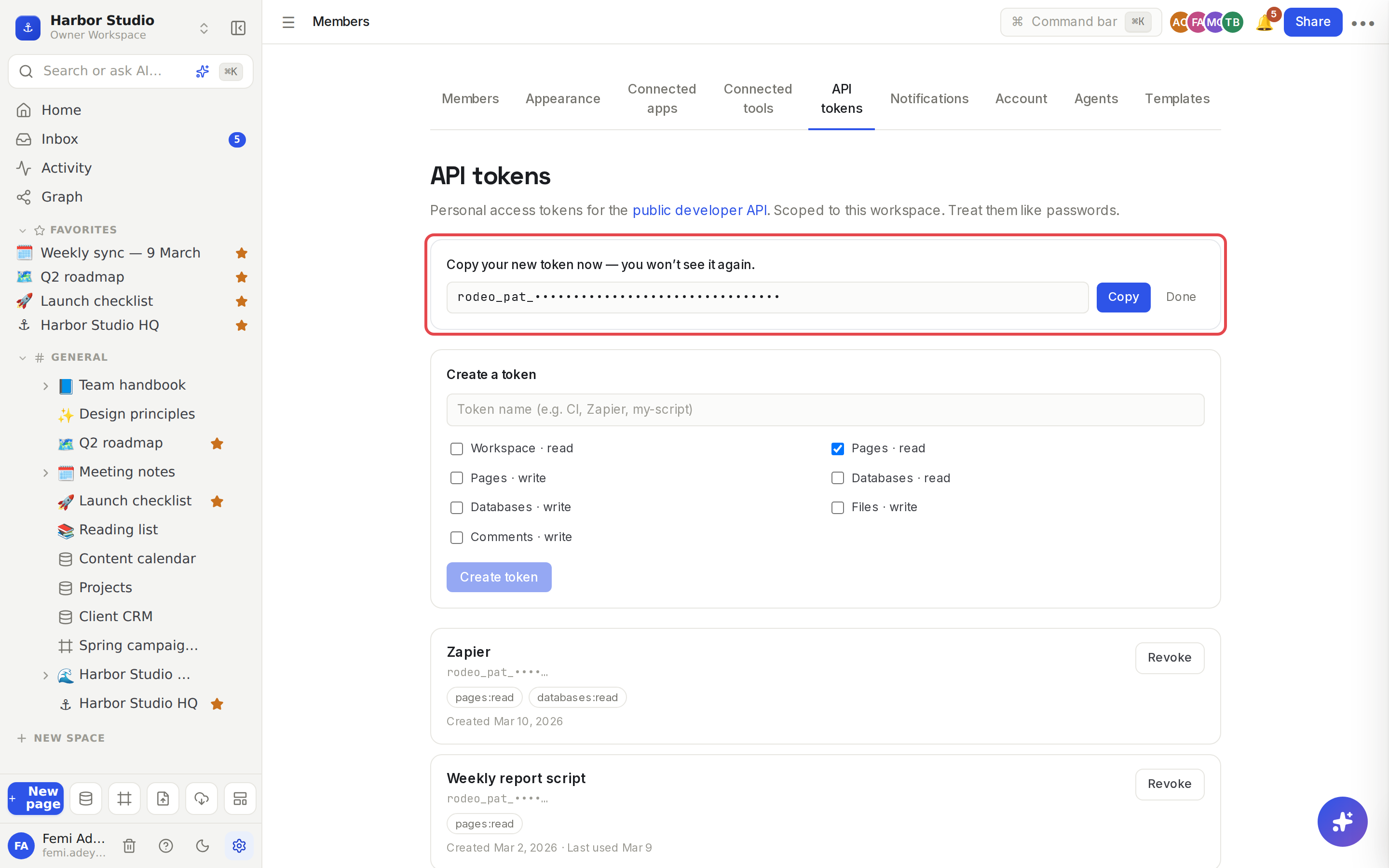
Copy the token from the banner: "Copy your new token now — you won't see it again." Click Copy, store it in your password manager or your tool's secret settings, then click Done.
Tokens start with rodeo_pat_. Send one in the Authorization header:
curl https://api.rodeo.so/api/public/v1/pages \
  -H "Authorization: Bearer rodeo_pat_your_token_here"
Revoke a token
In API tokens, find the token in the list. Each shows its name, the start of the token, its scopes, when it was created and when it was last used.
Click Revoke, then Revoke token: "Any integration using this token will immediately lose access."
Scopes
Scope (in the form) | Lets the token | Endpoints |
|---|---|---|
| List pages, read a page's blocks and its verification |
|
| Create and move pages, edit blocks |
|
| Read database schemas, views and rows |
|
| Create, update and delete rows |
|
| Upload images |
|
| Comment on pages |
|
| Read workspace metadata | No endpoint uses it yet |
Full details for each endpoint are in The REST API.
Tips and limits
A token acts as you. It can see and change only what you can, and changes it makes are credited to you. If you lose access to a page, so does the token. If you leave the workspace, the token stops working there.
One workspace per token. The token is bound to the workspace you created it in, so requests never name a workspace. For two workspaces, make two tokens.
Shown once. Rodeo stores only a fingerprint of the token. Lost it? Revoke it and create a new one.
Your tokens are yours. The list shows only tokens you created, and only you can revoke them.
Rate limit: 120 requests a minute per token. Past that, requests get 429 Too Many Requests until the minute is up.
Kept apart from everything else. A token works only on the REST API, not to sign in to the app or to the MCP server, and your app session can't call the REST API.
Deleting your account deletes your tokens. See Delete your account.
Plans. Tokens and the API work on every plan, including Free.
Ideas
Read-only reporting. A token with only Databases · read feeds Harbor Studio's weekly numbers script, which can't change anything even if the script has a bug.
One token per integration. Tunde has "Zapier" and "Content calendar sync" as separate tokens, so revoking one never breaks the other.
CI that keeps docs fresh. A Pages · write and Files · write token lets a build job upload new screenshots and swap them into a page. See The REST API.
Troubleshooting
My request gets 401. The token is wrong, revoked or missing the Bearer prefix. Check the header, or create a new token.
My request gets 403 insufficient_scope. The token lacks the scope in the response's required field. Create a token with that scope.
The token works but returns "not found" for a page I can see. The token is bound to a different workspace from the page. Use a token made in that workspace.