Peek and tabs | Rodeo Docs
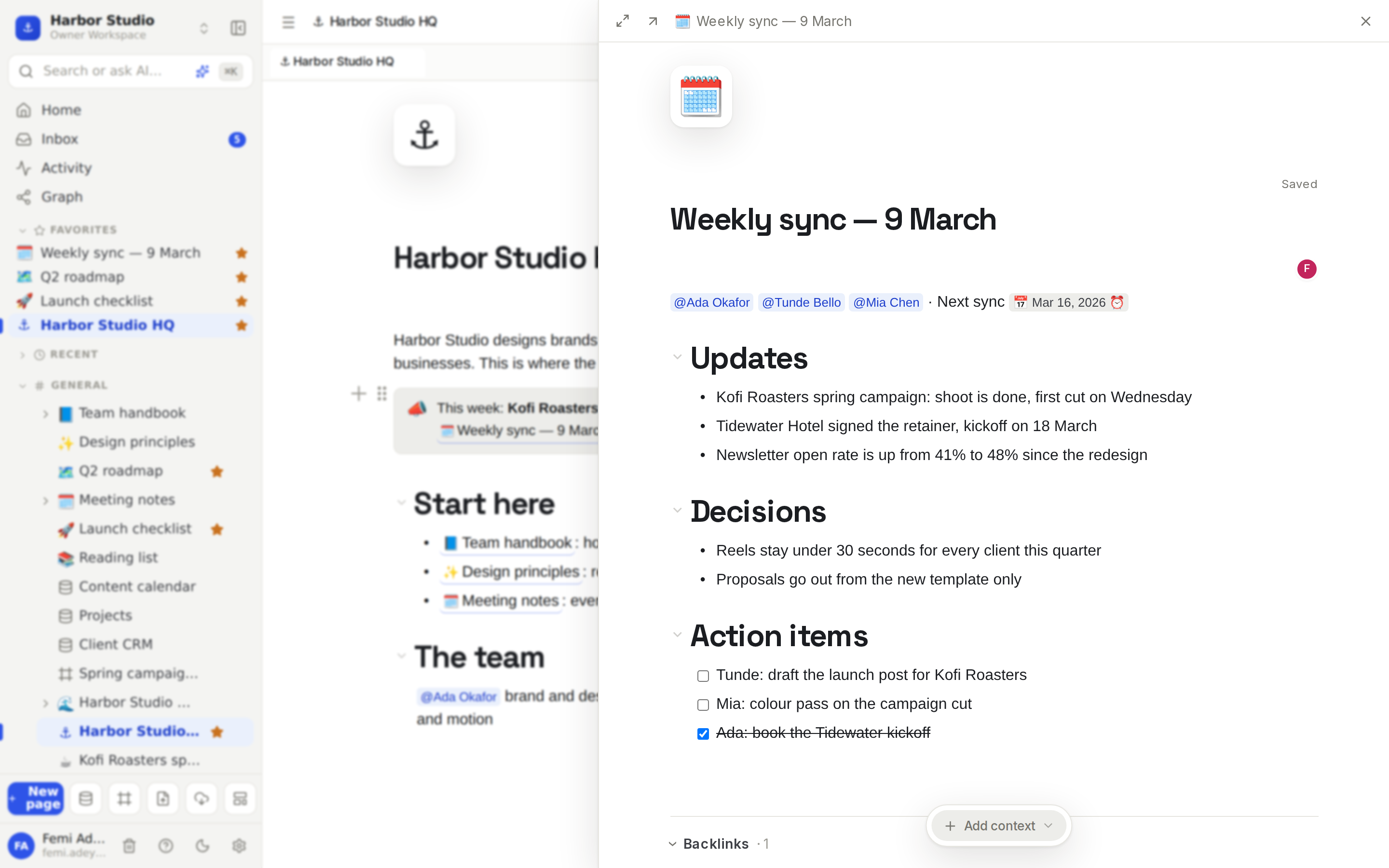
Peek opens a linked page in a panel over the one you're on, so you can check or edit it without losing your place, and tabs keep the pages you're working across one click apart.
Do it
Peek at a page
Click a page mention, a sub-page row in a page's body, or a database row. The page opens in a panel on the right.
Read or edit it right there. It's the real page, so changes save as usual.
Use the buttons at the top of the panel:
Expand to center makes it a large window in the middle of the screen; Dock to the side puts it back.
Open as full page leaves the panel and opens the page normally.
Close, or press Esc, or click outside the panel, to go back.
Want the full page straight away? Hold ⌘ (Ctrl on Windows) as you click the link, or middle-click it.
Just hovering a page mention for a moment also shows a small preview card with the page's icon, title and first few lines.
Work in tabs
Every page or database you open gets a tab in the bar above the page.
Click a tab to switch to it.
Hover a tab and click its × to close it.
To open a page in a new tab, just open it: from the sidebar, a link, or ⌘K.
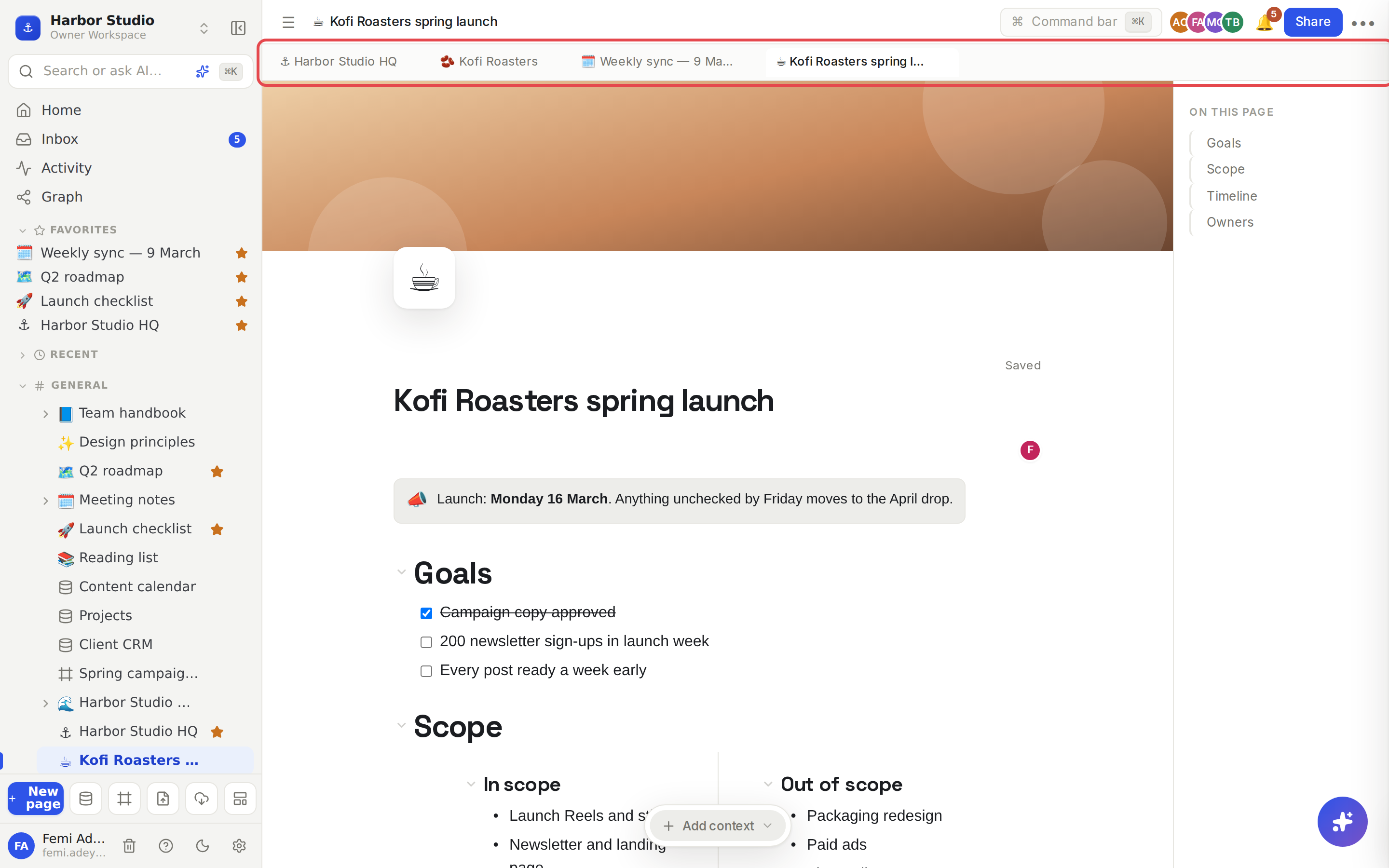
Your tabs are remembered for each workspace in this browser, so they're still there when you come back tomorrow.
Tips and limits
Up to 12 tabs per workspace. Opening a 13th closes the oldest.
Tab commands in ⌘K: Close tab, Next tab, Previous tab and Reopen closed tab.
In the desktop app you also get keyboard shortcuts: ⌘W close tab, Ctrl+Tab and Ctrl+Shift+Tab next and previous, ⌘⇧T reopen the last closed tab, ⌘1 to ⌘8 jump to a tab and ⌘9 to the last one (Ctrl for ⌘ on Windows). Right-click a tab and choose Open in new window, or drag it out of the window. See Desktop app.
Reopen closed tab remembers tabs closed since you opened Rodeo; it doesn't survive a reload.
Databases and boards open as full pages when you click a link to them, not in the peek panel.
The outline is hidden in the peek panel to give the page room. See Page layout: icon, cover, width and outline.
Peek and tabs work on every plan.
Ideas
Edit the action items without leaving the agenda. In "Harbor Studio HQ", click the link to this week's sync, tick off what's done in the side panel, press Esc and carry on.
Work through a database row by row. In the Client CRM, click each client to open it beside the table, update its notes, and close it. The table stays exactly where you left it. See Table view.
A focused working set. Keep tabs open for the brief, the content calendar and the client's page while you plan the launch, and close the rest.