Embed YouTube, Loom, Figma and HTML | Rodeo Docs
Bring the rest of the web into your page: a YouTube or Loom video that plays in place, a live Figma file, a map, a tidy preview card for any link, or a widget you write yourself in HTML.
Do it
Embed a video, design or map
Type /embed and choose Embed.
Paste the link into the box ("Paste a link — YouTube, Figma, Loom, or any URL") and press Enter or click Embed.
For a supported site, the player or viewer appears right in the page. For any other link, you get a preview card.
These sites play or show live inside the page:
Site | Paste a link like |
|---|---|
YouTube |
|
Vimeo |
|
Loom |
|
Figma | a file, design, prototype or FigJam board link |
CodePen |
|
Google Maps | a |
Add a link preview card
Type /bookmark and choose Web bookmark, then paste the link. Rodeo fetches the page's title, description, image and site icon and shows them as a card. Click the card to open the link in a new tab.
Embed and Web bookmark are the same block: the link decides what you get.
Add your own HTML
Type /html and choose HTML.
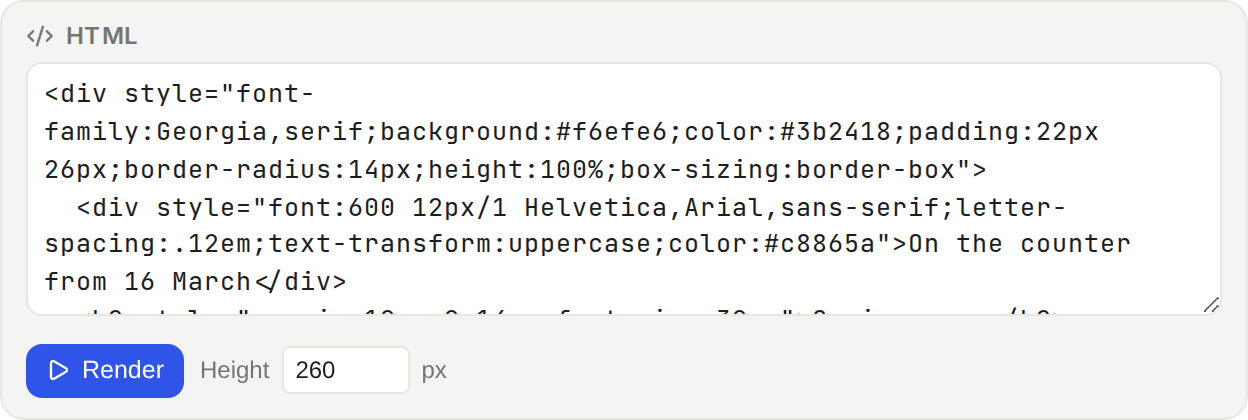
Paste your markup into the box: a styled card, a form, an <iframe> from another service, even a small slide deck.
Set Height in pixels, then click Render.
To change it later, hover the block and click Edit HTML.
Tips and limits
HTML runs in a sealed box. Scripts in an HTML block run, but they can't see or change anything else in Rodeo: not your page, not your account, not your data. That's what makes it safe to paste code from elsewhere.
HTML block height is from 80 to 2000 px. Content taller than that scrolls inside the block.
Previews are saved with the page, so a card or player still appears after a reload without fetching the link again.
Some links can't be previewed. If a site blocks it, Rodeo says "Couldn’t load a preview for that link." Try the link in a browser to check it's public.
Private addresses are refused. Rodeo won't fetch links to internal networks, such as localhost or office-only servers.
Pasting a link into text makes an ordinary link. Use /embed when you want a player or a card.
A video file (an .mp4 link rather than a YouTube page) goes in a Video block. See Images, video and files.
Embeds and HTML blocks work on every plan.
Ideas
Design review in the brief. Embed the Kofi Roasters Figma file under the brief, so the latest frames sit right next to the requirements. Comments on the page keep the feedback with the decision. See Comments.
A menu card in the client's own style. Ada writes the spring menu as an HTML block in Kofi Roasters' colours and fonts, so the launch brief shows exactly what customers will see.
Loom walkthroughs in the handbook. Each "How we…" page opens with a two-minute Loom, then the written steps underneath for people who'd rather read.